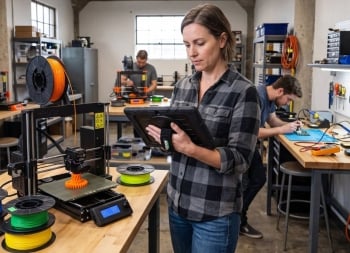
Yes. You can use a Windows tablet for 3D printing to download STL and 3MF files, run compatible slicing software such as Bambu Studio, PrusaSlicer and UltiMaker Cura, manage projects and use browser-based printer tools. The Fusion5 Rugged Windows Tablet makes all the aforementioned tools available right beside the 3D printer in your garage, shop or makerspace.
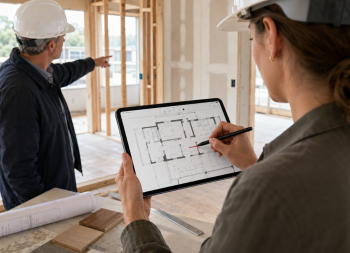
Looking for a Windows tablet for architects on site that actually holds up during a client walkthrough? The Fusion5 Helios12 pairs a sharp 2K touchscreen with a pressure-sensitive pen, so you can mark up floor plans and review renderings right in the room. It runs full Windows 11, meaning your CAD viewers and PDF markup apps open exactly the way they do at the studio. Architects and interior designers get a device built for real fieldwork, not a scaled-down tablet app experience.
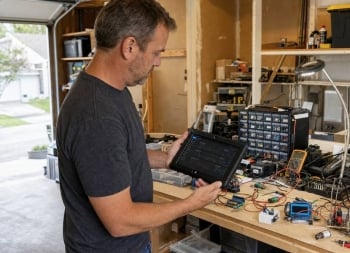
A full Windows tablet can run many of the same applications makers already use on a laptop, including Arduino IDE, VS Code, PlatformIO, KiCad, Python, Jupyter Notebook, Raspberry Pi Imager, Raspberry Pi Connect, GitHub Desktop, and digital note-taking software.
Together, these tools create a practical workflow for building, testing, analysing, and documenting electronics projects on a single device.
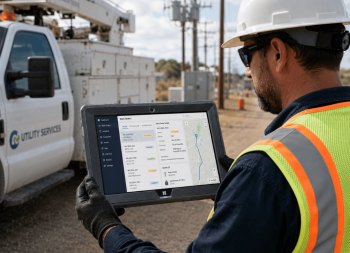
Utility and grid field technicians work outdoors in rain, heat, and cold while running GIS, work order, and safety software that only performs reliably on Windows. This post breaks down why standard tablets fail in the field and what a rugged Windows tablet needs to hold up through smart meter installs, outage repair, and daily crew operations. It also covers the Fusion5 Rugged Windows 11 Pro Tablet PC, built and assembled in Pasco County, Florida, with the specs, warranty, and fleet options utility teams actually look for.
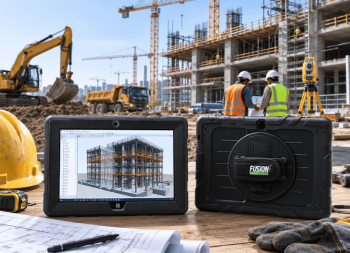
A rugged tablet for construction sites needs to survive drops, dust and job-site chaos while still running real software. Fusion5's Rugged Windows 11 Pro Tablet PC handles machine control, BIM viewing and daily site inspections for contractor crews, running full Windows 11 Professional instead of a stripped-down mobile OS. Assembled in Pasco County, Florida, it's backed by a 2-year warranty that covers accidental damage. Built for the way general contractors and infrastructure crews actually work.
Property managers spend more time on-site than behind a desk. A typical day might include carrying out a move-out inspection, meeting contractors, checking maintenance work, responding to tenant requests, and preparing a property for new occupants.
Managing all of that with paper forms, a phone, and an office computer soon becomes time-consuming. A rugged Windows tablet helps property managers complete rental inspections, manage maintenance, access property records, and stay productive while working on-site.
Nowadays, most customers walk into a dealership knowing exactly which vehicles they want to see. They've already compared models online, watched reviews, and checked prices, so when they arrive, they're looking for quick answers to the questions that matter most.
That puts more pressure on sales teams to have the right information at their fingertips. Whether they're on the forecourt, in the showroom, or discussing finance options, a Windows tablet allows them to access vehicle details, dealership systems, and customer information without interrupting the conversation.
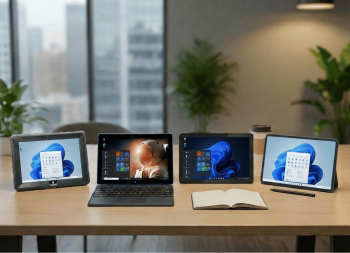
Buying a windows tablet sounds simple until the one you ordered can't handle more than a browser tab. This guide breaks down exactly what separates a reliable windows tablet from one that ends up returned within a month, covering RAM, storage, processor, and battery specs that actually matter. It compares windows tablets against Android alternatives, shares real support-ticket data on where budget models fail.
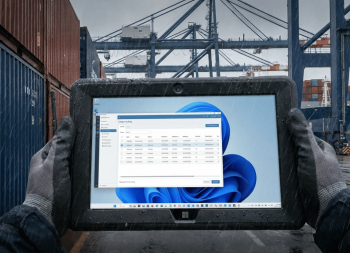
Ports are one of the toughest environments for technology, and paper manifests still slow down a lot of dock operations. This post breaks down how a rugged tablet for port operations replaces clipboards and radios with real-time digital cargo tracking, gate check-ins, and yard inspections. It covers why salt air, humidity, and drops destroy consumer devices, and how the Fusion5 Rugged Windows Tablet is built to survive all three. You'll also find a practical look at glove-touch support, full Windows 11 Pro compatibility with any terminal operating system, and built-in Wi-Fi and hotspot connectivity for dock-to-office communication.
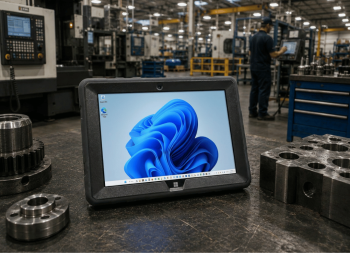
Most tablets aren't built for job sites they're built for coffee shops. This post breaks down why field techs, warehouse crews, and small business owners keep replacing cracked, dust-clogged tablets, and what actually separates a true rugged Windows tablet from a regular one wearing a case. You'll get real numbers on failure rates, a full spec breakdown of the Fusion5 Rugged Windows Tablet, and honest lessons pulled straight from customer support tickets. It covers where this tablet earns its keep in the real world, from HVAC quoting to warehouse floors. By the end, you'll know exactly why waiting to upgrade usually costs more than the tablet itself.
We use cookies to enhance your browsing experience, analyze site traffic, and personalize content. By clicking "Accept All", you consent to our use of cookies.
Privacy Policy
Strictly Necessary
Essential cookies required for the website to function properly. These cannot be disabled.
Always Active
Cookie Consent
Stores your cookie consent preferences
Cookie
Description
Duration
hyva_cookie_consent
Remembers your cookie consent choices
1 year
Session Management
Manages your shopping session and protects against security threats


 August 13, 2026
 August 07, 2026
 July 03, 2026