


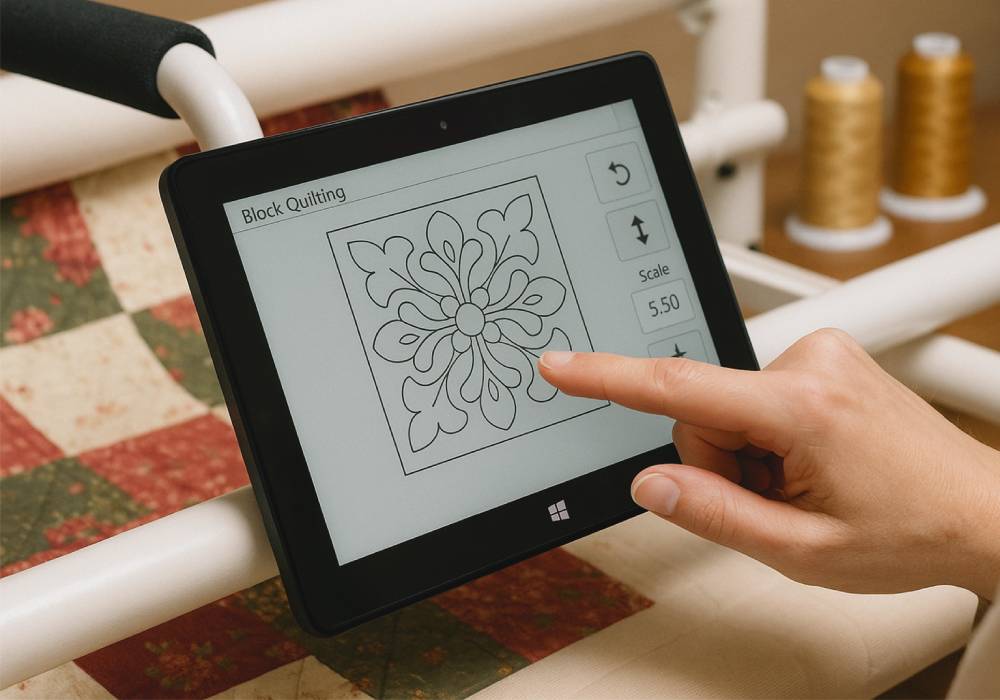
Can the Fusion5 Windows Tablet PC Help Automate Quilting?
You bet! And it’s already doing so for quilters who want to modernize their craft. The Fusion5 Windows Tablet PC is a perfect match for quilt automation systems like Qbot, QuiltPath, and Grace’s automation software.
Quilters today are blending artistry with technology, using computer-controlled quilting machines that can run complex stitching patterns with incredible precision.
These systems often require portable, Windows-based tablets that can handle design software, USB connections, and real-time adjustments—all of which the Fusion5 tablet does beautifully, without breaking the budget.
Full Blog: How the Fusion5 Tablet Supports Quilting Automation
Tablet-Controlled Quilting Software Made Easy
Popular quilt automation systems rely on Windows software to drive intricate stitch paths. The Fusion5 tablet is compatible with programs like:
- Qbot for block and pantograph quilting
- QuiltPath for APQS machines
- Grace’s QCT software for precision pattern placement
The tablet’s Windows 11 environment ensures seamless operation with these quilting apps, giving users full control of their machines.
Lightweight, Portable, and Quilt-Frame Friendly
The Fusion5 tablet is slim enough to mount directly onto quilting frames, carts, or dedicated stands. It’s lightweight for easy positioning but large enough (with its 10.1" screen) to comfortably view stitching patterns and controls.
Quilters can make quick adjustments, select designs, and monitor progress right from the tablet—no need for bulky desktop setups.
Smooth USB Connectivity for Quilt Machines
Many quilting machines require USB connections to communicate with control modules. The Fusion5 tablet’s built-in USB-A port makes it simple to connect:
- Machine controllers
- USB sticks with design files
- External keyboards if needed
This removes the need for complicated adapters and ensures a smooth workflow in a home studio.
Real-Time Design Adjustments and Stitch Monitoring
Quilters can:
- Import and adjust patterns on-the-fly
- Resize, rotate, or reposition designs
- Preview stitch paths in real-time
- Start, stop, and tweak machine functions from the tablet
The Fusion5’s touchscreen makes these adjustments quick and intuitive—no mouse or external monitor required.
Budget-Friendly Setup for Hobbyists and Professionals
High-end quilting setups can be costly, but the Fusion5 tablet offers an affordable, Windows-compatible alternative that doesn’t compromise on functionality. It’s perfect for:
- Hobby quilters upgrading their home systems
- Small quilting businesses
- Craft fair and workshop setups
★★★★★ “Perfect for my quilting machine—this tablet had every feature I needed.” — January 2025
Why the Fusion5 Tablet Works for Quilting Automation
- Compatible with Windows-based quilting software like Qbot and QuiltPath
- Portable and easy to mount on quilt frames
- Supports USB connections for quilt machines and accessories
- Full touchscreen control for on-the-spot adjustments
- Affordable option for hobbyists and small businesses
Comparison Table
| Feature | Fusion5 Tablet | High-End Control Tablet | Laptop |
|---|---|---|---|
| Software Compatibility | Windows Quilting Apps | Windows Quilting Apps | Windows Quilting Apps |
| Mounting Flexibility | Excellent | Excellent | Poor |
| Portability | High | High | Low |
| Touchscreen Control | Yes | Yes | No |
| Budget-Friendly | Very | Expensive | Moderate |
Why the Fusion5 10.1" Windows Tablet PC Is Perfect for Quilting Automation
- Supports popular quilting automation software with no compatibility issues
- Offers real-time control and pattern adjustments
- Easy to mount directly on quilting frames or carts
- USB-ready for quilting machine connections
- Lightweight, affordable, and built for creative makers
If you’re ready to take your quilting to the next level, the Fusion5 10.1" Windows 11 Professional Tablet PC is your ideal quilting partner.



