Is the Fusion5 Windows Pro Tablet the Unexpected Tutoring Powerhouse?
You've got that right, this tablet has everything you need, and here’s why. Tutoring these days doesn't resemble what most of us grew up with. It’s Zoom sessions, shared Google Docs, scattered homework folders, and an ongoing battle with background noise. Half the job sometimes feels like just keeping kids engaged long enough to finish a paragraph.
If you’re looking for a portable tutoring tablet to connect with students in real time and multitask with other apps, the Fusion5 Windows Pro tablet is an excellent choice. It’s perfect for teachers, tutors, and homeschooling parents who want to create dynamic and engaging lessons from anywhere. This handy full HD 10.1” screen tablet is compact without feeling cramped, easy to carry, and, maybe most importantly, it just works without fuss. You open it, teach, and keep things flowing. Check out the breakdown as to why!
Full Blog: How the Fusion5 Tablet Makes Tutoring Easier and More Engaging
Where It Really Shines
Real-Time Video Tutoring Sessions
Most tutoring is online these days. Zoom, Teams, Meet, they all run smoothly on this tablet thanks to its full Windows Professional OS. It handles screen sharing and document walkthroughs without slowing to a crawl thanks to the 8GB to 12GB RAM capacity in varying Fusion5 Windows Pro models. Walking students through lessons and collaborating in real time has never been easier without the need for a full-sized computer.
Quick, Painless Note Sharing
You can quickly share PDFs, images, and notes with students during your session. Whether you’re reviewing assignments, solving problems with students, or providing feedback, this tablet helps you share resources instantly, keeping lessons smooth and efficient.
Flexible Learning for All Subjects
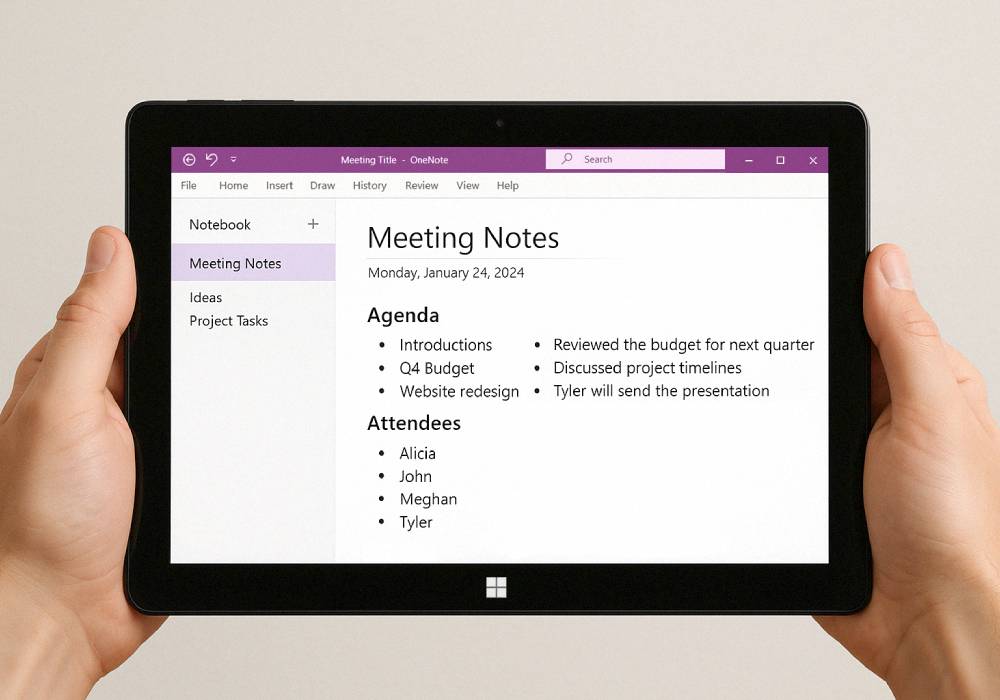
Whether it’s algebra, biology, reading comprehension, or language practice, this device keeps up. Apps like OneNote, Google Classroom, Khan Academy, and Quizlet all run like they’re supposed to, no freezing up. This is a flexible solution for any subject, hands down.
Portability That Makes Sense
Tutoring doesn’t always happen in the same place. Sometimes it’s a library, sometimes a coffee shop, sometimes just the backseat of a parked car between extracurriculars. The Fusion5 Windows tablet is lightweight, and the battery lasts through a full day of sessions. It slides into a bag without adding bulk, just that easy.
Why Not Just Use a Phone?
You could. But you’d probably regret it. Phones are fine in a pinch for info sharing, but the small screen turns a full lesson plan into a tap-and-squint marathon. Tablets offer breathing room without going full laptop or even desktop. There’s space to explain, to write, to actually teach, all in a more portable package than a laptop.
Why It’s Winning People Over
- Reliable video sessions that don’t freeze up
- Instant file sharing and real-time editing
- Easy to carry, especially on busy days
- Compatible with nearly every major education app
- Less chaotic than phones, bigger screen, way lighter than laptops
Final Thoughts
It’s not just another gadget. It’s a quiet little upgrade that makes the whole process of tutoring smoother, calmer, and a lot more manageable. If you’re ready to take your tutoring sessions to the next level, the Fusion5 10.1" Windows 11 Professional Tablet PC is your perfect on-demand tutoring partner.
Visit Fusion5Store.com to see how this tablet can transform your online tutoring experience.