HELIOS12: The Summer Tablet That Handles Travel, Notes, and Mobile Work
Instead of just being seasonal gadgets for those longer summer evenings and weekends, people are looking for products that can make their lives easier when summer is at its most intense. With lives becoming more mobile and less routine during the summer season, products that enable people to divide their time more effectively between being on the move, in the office, planning, spending time with family and friends, and time to chill out are in demand.
The Fusion5 HELIOS12 looks set to become the summer gadget of choice for more than one reason.
This is a unique build that brings together a 12-inch 2K touchscreen display, a stylus pen, an Intel N100 processor, 12GB of DDR5 RAM, a 512GB SSD, active cooling, and Windows 11 Home pre-installed.
People use the same device at different times of the day: to check maps and travel information in the morning, to write emails, text messages, and drafts with a stylus in the afternoon, and to watch videos, read a book, and browse websites in the evening.
For all these mixed uses of everyday life, the HELIOS12 is better than a phone, and more convenient to carry around than a full laptop for occasional use.
Full Blog: Why HELIOS12 Is the Perfect Holiday Companion for Summer
Why a 12-inch stylus tablet makes sense this summer
While a smaller tablet is lightweight and easy to carry around, it can still feel too small for comfortable reading, entering guest details and bookings, or watching a movie. On the other hand, a laptop can feel too large to carry on the move, whether for travel, days out, or informal use around the house.
One of the advantages of a ‘middleweight’ 12-inch tablet is that it’s about the right size to make many everyday tasks more comfortable.
You don’t have to carry around a large device, and the HELIOS12 isn’t particularly bulky to take with you. Its 12-inch screen is ideal for browsing, reading, and editing documents, spreadsheets, and more, while its 2000 × 1200 resolution and 16:10 aspect ratio are well suited to giving users more room to work with vertically arranged content.
An extra inch may sound insignificant, but it can make a noticeable difference when viewing websites and applications that are better suited to a larger display than a smartphone screen.
What people actually do with a stylus tablet like this
The stylus is what makes the HELIOS12 feel less like “just a screen” and more like a practical tool.
On Windows tablets, stylus use is strongest when people are doing things like:
- writing or organising handwritten notes
- marking up PDFs and printouts
- signing forms
- highlighting documents
- sketching ideas quickly
- navigating more precisely than with finger input
Microsoft actively promotes pen-based note-taking workflows in OneNote, including handwriting and better organisation of notes, and it has also improved the way ink annotations stay attached to PDF printouts and images in OneNote on Windows. Microsoft Edge also supports inking directly on PDFs, including filling out forms, signing, and saving marked-up files.
That gives the HELIOS12 a much more specific summer use case than “you can use it for creativity.” For example:
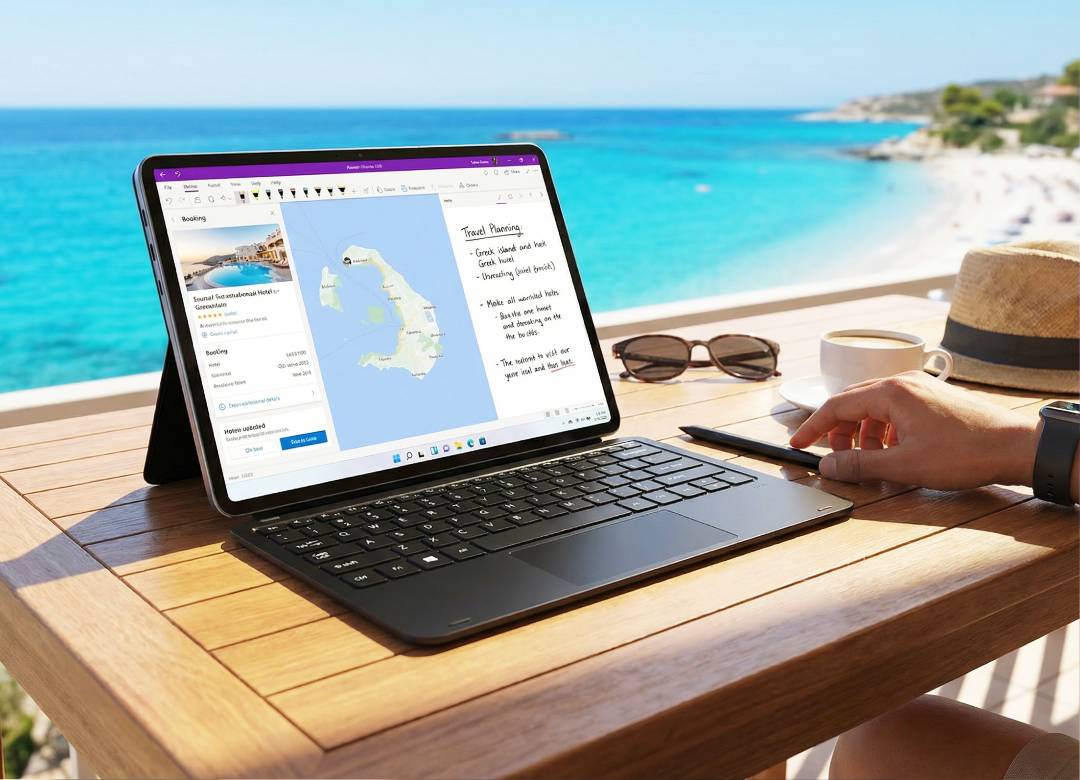
- Travel planning with handwritten notes
Instead of switching between paper notes and a booking app, users can keep planning in one place. Hotel details, packing lists, sightseeing ideas, and travel timings can all sit on the same device. - PDF markup without printing anything
Travel documents, schedules, school material, work PDFs, or editable forms can be opened and marked up directly on-screen. That’s especially useful for people who are moving around and don’t want to print, scan, or carry papers. - Quick note-taking when a keyboard feels unnecessary
A stylus works well for rough notes, meeting points, reminders, checklists, and quick idea capture. In summer, that can be more practical than opening a laptop every time.
This is where the HELIOS12 feels more purposeful than a basic entertainment tablet.
Better for “light work while away” than a phone
A lot of summer tech content pretends people are either fully on holiday or fully working. Real life sits in the middle.
Many users still need to do bits of work while travelling or during lighter summer weeks:
- reply to emails
- review documents
- edit notes
- join calls
- check files
- manage calendars
- do browser-based admin
That’s where Windows 11 gives the HELIOS12 an advantage. It’s built for proper multitasking rather than just app-hopping. Windows 11 also includes Snap Layouts and Snap Groups, which are designed to make arranging multiple windows easier for multitasking.
In practical terms, that means the HELIOS12 suits tasks like:
- browser on one side, notes on the other
- PDF open while taking handwritten notes
- email beside a travel itinerary
- a spreadsheet open while checking source documents
That kind of workflow is hard to do comfortably on a phone, and often more effort than people want from a full laptop on holiday. The HELIOS12 fits that middle ground really well.
Why the included specs support this use case
The HELIOS12 isn’t only well positioned because of the form factor. The hardware matches the kind of mixed-use workflow people actually have.
The Intel N100 processor is aimed at everyday productivity, browsing, learning, and general computing workloads.
The 12GB DDR5 RAM helps the device feel more responsive when switching between apps or keeping several tasks open. The 512GB SSD adds practical value because it gives faster boot times and enough room for documents, media, downloads, and everyday files.
Then there’s the active cooling fan, which matters more than it sounds. Summer use often means longer sessions, warmer environments, and more multitasking. Active cooling helps the HELIOS12 stay steadier during heavier use by reducing heat buildup and helping prevent throttling.
So the tablet’s value isn’t just “it has good specs.” It’s that the specs support the exact use cases that make a 12-inch stylus tablet worth carrying.
It’s also a strong entertainment screen
Of course, summer use isn’t all admin and note-taking.
The HELIOS12 still works very well for the other side of travel and downtime:
- streaming in a hotel or holiday rental
- watching YouTube on a larger screen
- reading articles or ebooks
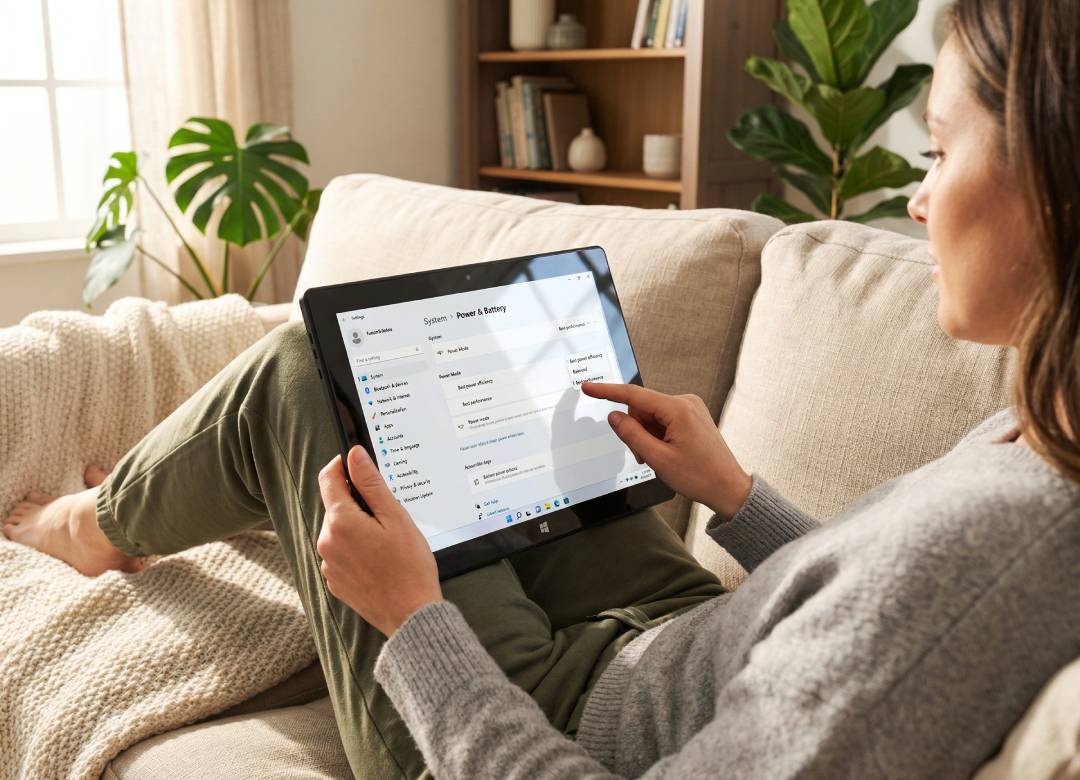
- browsing comfortably on the sofa
- casual everyday use around the house
This matters because a tablet shouldn’t feel like a work device only. The 12-inch 2K touchscreen gives the HELIOS12 enough visual appeal and screen comfort to handle entertainment properly, not just as an afterthought.
That’s why the most accurate angle isn’t “business tablet” or “creative tablet” alone. It’s a multi-role summer tablet that can move between planning, work, notes, and entertainment without feeling awkward in any of those roles.
Who it makes the most sense for
The HELIOS12 is especially easy to understand when broken down by user type.
For remote workers: it’s the tablet for checking in without hauling a full laptop everywhere.
For students: it combines a bigger screen, handwritten notes, Windows apps, and document markup in one device.
For note-takers and creative users: the stylus makes it useful for annotation, sketching, and natural input instead of just tapping and scrolling.
For travellers: it works as a planner, document viewer, larger entertainment display, and flexible everyday device.
That’s a more specific and believable case than calling it a gadget for “everyone.”
Final take
The Fusion5 HELIOS12 is the summer tablet for people who want one device to handle travel planning, handwritten notes, light work, and entertainment.
That’s what makes it more than a generic seasonal gadget. Its 12-inch screen gives it enough room to be productive. Its stylus makes it genuinely useful for notes and annotation. Its Windows 11 setup makes multitasking more natural.
And its Intel N100, 12GB DDR5 RAM, 512GB SSD, and active cooling support the kind of real-world use that happens when people are moving between travel, work, and downtime.
If the goal is to carry one device that feels useful before, during, and after a holiday, the HELIOS12 makes a strong case.
FAQ
What is the main reason the HELIOS12 stands out?
It combines travel planning, note-taking, light work, and entertainment in one device.
Why is the 12-inch size important?
It gives more room for reading, browsing, documents, and streaming than a phone or smaller tablet.
What is the stylus useful for?
It's useful for notes, annotation, PDF markup, and quick planning.
Do the HELIOS12 specs support everyday mixed use?
Yes. Its Intel N100, 12GB DDR5 RAM, 512GB SSD, active cooling, and Windows 11 Home are built for that kind of use.