Windows 11 Tablet Features You Didn’t Know Existed
What do you usually think of when searching for a Windows 11 tablet? Many consumers often keep in mind portability, battery life, and if it can replace a laptop.
Besides those main features that we all look at when thinking of purchasing a new device, the operating system is just as important to consider. These are the built-in features of your potential new tablet.
Performance isn’t only about the processor and memory. The software used with Windows 11 plays a major role in productivity, multitasking, organization, and security. Find out more about these features in this blog.
Full Blog: Top Windows 11 Features That Make Tablets More Powerful
Snap Layouts for Smarter Multitasking
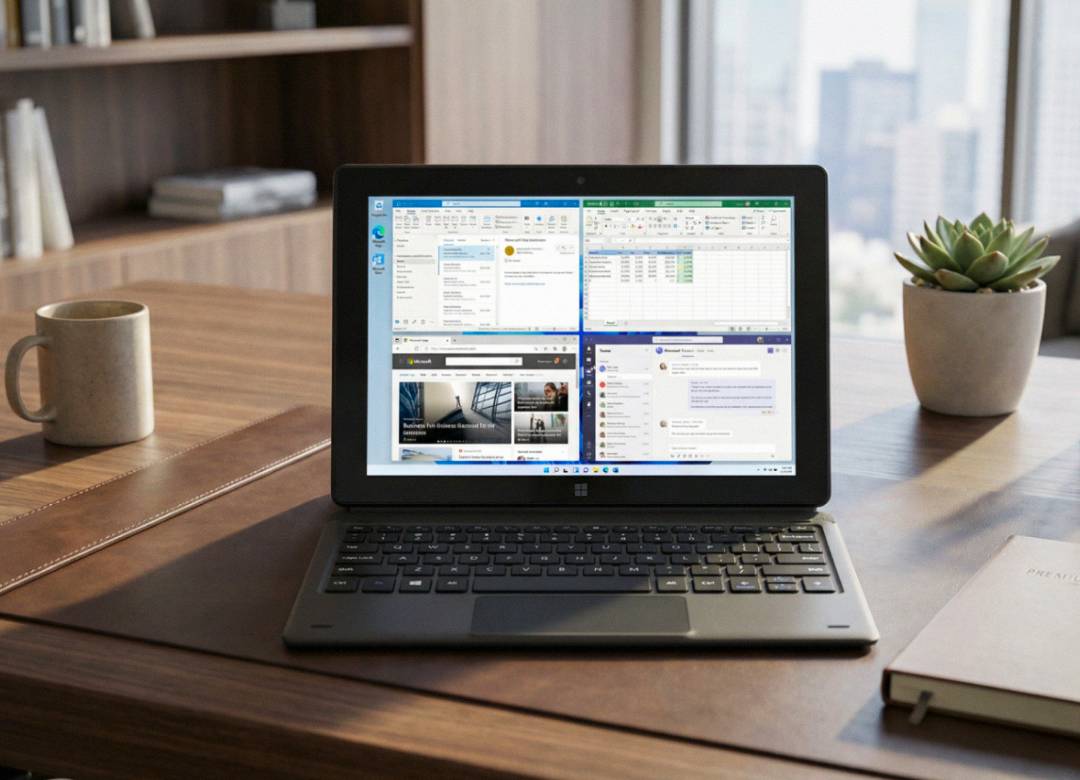
One of the most practical features built into Windows 11 is Snap Layouts, and many tablet users either don’t know it exists or don’t fully use it.
Normally, if you want to work with two apps at the same time, you would have to manually drag one window to the side of the screen, resize it, then adjust the second window so both fit properly. On a touchscreen device, this can be awkward and time consuming.
With a Windows tablet when you tap or hover over the maximize button at the top of any window, Windows 11 shows you several preset layout options. These layouts automatically divide your screen into organized sections. You simply tap the layout you want, and the app snaps into that position. Then Windows prompts you to choose another open app to fill the remaining space.
Having this handy little built-in function reduces interruptions, and makes tasks like research or data entry much smoother.
Virtual Desktops for Better Organization
Another built-in Windows 11 feature that many tablet users overlook is Virtual Desktops. This feature allows you to create multiple desktop workspaces on the same device, instead of stacking everything onto one crowded screen.
How many of us can relate to this scenario? You open several apps, browser tabs, and documents, they all live on the same desktop. Over time, things start to feel cluttered. You minimize one window, open another, and before you know it, you’re clicking around trying to find where everything went and which window is what.
And here comes in Virtual Desktops for the save, which lets you separate your tasks into different spaces. That means that you can create dedicated desktops just for different tasks such as creating a desktop for research and schoolwork, another for work apps and documents, and another desktop for your personal and entertainment hub.
Instead of everything competing for space on one screen, each project has its own dedicated workspace.
Built-In Security You May Not Be Using
Another important area people forget about when choosing a Windows 11 tablet is security. Many of the protection tools are already built into the operating system.
For example, Windows Hello allows you to sign in using a PIN, fingerprint, or facial recognition depending on the hardware. This makes logging in faster while still keeping your device secure.
If your tablet runs Windows 11 Pro, features like BitLocker encryption can help protect your files if the device is ever lost or stolen. This is especially important for business users, remote workers, and students who may carry their device in public spaces.
Security is not just about antivirus software. The operating system itself plays a major role in protecting your data.
Conclusion
When choosing a Windows 11 tablet, it’s easy to focus only on hardware like RAM, storage, processor speed, and screen size. Those specs absolutely matter. But the built-in features inside Windows 11 can make just as much of a difference in your daily experience.
Tools like Snap Layouts help you multitask more efficiently. Virtual Desktops keep your projects organized. Built-in security features like Windows Hello and BitLocker help protect your personal or professional data. These are not add-ons or extra downloads, they are already included in the operating system.
If you’re considering a Windows 11 tablet as a laptop replacement for work, school, or everyday productivity, understanding these built-in features can help you get more value out of your device. Sometimes the most powerful tools are the ones that are already there, just waiting to be used.