

Beyond the Keyboard: Can Accessories Enhance Your Fusion5 Windows Tablet PC Experience?
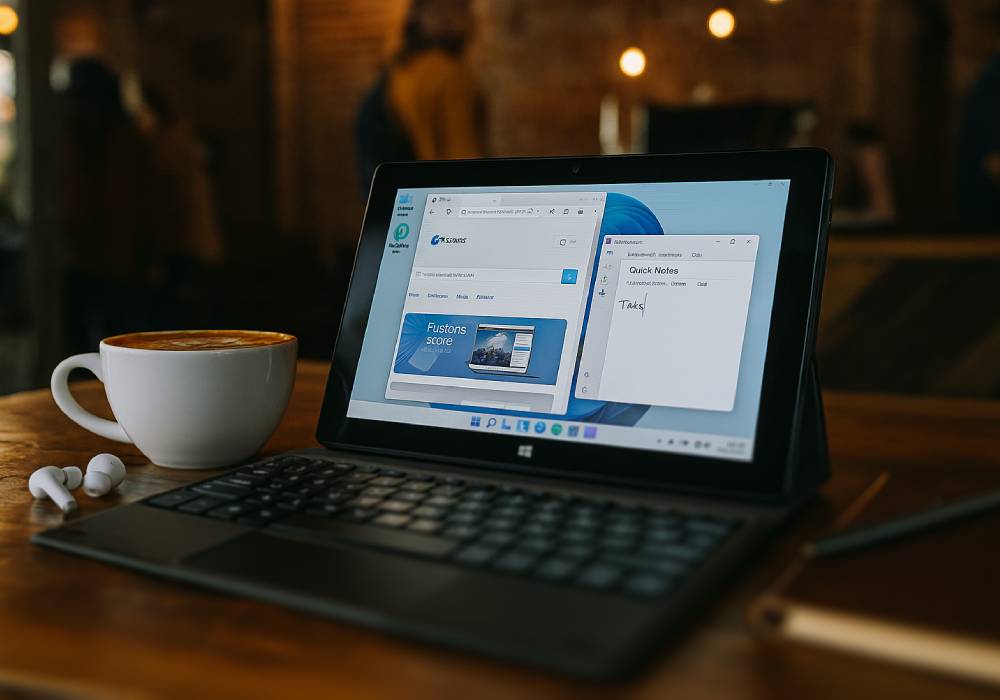
Yes, they absolutely can! The Fusion5 10.1" Windows 11 Professional Tablet PC is a capable tablet on its own, but with the right accessories, it can transform into a full productivity station, a portable workstation, or even a mini entertainment hub.
Your Fusion5 tablet is already a fantastic portable device. But if you've ever found yourself wishing it could do just a little bit more, then exploring some key accessories is definitely the answer.
These aren't just optional extras; they're the missing pieces that can unlock its full power, helping you tackle more complex tasks, enjoy media more fully, or simply make your daily interactions smoother. It's all about enhancing what's already great.
Full Blog: Essential Accessories That Maximize the Fusion5 Windows 11 Pro Tablet
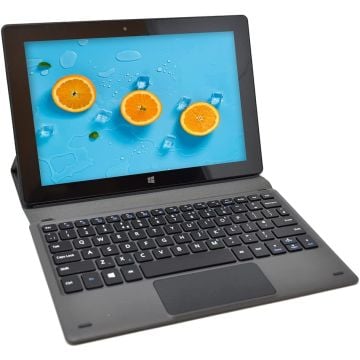
Bluetooth Keyboard and Mouse for Seamless Productivity
Typing long emails or documents on a touchscreen can be a hassle. Pairing a Bluetooth keyboard and mouse with your Fusion5 tablet gives you a more comfortable, laptop-like experience. It’s perfect for students, writers, and remote workers who need to handle tasks quickly and efficiently.
Micro HDMI to HDMI Cable for Dual-Screen Setups
Thanks to the Fusion5 tablet’s built-in Micro HDMI port, you can easily connect it to a larger monitor or TV. This makes it great for presentations, binge-watching your favorite shows, or turning your tablet into a mini desktop when docked at home.
USB Hub for Expanding Connectivity
With a USB 3.0 port onboard, adding a simple USB hub lets you connect external drives, flash sticks, printers, or wired keyboards. This small addition unlocks even more desktop-level functionality for work and school projects.
Portable Power Bank for Extra Battery Life
If you’re often on the go, a compact power bank ensures your tablet stays charged throughout the day. This is especially handy for students moving between classes or professionals attending long meetings.
Protective Sleeve or Case for Safe Travel
Keeping your tablet safe during commutes or while tossed in a backpack is key. A snug, padded sleeve or slim protective case will prevent scratches and minor bumps, making it easier to carry your tablet everywhere.
How to Elevate Your Compact Windows Tablet
- Bluetooth keyboard and mouse create a mini-laptop setup
- Micro HDMI lets you enjoy dual screens or larger displays
- USB hub supports multiple devices for desktop-style use
- Power bank keeps your tablet running all day
- Protective case ensures safe transport
Comparison Table
| Accessory | Benefit | Must-Have Level |
|---|---|---|
| Bluetooth Keyboard | Easier typing and better productivity | Essential |
| Bluetooth Mouse | Smooth navigation for work and browsing | Recommended |
| Micro HDMI Cable | Dual screens and easy presentations | Essential |
| USB Hub | Connect multiple USB devices | Recommended |
| Power Bank | Extra battery life on the go | Optional |
| Protective Sleeve | Keeps the tablet safe during travel | Essential |
Why the Fusion5 10.1" Windows 11 Pro Tablet PC Is Perfect for Everyday Productivity
- Supports popular accessories like keyboards, mice, and external displays
- Lightweight and travel-friendly with add-on flexibility
- Smooth multitasking when paired with essential gear
- Adjustable display for both portable and desktop setups
- Perfect tablet for students, home users, and casual professionals who want more functionality
If you’re ready to unlock the full potential of your Fusion5 10.1" Windows 11 Professional Tablet PC, explore accessories that elevate your tablet experience.
Visit Fusion5Store.com to see how to build your perfect mobile setup.