

Port Operations Are Going Digital: How Windows Tablets Help Dock Workers Work Smarter
A forklift backs up too fast near a stack of manifests clipped to a board, and half the page tears off in the wind. That's not a hypothetical. That's a Tuesday at most container terminals still running on paper, whether that's Long Beach, Houston, or Savannah. A rugged tablet for port operations is how a growing number of ports are getting rid of that problem entirely, and Fusion5 has been building the hardware behind that shift.
Quick Answer:
A rugged tablet for port operations is a reinforced Windows 11 device built to survive salt air, drops, dust, and 24/7 shift use while running full terminal operating systems, digital manifests, and gate inspection software. The Fusion5 Rugged Windows Tablet is purpose-built for exactly this kind of dock-side abuse, and it costs a fraction of what most fleets pay for enterprise handhelds.
Why Ports Are One of the Hardest Environments for Technology
Ask anyone who's worked terminal operations for more than a season, and they'll tell you the same thing: ports destroy electronics faster than almost any other work environment. Real talk, salt air corrodes exposed ports. Diesel exhaust coats screens in a fine, greasy film. Rain doesn't pause for a shift change, and neither does the freight. This is exactly the environment a rugged tablet for port operations has to be built for from day one.
A regular consumer tablet, the kind built for browsing on a couch, simply wasn't designed for any of that. Drop one from the cab of a yard tractor and there's a good chance the screen doesn't survive the landing. That's exactly why a rugged tablet for port operations needs to be engineered differently from the inside out, not just wrapped in an aftermarket case after the fact.
Global trade makes the stakes bigger than they look. According to the Bureau of Transportation Statistics, waterborne vessels handled over $1.5 trillion in U.S.-international freight in a recent year, more than 40% of total U.S.-international freight value. When a terminal's tech fails mid-shift, that's not a minor inconvenience. That's cargo sitting still while a trillion-dollar supply chain waits on a broken screen.
And here's the thing: most port technology failures aren't dramatic. They're a scanner losing its Wi-Fi handshake in the rain, or a tablet locking up because dust worked its way into a port that was never sealed properly. Small failures, repeated hundreds of times a week, add up to real delays, which is exactly the case for choosing a rugged tablet for port operations over whatever consumer device happened to be cheapest at checkout.
From Paper Manifests to Real-Time Digital Cargo Tracking
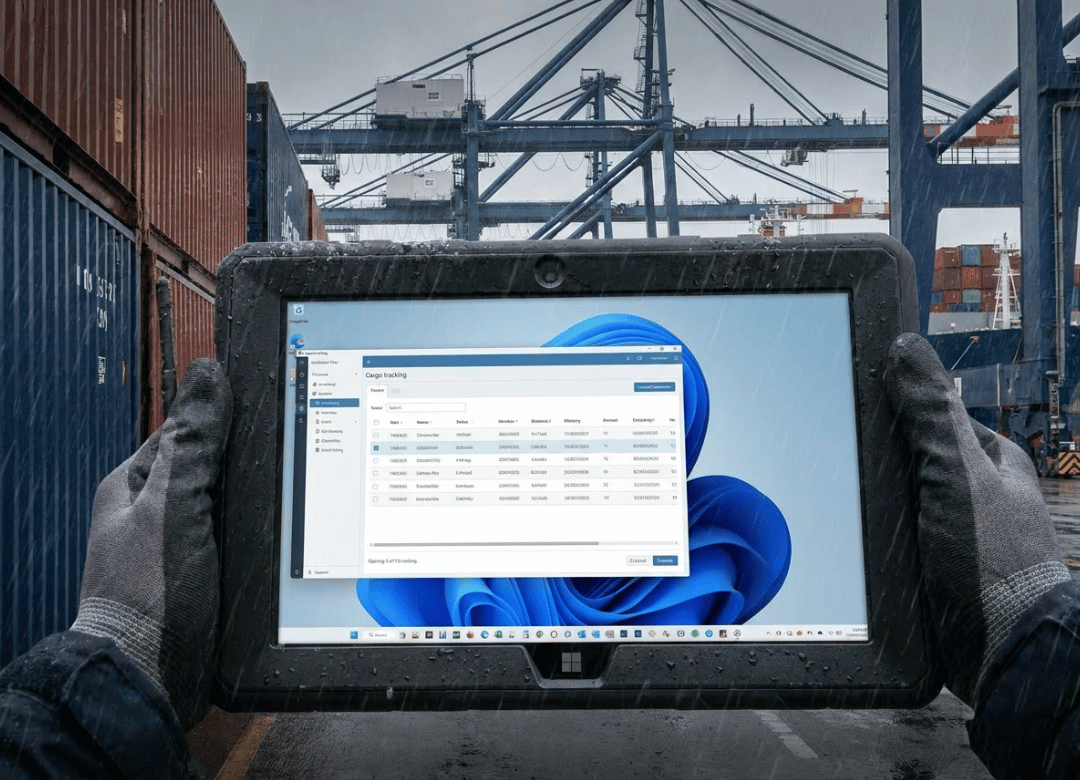
Paper manifests have three problems: they get wet, they get lost, and they can't talk to anything. A digital cargo tracking system, run on a rugged tablet for port operations, fixes all three at once, and it's why so many terminals are moving gate operations onto tablets instead of clipboards.
With a rugged tablet for port operations running full Windows 11, a checker can pull up a container's manifest, confirm the seal number, photograph any damage, and push the update to the yard management system before the truck even clears the gate. No re-entry back in the office. No waiting for someone to key in a stack of paper forms at the end of a shift.
The efficiency gains aren't small, either. Industry research from WifiTalents' maritime digital transformation report puts the number of port operators already using automation technology for cargo handling at roughly 54%, and digital tracking tools are a major piece of that shift. A terminal that's still running gate check-ins on paper is competing against operations that already closed that gap.
I'll admit something here: digital cargo tracking sounds like a small operational tweak until you watch a checker do a full truck inspection on a rugged tablet for port operations in under two minutes, something that used to take five with a clipboard and a radio call. That difference compounds across hundreds of trucks a day.
How Dock Workers Use Rugged Tablets for Gate Check-Ins and Inspections
Gate check-ins are where a rugged tablet for port operations earns its keep first. A checker standing between two idling trucks, in the rain, needs a device that boots fast, reads clearly in direct sunlight, and doesn't fumble under gloved hands.
Here's what that actually looks like on a Fusion5 rugged tablet for port operations:
-
Scan or enter the container number at the gate.
-
Pull up the pre-arrival manifest and confirm cargo details.
-
Photograph the container's condition and seal.
-
Sign off digitally and route the record straight into the terminal operating system.
The result: no paper trail to lose, no delay waiting for office staff to process a stack of forms at shift end.
Inspections work the same way on the yard side. A worker walking a row of containers can log damage, note missing seals, and flag anything that needs a supervisor's attention, all from the same rugged tablet for port operations that handled the gate check-in an hour earlier.
Surviving Salt, Humidity, and Drops: The Rugged Tablet Advantage
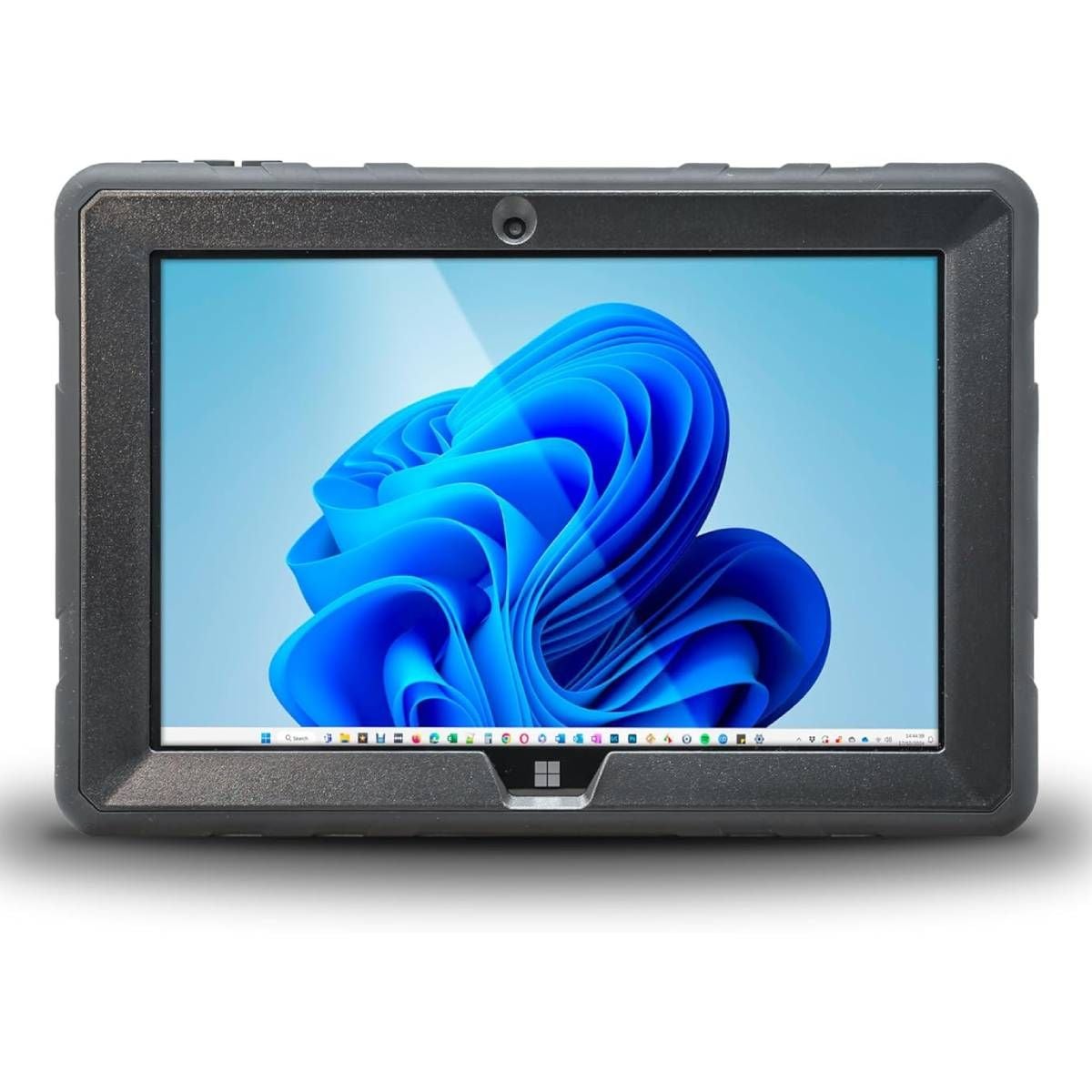
This is where the "rugged" part of a rugged tablet for port operations stops being a marketing word and starts being a spec sheet. The Fusion5 Rugged Windows Tablet ships with a reinforced chassis, sealed ports on the USB-C and HDMI connections, and a 10.1" Full HD display built to stay readable under direct sun.
Consumer-grade devices used in similarly harsh field conditions typically hold up for only a few months before something fails. That's not a knock on the hardware maker; it's just not what those devices were built for. A rugged tablet for port operations changes that math. Fewer replacements, fewer support tickets, fewer days where a checker is back to a clipboard because the tablet died.
Salt air is the sneaky one. It doesn't destroy a device in one dramatic moment. It works slowly, corroding exposed contacts and connectors over weeks and months until a port stops charging reliably or a speaker goes quiet. Sealed housings are the difference between a tablet that lasts two years dockside and one that needs replacing by fall.
Connecting Port Operations from the Dock to the Back Office
A rugged tablet for port operations is only as useful as the systems it connects to. This is where full Windows 11 Pro support actually matters, and it's the biggest thing separating a true rugged tablet for ports from a locked-down Android field device.
Because it runs Windows, the Fusion5 Rugged Tablet works with whatever terminal operating system (TOS) or port management software a facility already has installed, no workaround apps, no "mobile-friendly" stripped-down version that's missing half the features the back office relies on. If it runs on a Windows desktop at the port authority, it runs on the tablet.
Communication matters just as much as software compatibility. Built-in Wi-Fi, plus the ability to tether through a mobile hotspot in spots where dock coverage is thin, turns a rugged tablet for port operations into a real communication hub. Messaging, email, and voice-over-IP calls all run from the same device a worker is already using for inspections, so there's no second radio to carry and no dead zone that cuts a checker off from dispatch.
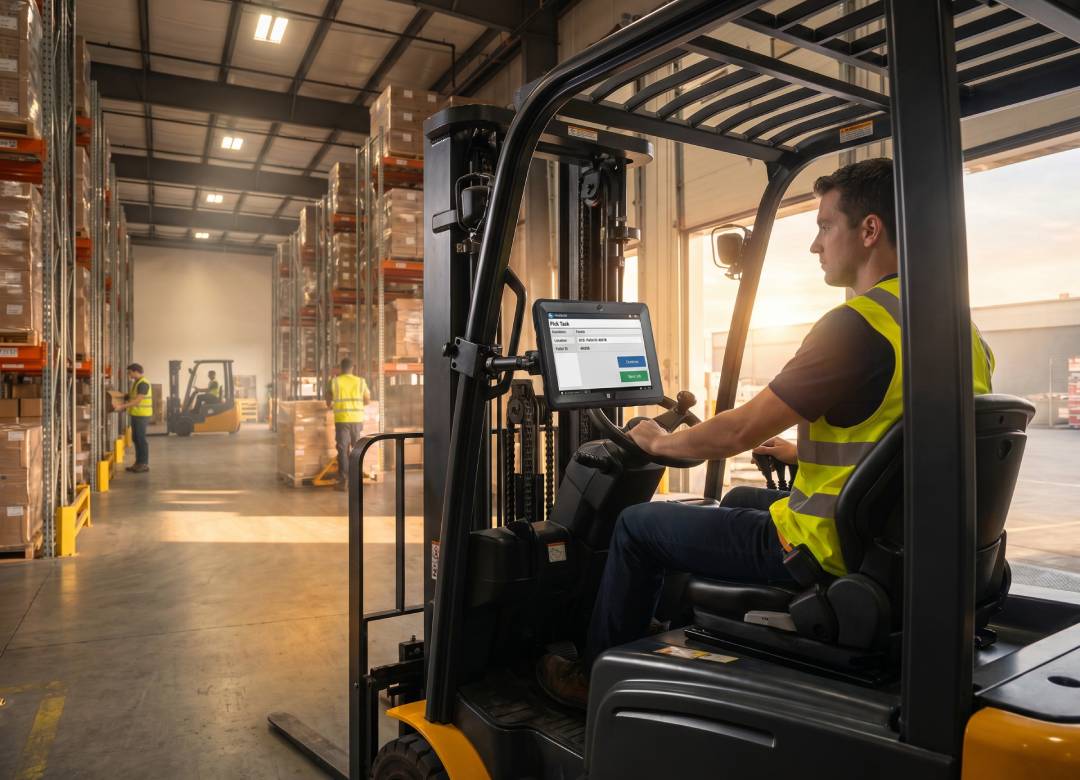
We covered a related setup in our guide to how forklift-mounted rugged tablets improve warehouse operations, where the same connectivity principle applies. A device is only as good as the systems it can talk to.
Why the Fusion5 Rugged Tablet for Port Operations Is the Right Tool for Port Teams
Here's my honest take on this. Not every job site needs a rugged tablet for port operations. An office worker doesn't need shockproofing. But a checker standing at a gate in the rain, a yard inspector walking uneven ground between stacked containers, a supervisor doing a damage report during an unload, that's a completely different use case, and a regular tablet just isn't built for it.
Bottom line: as a rugged tablet for port operations, the Fusion5 Rugged Windows Tablet sits at a price point most fleets can actually afford to deploy across a whole team, not just a handful of supervisors. It's rated 4.7 out of 5 across more than 180 verified reviews, and it's assembled in Pasco County, Florida, which matters if a port operation needs U.S.-based support and fast warranty turnaround rather than shipping a broken device overseas for repair.
| Tablet Type | Built For | Windows Software Support | Typical Field Lifespan |
|---|---|---|---|
| Consumer tablet | Home browsing, media | Limited or none | A few months in field use |
| Locked Android field tablet | Basic scanning apps | None (proprietary OS) | Moderate, but app-limited |
| Fusion5 Rugged Windows Tablet | Dock, gate, and yard operations | Full Windows 11 Pro | Built for multi-year daily field use |
What Actually Changes on the Ground
A few years back, a mid-size terminal operations team switched three gate lanes from paper manifests to a rugged tablet for port operations during a slow season, mostly as a trial. The first week was rough, honestly. Workers who'd used paper checklists for a decade weren't thrilled about typing on a screen with gloves on. Two checkers went back to paper for the first few shifts out of habit.
By week three, though, the resistance mostly disappeared, because the time savings were impossible to ignore. Gate processing that used to average close to five minutes per truck dropped closer to two once checkers stopped fumbling with carbon-copy forms. Cut to the chase: the bigger win wasn't even speed. It was that damage photos and seal numbers had gotten searchable instead of buried in a filing cabinet, which cut disputed-damage claims dramatically because there was always a timestamped record.
That's not a universal result, and I won't pretend every terminal will see the exact same numbers. But the pattern, paper slows things down and a rugged tablet for port operations speeds them up while creating a record that holds up later, shows up again and again in port operations.
FAQ Section
Q: Can the tablet handle outdoor port conditions including humidity and sun?
A: Yes. The Fusion5 Rugged Tablet is built for tough outdoor environments with a durable, reinforced chassis and a Full HD display designed to stay readable in bright outdoor light, even with salt air and humidity in the mix.
Q: What port management software can it run?
A: With full Windows 11 Pro support, it runs any terminal operating system (TOS) or port management software available on Windows, no stripped-down mobile version required.
Q: How do dock workers communicate through the tablet?
A: Built-in Wi-Fi and the ability to connect via mobile hotspot make the tablet a hub for messaging, email, and voice-over-IP communication directly from the dock, cutting out the need for a separate radio.
Q: Is there a way to use it without removing gloves?
A: Yes. The touchscreen supports glove-touch mode, letting workers operate the tablet without removing protective gloves, which matters constantly during cold-weather or hazardous-material handling shifts.
Q: Is a rugged tablet for port operations worth the extra cost over a consumer tablet?
A: For most terminals, yes. A rugged device costs more upfront, but fewer replacements and less downtime from field failures typically make up that difference within the first year of daily dock use.
Q: How is a rugged tablet different from a rugged case on a regular tablet?
A: A true rugged tablet is engineered from the inside out with sealed ports, reinforced internal components, and a chassis rated for drops and dust. A regular tablet in an aftermarket case only protects the outside, not the internal hardware or connectors.
Keep Reading
A rugged tablet for port operations isn't the only place this kind of hardware earns its keep. If your team also handles warehouse or logistics work, check out our guide to the best Windows tablet for warehouse management, our breakdown of rugged Windows tablets for airport ground operations, and our field-tested notes on rugged Windows tablets for field service work. For teams weighing broader industrial use cases, we also covered how U.S.-made rugged tablets are powering American manufacturing.
Ready to move your dock crew off paper? See the Fusion5 Rugged Windows Tablet built for exactly this kind of work, and if you want a ballpark figure on outfitting a full gate crew, reach out to the Fusion5 team directly.