

Using a Windows Tablet for Home Renovation Work: A Contractor’s Guide
Home renovation is much more than just tools, materials and hours on site. There’s measuring, communication, planning and a lot more to consider.
A lot of important work happens in all different rooms, different properties for projects, and different stages of the overall job. This is exactly why a Windows tablet can be such a useful device for contractors and renovation professionals.
Having a Fusion5 Windows tablet handy gives you a portable way to carry the digital side of the job with you everywhere. Instead of relying on paper notes, switching back and forth between a phone and a laptop, or trying to remember details until you get back to the office, you can handle more of the job there and then.
Check out this guide for home renovation contractors exploring how a Windows tablet can support faster measurements, smoother documentation, better on-site organisation, and a more efficient workflow overall.
Full Blog: How Contractors Use Windows Tablets to Make Home Renovation Jobs Faster and Easier
A Better Way to Handle Site Visits
A site visit often includes more small tasks than people expect.
Document the room dimensions. Review the last quote. Refer back to the photos you took on the first visit. Update dimensions again.
It's not that these tasks individually are super time consuming, but when you have to switch back and forth between different devices and details on pieces of paper, it definitely starts taking up more and more time.
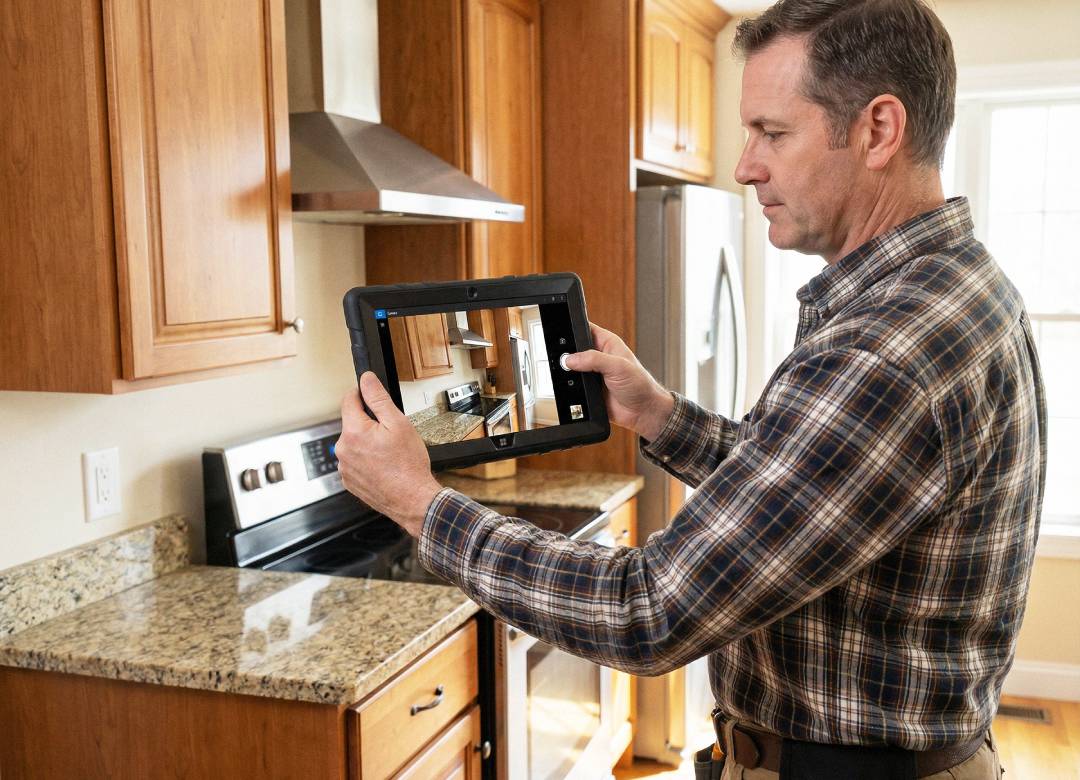
For example, a contractor visiting a customer’s home to measure up a kitchen renovation might need to photograph cabinet layouts, check wall measurements, confirm appliance spacing, and note down changes the customer wants made. Having all of that on one tablet makes the visit much easier to manage.
A Windows tablet helps keep that work in one place. You can open documents, view plans, review images, update notes, and send messages without needing to stop and reorganise everything each time a new detail comes up.
Having a tablet in your toolkit saves you time while you're out on the job while also reducing the chances of human error when taking down important information.
Useful for Measuring, Planning, and Documentation
One of the most practical uses for a tablet in renovation work is measurement and planning.
A contractor can use a Windows tablet alongside compatible measuring tools and planning software to record room dimensions, review layouts, and organise project information in a more efficient way. For jobs that need more advanced room capture, a tablet can also work as part of a wider setup using compatible external depth-sensing hardware.
The important thing is not treating the tablet as just a screen. It becomes part of the workflow. You can use it to review floor plans, compare measurements, keep track of changes, and store project files in a way that’s easier to manage while moving around a property.
For kitchens, bathrooms, extensions, flooring work, refits, and general home improvement jobs, that kind of convenience can make a noticeable difference.
A good example is bathroom renovation work, where there’s often very little room for error. Being able to check measurements, look back at reference photos, and review layout notes on the same device can help avoid mistakes before materials are cut or installed.
Easier Client Communication on the Job
Renovation work often involves explaining things clearly to the customer.
That might mean showing a marked-up plan, checking dimensions before work starts, reviewing progress photos, or confirming what has changed since the original quote. A tablet makes this much easier than trying to do it all from a phone screen or a stack of printed pages.
You can show documents on site, zoom in on details, make updates there and then, and keep a clearer record of what has been agreed upon. That can really help avoid confusion with clients, reduce repeat visits that waste valuable time, and make conversations feel more professional on the go.
Less Back-and-Forth, More Getting Things Done
A lot of wasted time in renovation work comes from repetition.
Taking notes on paper and typing them up later. Measuring a room and then rechecking because something was unclear. Going back through messages to find the last agreed detail. Searching through photos to match them to the right room. These small delays add up quickly over the course of a project’s timeline.
A Windows tablet helps cut down on that back-and-forth. It gives contractors a more direct way to manage measurements, documents, photos, plans, and updates as the work is happening.
A Smarter Tool for Modern Renovation Work
For contractors and home renovation professionals, speed is important, but so is organisation. The easier it is to access the right information at the right time, the easier it becomes to keep a job moving.
That’s where a Windows tablet earns its place.
Used properly, a Fusion5 Windows tablet like our Pro N5 or new Helios10 can support measuring, planning, documentation, and communication in one compact device.
For professionals who want a faster and more connected way to work on site, a compact Windows tablet can make everyday renovation jobs much easier to manage.
Check out our Windows rugged models in the Windows Tablets section.