

How Hotels Can Use a Windows Tablet as a Concierge “City Guide” for Guests
Working at a hotel front desk today involves far more than check-ins and room keys. Guests expect quick answers, clear directions, and help booking experiences without friction. When this relies on printed maps or verbal explanations, it often leads to confusion or delays, especially for guests who are unfamiliar with the area.
A Windows tablet changes how these interactions happen. Instead of describing options, staff can present them visually, compare choices in real time, and help guests make decisions on the spot. This turns the concierge desk into a more effective and modern “city guide.”
Quick Sum Up
- Show guests maps, routes, and attractions clearly on-screen
- Help guests compare options and decide faster
- Book services directly during the interaction
- Keep recommendations and bookings organised in one place
Full Blog: Why Windows Tablets Make Sense for Hotel Concierge City Guides
Why Digital Concierge Tools Matter for Hotels
Guest expectations have shifted toward immediacy and clarity. Most people are used to searching, comparing, and deciding through visual interfaces on their own devices. When they approach a concierge desk, they expect a similar experience rather than a verbal list of suggestions they need to remember.
This shift is already visible in hospitality research: Oracle Hospitality found that nearly three-quarters of travelers wanted to use their mobile device to manage parts of their hotel experience, showing how strongly guests now expect fast, digital-first service.
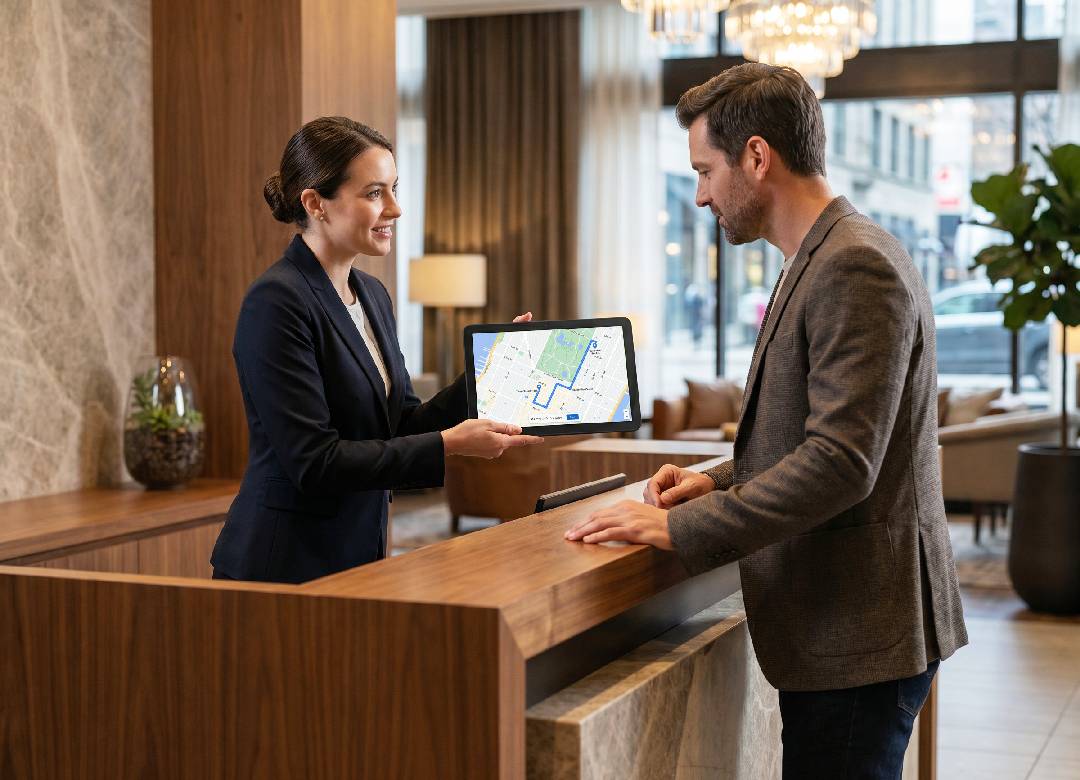
Using a tablet allows staff to match those expectations. A concierge can open a live map, highlight nearby locations, and explain distances while the guest watches. Instead of relying on memory or printed materials, the interaction becomes visual and precise. Guests can see where they are going, how far it is, and what alternatives exist, which removes uncertainty from the decision.
This is particularly useful for international guests or those unfamiliar with the local area, where verbal directions may not be enough. Seeing the route and options directly on a screen makes the information easier to understand and more actionable.
Real-Time Recommendations Improve Guest Confidence
One of the biggest challenges in concierge service is helping guests feel confident in their choices. A simple recommendation is helpful, but it does not always give the guest enough information to commit.
With a tablet, staff can build that confidence during the conversation. For example, when a guest asks for a restaurant recommendation, the concierge can show multiple options on a map, display photos, and review key details like distance and availability. This allows the guest to compare options instantly rather than needing to research later.
This approach reduces hesitation. Guests are more likely to make a decision when they can see everything clearly and ask questions in real time. It also reduces the need for follow-up visits to the desk, as most questions are answered during the initial interaction.
Booking Services Directly at the Front Desk
Concierge services often include booking tours, transport, or reservations. When this process is delayed, the likelihood of the guest completing the booking decreases.
A Windows tablet allows staff to complete these actions immediately. During the conversation, the concierge can access booking platforms, check availability, and confirm reservations without switching devices or asking the guest to return later. This keeps the interaction efficient and reduces friction in the process.
The ability to complete bookings in real time also benefits the hotel. It increases the chances of securing reservations and improves the overall guest experience by removing unnecessary steps. Guests leave the desk with confirmed plans instead of uncertainty.
Why the Fusion5 Helios10 Fits Concierge Workflows
To support this type of interaction, the device being used needs to perform consistently throughout the day. The Fusion5 Helios10 is designed for productivity tasks, which makes it suitable for front desk use.
The 10.1-inch Full HD+ display provides enough clarity for maps, images, and booking pages to be easily understood. With up to 400-nit brightness, the screen remains visible in typical lobby lighting conditions, including areas with natural light. This is important when sharing the screen with guests, as visibility directly affects how useful the interaction is.
Performance also plays a key role. Concierge staff often switch between multiple applications, such as maps, booking platforms, and internal systems. The Helios10 uses an Intel N150 processor with 12GB of RAM, allowing these tasks to run smoothly without noticeable delays. This helps maintain a steady flow during busy periods when speed matters.
The design of the device also fits front desk environments. Its metal body gives it a clean and professional appearance, which aligns with the presentation standards of most hotels. It is lightweight enough to move easily across the desk or hand to a guest, but solid enough to feel reliable during everyday use.
Connectivity options such as USB-C and HDMI add flexibility. Staff can connect the tablet to external displays if needed, which can be useful when assisting groups or presenting information more clearly in shared spaces.
Supporting Daily Front Desk Tasks
While the primary use may be concierge support, the same tablet can handle a range of daily front desk tasks. Staff can check emails, access internal systems, or communicate with external partners without needing a separate device. The built-in cameras also allow for document scanning or quick communication when required.
Having one device that supports multiple functions simplifies the workspace. It reduces the need to switch between systems and allows staff to stay focused on the guest interaction.
Where This Makes a Practical Difference
The difference between a traditional concierge interaction and a tablet-assisted one is noticeable in both speed and clarity.
Without a tablet, recommendations rely on explanation and memory, which can lead to misunderstandings. With a tablet, information is visual and immediate. This leads to faster decisions and a smoother experience overall. Guests are able to understand their options clearly and act on them without delay.
It also supports staff who may not have extensive local knowledge, as the device provides access to up-to-date information at any time.
Conclusion: A More Efficient and Modern Concierge Experience
Providing recommendations, directions, and bookings is a central part of the guest experience. When these tasks are handled manually, they can slow down service and reduce clarity.
Using a Windows tablet allows hotel staff to present information visually, respond quickly, and complete bookings during the interaction. This improves both efficiency and guest satisfaction.
The Fusion5 Helios10 supports this workflow by combining a clear display, reliable performance, and a professional design that fits naturally into front desk environments.
For hotels looking to improve how they deliver concierge services, it offers a practical way to modernise the experience without adding complexity.
FAQ
Could a Windows tablet be used in a hotel as a concierge service?
Yes, since it is capable of running apps like Google Maps, booking software, and business applications, which makes it appropriate for use at the reception area.
Is its screen bright enough for hotel conditions?
A screen with brightness between 350 and 400 nits should be sufficient for typical hotel lobby conditions.
Can reservations be made using this device by hotel employees?
Yes, reservations can be made on the go while working directly with the guest.
Will it replace hotel software solutions?
No, it will complement them by increasing speed and convenience.