The Best Holiday Tech Upgrade for Hybrid Workers in 2026
Work tasks don’t really happen in one place anymore. Everything work related today can be scattered across desks, couches, coffee shops, or airport gates. Some days can start in a home office, and end in a coffee lounge. Other days, having the ability to work on the go is essential as traveling can often be needed for certain tasks.
That’s the reality for many people now. Work and study have become mobile, flexible, and unpredictable at times. The technology that supports them has to be just as flexible. It needs to be light enough to carry, but strong enough to handle serious workloads.
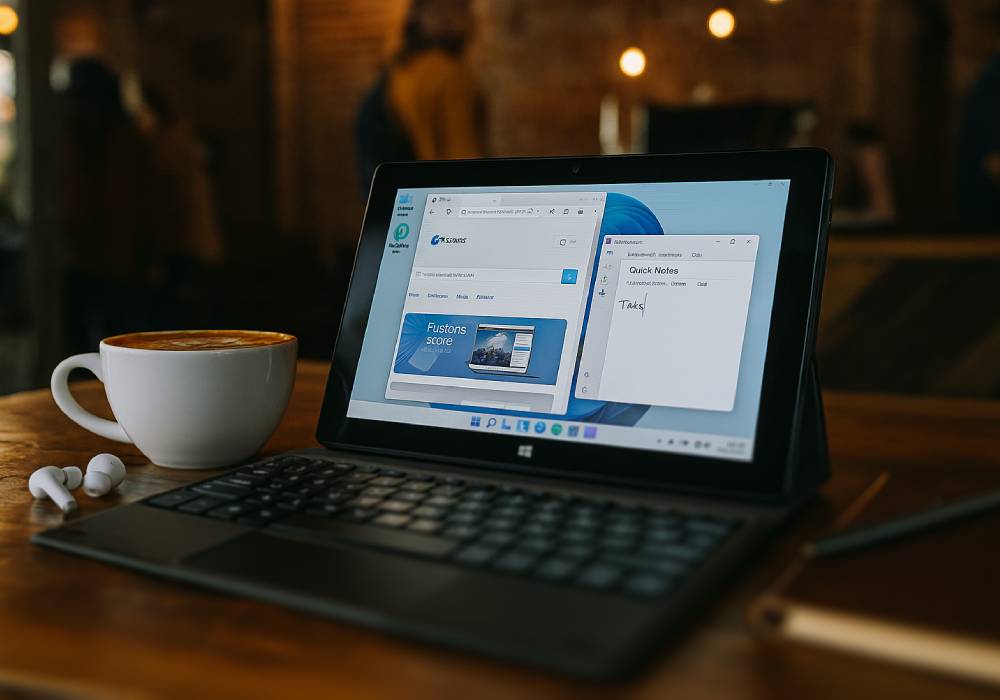
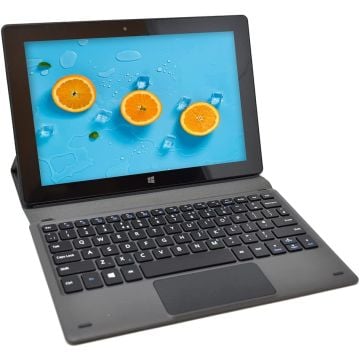
That’s where the Fusion5 FWIN232 PRO N5 tablet, paired with its docking keyboard, starts to make sense. It doesn’t try to be a laptop clone. Instead, it fits naturally into the way people actually work now.
Full Blog: Why This Lightweight Windows Combo Could Replace Your Laptop in 2026
A Tablet Built for Real Work
The Fusion5 FWIN232 PRO N5 isn’t your typical bare-bones tablet meant just for killing time on Instagram or binging Netflix in bed. This compact device is running Windows 11 Pro out of the box, which means you’re basically holding a full-fledged PC, just shrunk down to a more travel-friendly size.
With 12GB of RAM and a roomy 512GB SSD, it handles multitasking like a champ. Whether you're jumping between Office apps, hopping on Teams calls, or even doing some light design work, it stays quick and responsive.
The 10.1-inch full HD IPS screen is crisp and vibrant, making it just as suitable for work as it is for winding down with a show in the evening. From spreadsheets and creative projects to casual streaming, it strikes a solid balance between productivity and entertainment.
The Keyboard That Makes the Difference
Most people can handle a few quick back and forth messages on a touchscreen, no problem. But it’s not really practical for longer work sessions or work where you need to focus on the contents on the screen more. The Fusion5 docking keyboard changes that experience completely.
It connects super easily, turning this tablet into a compact workstation that fits in your bag while leaving room for all your other essentials. The keys have enough depth to feel comfortable, and the touchpad is smooth feeling and responsive. It lets users type, edit, and organize files as if they were working on a laptop, but without that laptop bulk or heating issues.
And when you’re done for the day, the keyboard pops off in a flash. Now you’re back in tablet mode, ready to browse or read. The design optimizes how people really use technology today, where the same device shifts between work and downtime.
Designed for the Way People Work Today
A lot of hybrid workers no longer sit in one spot for hours. Meetings can happen from a kitchen counter, on a train, or between errands. The Fusion5 setup keeps up with that kind of day.
It powers up fast, stays cool, and performs consistently for long stretches. With USB 3.0, USB-C, and Micro HDMI ports, it connects easily to monitors, drives, or external displays.
Storage options are flexible too. The tablet supports Micro SD cards up to 512GB, and the internal drive can be upgraded to 1TB. That kind of expandability makes it useful for professionals who handle large files or need extra room for creative projects.
This design doesn’t chase trends. It simply works with the way people actually move through their days.
A Reliable Choice for Students
The combination of tablet and keyboard is not only for professionals but also great for high school or college students who are seeking one device to navigate through their classwork and entertainment.
Students can write essays, create presentations, and join virtual classes using the same desktop software they'll come across in most workplaces. With SSD storage, it boots fast, and its light design makes it easy to carry between lectures or study spots.
Parents will most likely appreciate that the tablet comes with a 2-year warranty that includes protection against accidental damage. Drops, spills, and other small disasters happen. This warranty keeps those from becoming big problems.
It's a setup that adapts easily: one moment it's a study tool, the next it's a way to relax with a movie or video call home.
A Balanced Perspective
The Fusion5 Windows Pro N5 isn’t trying to be flashy, and honestly, that’s part of its charm. It boots up quickly, stays cool, and handles long work sessions without a problem. Whether you're answering emails at a coffee shop or connecting to a monitor at home, the mix of USB 3.0, USB-C, and Micro HDMI ports gives you plenty of flexibility.
Storage is another area where it quietly delivers. It supports Micro SD cards up to 512GB, and the internal SSD can be upgraded to 1TB, which is great if you work with large files or creative projects on the go.
It gets the job done without any fuss. For hybrid workers who value reliability over flash, it’s a smart and practical choice.
Final Thoughts
Heading into 2026, adaptability and mobility are two of the most valuable traits in technology. The Fusion5 FWIN232 PRO N5 and Docking Keyboard deliver exactly that.
It’s a compact and reliable USA-assembled setup that lets people work, study, or travel without any compromises. Professionals can use it for daily work, and students can depend on it for both learning and leisure.
This isn’t flashy costly tech. It’s practical. It’s reliable. And it’s built to fit into real life, not complicate it.