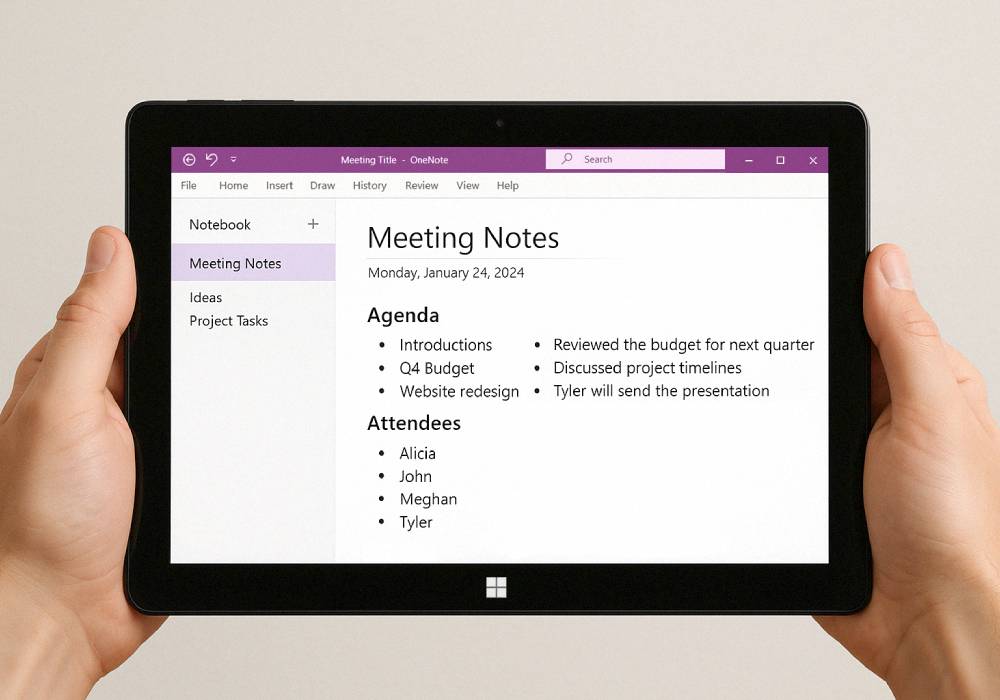
Meet the Fusion5 Helios12: Our Newest 12” Windows 11 Tablet With an Interactive Stylus
Things are getting BIG at Fusion5. We've got a whole new Windows tablet that includes an interactive stylus pen! Our new Helios12 12-inch Windows tablet takes lightweight computing to a whole new level.
As tablets continue to evolve, many users are looking for devices that can do more than just browsing and media consumption. Whether it’s for note-taking, sketching ideas, editing documents, or simply navigating the device more naturally, a stylus adds a whole new level of functionality to a tablet.
In this blog, we’ll go over what makes the Helios12 unique, how the stylus improves everyday productivity, and why the larger display and upgraded hardware make this tablet a powerful tool for both work and creativity.
Full Blog: Introducing the Fusion5 Helios12 12" Stylus Windows Tablet
A Larger Display Designed for Productivity
So for this all new design, we’ve decided to step up the size a bit to a 12” 2K touch display, that’s a 2000×1200 screen resolution and a 16:10 aspect ratio. That’s more screen you’re getting at a higher resolution.
The 16:10 aspect ratio means the screen is slightly taller compared to the width of many standard displays out there in the market. This gives you some more vertical space on the screen that’s super helpful when reading documents, browsing websites, or working in applications. Your eyes will thank you.
The higher resolution in this tablet also allows for easier viewing for reading or editing. Productivity galore at your fingertips.
Precision Control With the Included Stylus
Now here’s where the Helios12 really starts to stand out from the rest of the lineup. This is our first Fusion5 tablet that includes an interactive stylus, and it opens up a whole new way to use the device.
Sometimes, the task you’re working on with your tablet really demands a proper stylus. When you’re so done with tapping everywhere with your finger, having a stylus handy really amplifies the experience in things like taking notes and doodling. For people who like taking notes, marking up documents, or sketching out ideas quickly, that extra level of control makes a big difference.
Students can jot down notes during lectures, professionals can annotate PDFs or presentations, and creatives can sketch ideas directly onto the screen. Even simple things like navigating menus or selecting small tools in apps can feel smoother when using a pen instead of touch.
In a lot of ways, it makes the tablet feel more like a digital notebook that also happens to be a full Windows computer.
Hardware That Keeps Things Running Smoothly
The real brains of the operation on the Helios12 come from Intel’s 13th Gen N100 processor. This processor handles the core computing tasks of the device, managing how applications run and how the system responds to everyday use.
The processor works alongside the rest of the internal hardware to execute instructions, process data, and keep everything running smoothly whether you're opening apps, browsing the web, or working on documents.
The combination of this processor and 12GB of DDR5 RAM means that the user can keep a good amount of applications running at any time.
The system also features a 512GB SSD to hold the operating system, apps and files. All SSD based storage is very fast. This allows the system to boot quickly, launch applications faster, and access files without the delays commonly associated with older storage types.
Built for Work, Creativity, and Everyday Use
Connecting things to the Helios12 is relatively easy, thanks to two full function USB-C ports, an HDMI out, a Nano TF card slot and a 3.5mm headphone jack. So you’ll be able to plug in whatever USB device, display or storage you need.
The Helios12 tablet is an excellent tool for communication and documenting. The 5MP front facing camera is perfect for video chats and with the 8MP back camera you can also use it for scanning documents and taking photos as needed.
Almost every feature of this product is contained within a heavy metal enclosure, resulting in a very professional looking piece of tech, that is also highly portable.
A New Direction for the Fusion5 Lineup
With the Helios12, we didn’t just want to release another tablet. We wanted something that feels different the moment you start using it.
The larger display gives you room to think and work comfortably, while the stylus brings back that natural feeling of putting ideas down on paper. Except now those notes can turn into documents, sketches into designs, and quick thoughts into finished work.
For some people it will become their digital notebook, always ready when inspiration strikes. For others, it’s a lightweight workstation that moves easily from desk to couch, from coffee shop to airport lounge.
That’s really the idea behind the Helios12. A device that quietly supports whatever you’re working on, wherever you happen to be. Sometimes all it takes is a little more screen and a pen in your hand to make technology feel a lot more natural.