Can the Fusion5’s Windows 11 Tablet PC Be Your Personal Travel Guide?
Oh, absolutely, it’s perfect for that. The Fusion5 10.1" Windows 11 Tablet PC functions as an ideal travel companion because it enables users to plan trips, navigate unfamiliar cities, and store all their travel documents within one device.
If you’ve been looking for something lightweight, reliable, and easy to carry that can help you organize your whole trip, this tablet just fits. It’s the kind of travel buddy you actually want to bring along.
And if you’ve been hunting for a Windows tablet that can help you manage your itineraries, explore maps, find cool local spots, and maybe even help you grab last-minute tickets, this one is definitely worth a look.
Full Blog: How This Windows Tablet Can Be Your Digital Travel Assistant
All Your Travel Arrangements Stored in a Single Location
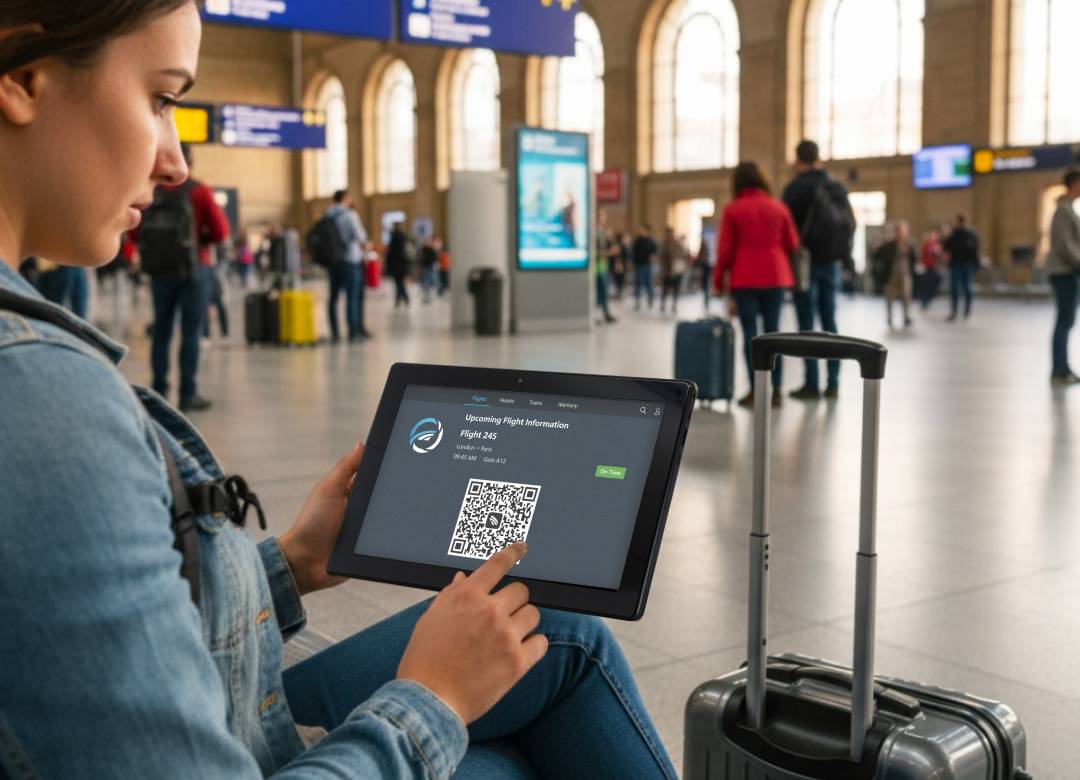
Travel is so much easier when everything’s in one place. The Fusion5 Windows tablet lets you store flight confirmations, hotel reservations, and train tickets in one easily accessible folder.
The tablet works well with travel apps such as TripIt and Google Travel which enable users to stay organized during their trip and not need to search through their email inbox at the airport.
Great for Frequent Flyers and Weekend Explorers
Whether you’re traveling for work, taking a quick weekend trip, or wandering through new cities, this tablet provides excellent performance for all your travel needs because it offers both compact dimensions and dependable Wi-Fi connectivity.
This tablet features a small design which enables easy placement in carry-on luggage while providing enough screen size for reading travel information and restaurant reviews.
Offline Maps? Very Handy.
Offline maps become essential tools for navigation when you find yourself in a foreign location or an area with unreliable network coverage. With this tablet’s nice big screen, using Google Maps or other offline navigation apps feels easy. You can download maps ahead of time and keep exploring without worrying about finding Wi-Fi.
It’s also perfect for accessing local food guides, bus schedules, and nearby attractions during your walking tours.
Perfect for Last-Minute Plans
Travel plans experience unexpected changes which occur more frequently than we would prefer. With the Fusion5 Windows tablet, you can quickly search for hotels, book flights, or find things to do on the fly.
The Wi-Fi connection is strong and web browsing operates at a fast pace which becomes essential when you need to find your way through a hectic train station or crowded airport.
Lightweight and Travel-Ready
This tablet is super easy to carry, there’s no denying that. It features a slim yet powerful design which allows users to easily store it in travel bags without taking too much space from other travel items you may need.
Whether you’re backpacking across Europe or road-tripping a few hours away, it’s great to have your essential travel tools in one device that won’t slow you down or keep you away from exciting moments abroad.
Why Fusion5’s Windows Tablet Is Perfect for Travel
- Works with TripIt, Google Travel, Google Maps, and more
- Lightweight and compact design, which makes it simple to transport and store
- Users can access both offline maps and local guide information
- Smooth Wi-Fi browsing for last-minute bookings and searches
- Perfect for itinerary management and keeping travel documents handy
- Great for frequent travelers, weekend adventurers, and anyone who loves exploring new places
The Fusion5 10.1" Windows 11 Pro Tablet PC serves as an excellent travel companion. Get a first hand experience of how it can help you achieve more relaxed and efficient journeys, check it out HERE.
Head over to Fusion5Store.com for more reliable products and tips on how tablets can optimise your everyday life.