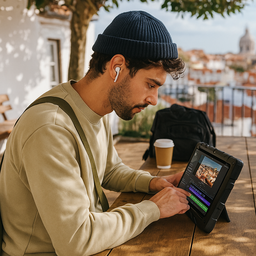
Can You Really Use a Fusion5 Tablet 101 Different Ways in 2025?
Yes, you can, and people already are. Fusion5 Windows tablets are quietly becoming the unsung heroes in workshops, classrooms, kitchens, and even motorhomes.
These tablets are proving that you don’t need to spend a fortune to get serious work done. From controlling CNC machines and running construction sites to managing remote classrooms and even automating quilting machines, Fusion5 users are finding endlessly creative ways to get more out of their affordable tablets.
In 2025, Fusion5 tablets aren’t just about watching Netflix or checking email—they’re becoming a core part of how professionals, families, and makers get things done. Let’s explore how real people are using Fusion5 tablets in the real world.
Full Blog: 101 Different Ways to Use a Fusion5 Tablet in 2025
Fusion5 Tablets on the Shop Floor: Manufacturing & CNC Power
- Running Shapeoko and GRBL CNC routers
- Controlling laser engravers with LightBurn software
- Monitoring toolpaths in real-time
- Visualizing G-code edits on the move
- Powering Autodesk Fusion 360 designs
- Setting up 3D printers
- Mounting on CNC carts for mobile control
- Calibrating spindles via touchscreen
- Operating mini-lathes with USB-connected controllers
- Logging part runs and batch tracking in Excel
★★★★★ “Perfect for a Shapeoko CNC or around the house—responsive and reliable.” — March 2024
Fusion5 Tablets in Healthcare: Mobile & Remote Care
- Secure electronic health record (EHR) access
- At-home care scheduling for seniors
- Digital intake forms at walk-in clinics
- Teletherapy sessions with video support
- Mobile medication inventory tracking
- Vital monitoring via Bluetooth devices
- Field vaccination record management
- Onboarding forms in waiting rooms
- Speech therapy sessions on the go
- Home visit case note management
Fusion5 Tablets in Education: Learning on the Go
- Google Classroom access anywhere
- Interactive math games like Prodigy
- Digital note-taking with OneNote
- Offline Khan Academy videos
- Zoom classes with keyboard support
- Science simulations in classroom apps
- Beginner coding with Scratch and Python
- Creating digital art for projects
- Writing essays and online research
- Real-time tutoring via Microsoft Teams
Fusion5 Tablets on Job Sites: Construction & Field Work
- Annotating blueprints in the field
- Completing job safety assessments
- Showing 3D renderings during walk-throughs
- Capturing daily log photos
- Monitoring jobsite security cameras
- Managing crew timesheets
- Running Excel cost estimates on-site
- Holding Zoom meetings from mobile offices
- Tracking daily progress reports
- Scanning QR codes on equipment
Fusion5 Tablets in Warehouses: Logistics & Transportation Solutions
- Barcode scanning with Bluetooth scanners
- Signing digital waybills
- Fleet management dashboards
- Real-time route changes for drivers
- Truck driver rest log tracking
- Drop-off instruction management
- On-the-spot diagnostic troubleshooting
- Warehouse navigation planning
- Capturing package delivery photos
- Voice-command picking lists
Fusion5 Tablets for Creators: Design, Content & More
- Edit YouTube videos with Clipchamp
- Manage social posts in Buffer
- Record voiceovers with USB microphones
- Sketch digital portraits in Krita
- Design mockups in Canva
- Mix beats with FL Studio
- Build PowerPoint presentations
- Plan comics with storyboarding apps
- Organize content calendars in Trello
- Design Etsy banners and thumbnails
Fusion5 Tablets at Home: Family, Fun & Everyday Life
- Streaming Netflix and Prime Video
- Cooking with step-by-step recipes
- Voice calling with Skype
- Running home security apps
- Educational games for kids
- Managing smart home devices
- Organizing family meal plans
- Tracking budgets in Excel
- Playing casual games and puzzles
★★★★★ “A great mobile supplement to my PCs. Light, portable, and perfect for the living room or kitchen.” — November 2022
Fusion5 Tablets for Work: Office & Remote Teams
- Running Zoom meetings
- Checking Slack and Outlook
- Creating invoices in QuickBooks
- Scanning documents with the tablet camera
- Approving workflows remotely
- Sharing dashboards in meetings
- Budgeting in Google Sheets
- Managing daily task lists
- CRM pipeline tracking
- Real-time document collaboration
Fusion5 Tablets on the Road: Travel & Events
- Checking into flights with digital boarding passes
- Organizing travel plans in TripIt
- Streaming movies on flights
- Booking rides with Uber
- Translating menus with Google Translate
- Presenting decks at trade shows
- Scanning conference badges
- Using offline maps abroad
- Capturing tour photos and notes
- Blogging trip updates live
Fusion5 Tablets for Niche & Creative Users
- Running quilting machines with Qbot
- Telescope mount control for stargazing
- Boat engine diagnostics
- Church livestream coordination
- Small business kiosks
- eBay/Etsy inventory tracking
- Digital maps for RPG gaming
- Mobile DJ setup controller
- Raspberry Pi coding setups
- Maker fair prep and STEAM club projects
★★★★★ “Perfect for my quilting machine—this tablet had every feature I needed.” — January 2025
Why Fusion5 Tablets Win in 2025
- Full Windows 11 OS for maximum flexibility
- Reliable USB & HDMI ports for seamless connectivity
- Budget-friendly without compromising function
- Ultra-slim, lightweight design
- Configurations up to 8GB RAM and 512GB SSD
Whether you’re running a small business, leading a classroom, working from the kitchen, or simply managing daily life, the Fusion5 tablet is your adaptable, affordable go-to device in 2025.
Explore the Fusion5 lineup now at Fusion5Store.com.