

Windows Tablets for Car Dealerships: Improve Vehicle Sales and Customer Experience
Nowadays, most customers walk into a dealership knowing exactly which vehicles they want to see. They've already compared models online, watched reviews, and checked prices, so when they arrive, they're looking for quick answers to the questions that matter most.
That puts more pressure on sales teams to have the right information at their fingertips. Whether they're on the forecourt, in the showroom, or discussing finance options, a Windows tablet allows them to access vehicle details, dealership systems, and customer information without interrupting the conversation.
Quick Answer
- Show live vehicle information during walkarounds instead of using printed spec sheets.
- Access CRM, stock, finance, and dealership software away from the sales desk.
- Compare models, trims, and finance options with customers in real time.
- Complete trade-in appraisals, test drive forms, and customer notes digitally.
- Deliver a faster, more connected dealership experience.
Smarter Car Sales Start with a Windows Tablet
Modernizing the Car Purchasing Process
Most buyers begin their purchasing process online, and at the stage when they come to the showroom, they have done a considerable amount of research and perhaps narrowed down their choices to a select few car models.
The showroom experience should build on that process rather than disrupt it. In fact, a Cox Automotive Digital Retailing Study found that 76% of dealers using digital retailing tools say they've improved customer relationships and made completing the sales process easier, highlighting the value of connected technology throughout the buying journey.
Using a Windows tablet, sales staff have all of the information about the vehicle, the inventory levels, and the buyer's file right there next to the car. This means that they don’t need to keep going back to the sales desk every time a customer asks a question.
Better Vehicle Walkarounds Build Buyer Confidence
A vehicle walkaround is one of the most valuable stages of the sales process because it's often where customers make their final buying decision.
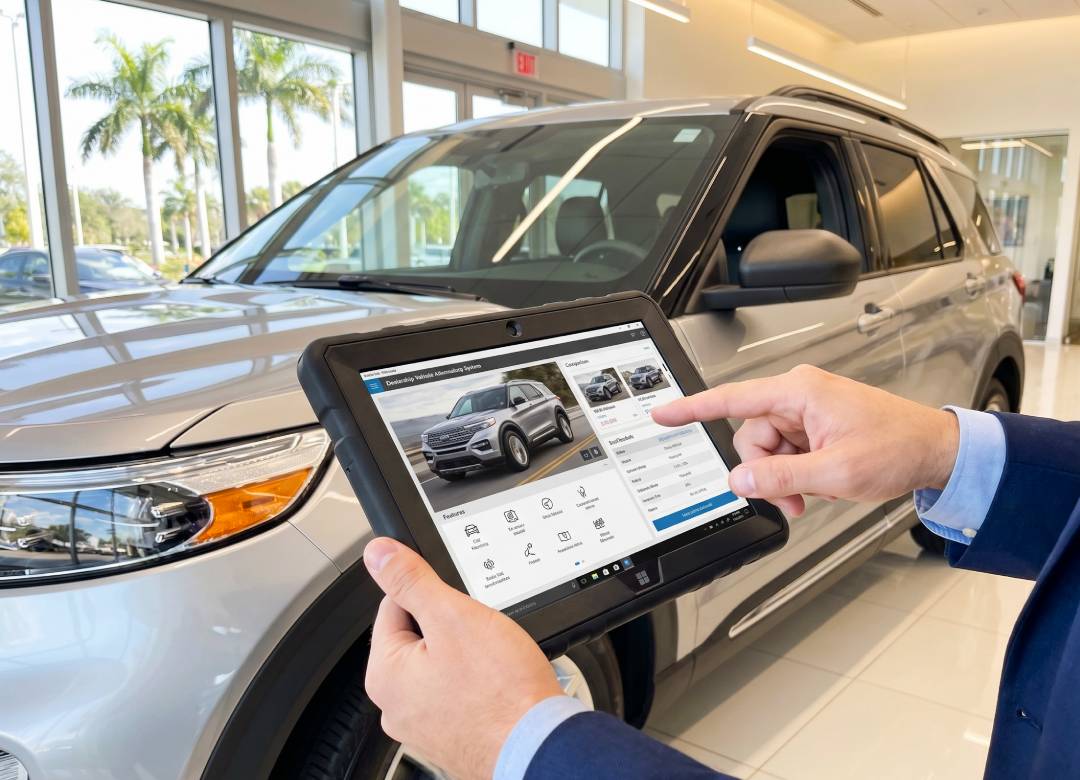
Instead of relying on printed brochures or memory, sales staff can use a Windows tablet to show customers:
- Vehicle specifications
- Trim level comparisons
- Optional accessories
- Interior features
- Driver assistance technologies
- Warranty information
- Finance examples
- Live vehicle availability
Customers can easily compare different models, ask questions as they inspect the vehicle, and stay engaged throughout the conversation. As a result, there's no need to keep returning to the sales desk to look up additional information.
Traditional Sales vs Tablet-Assisted Sales
Accessing Dealership Software on the Go
Salespeople spend very little of their day in front of their desks, moving from the showroom to the forecourt, taking test drives, and meeting customers for consultations.
Using a Windows tablet, teams will be able to use dealership software while being right next to the cars. If the customer has questions concerning another trim level or different finance packages, they can get this information immediately and without returning to the desk.
Moreover, using a Windows tablet, the staff will be able to record notes after test driving, find out whether there’s the same car in another dealership, and find out when the car will be ready for collection. It means that the conversation doesn't stop because the salesperson has to return to a computer at a desk and check.
These small changes make the whole buying experience faster, more productive, and more professional.
Simplifying Trade-In Appraisals
Trade-ins often become one of the slowest parts of the sales process. When a customer arrives with their current vehicle, the first step isn't discussing prices or finance. The vehicle needs to be inspected and valued first.
During this process, the salesperson does several things: finds out the mileage, checks the condition of the bodywork and tires, finds out the information about the servicing of the vehicle, and takes photos for documentation. With the help of a Windows tablet, all of this information can be entered into the system and uploaded directly while the appraisal is happening.
By the time everyone comes back inside, much of the appraisal process has already been done. That allows the conversation to move naturally onto finance options, part-exchange values, or choosing the customer's next vehicle without waiting for paperwork to catch up.
Cutting Down on Paperwork at the Dealership
There has always been some paperwork involved in selling cars, which often means stopping the conversation to fill out forms or returning to the sales desk to complete them.
Using a Windows tablet allows much of that administrative work to be completed while the conversation is taking place. Sales staff can enter the details of the enquiry, complete test drive paperwork, add post-drive notes, and work through the vehicle handover checklist as the sale progresses.
By the time the customer is ready to sign the final paperwork, most of the information has already been entered, leaving less time spent on administration and more time helping the customer choose the right vehicle.
The Fusion5 Point of View
Dealership staff spend much of the day moving between the showroom, the forecourt, customer vehicles, test drives, and handovers. In that kind of environment, durability is just as important as performance.
The Fusion5 Rugged Windows Tablet is designed with that in mind. Its durable construction is built to handle the knocks and bumps that can happen during a busy working day, while the integrated hand strap makes it comfortable to carry during vehicle walkarounds and trade-in appraisals. Combined with a bright 10.1-inch Full HD display, Windows 11 Pro, 12GB of RAM, and a 512GB SSD, it gives sales teams quick access to dealership software, customer records, and live vehicle information wherever they're working.
Rather than replacing your existing dealership systems, it simply makes them easier to access away from the sales desk, helping staff stay focused on the customer instead of the computer.
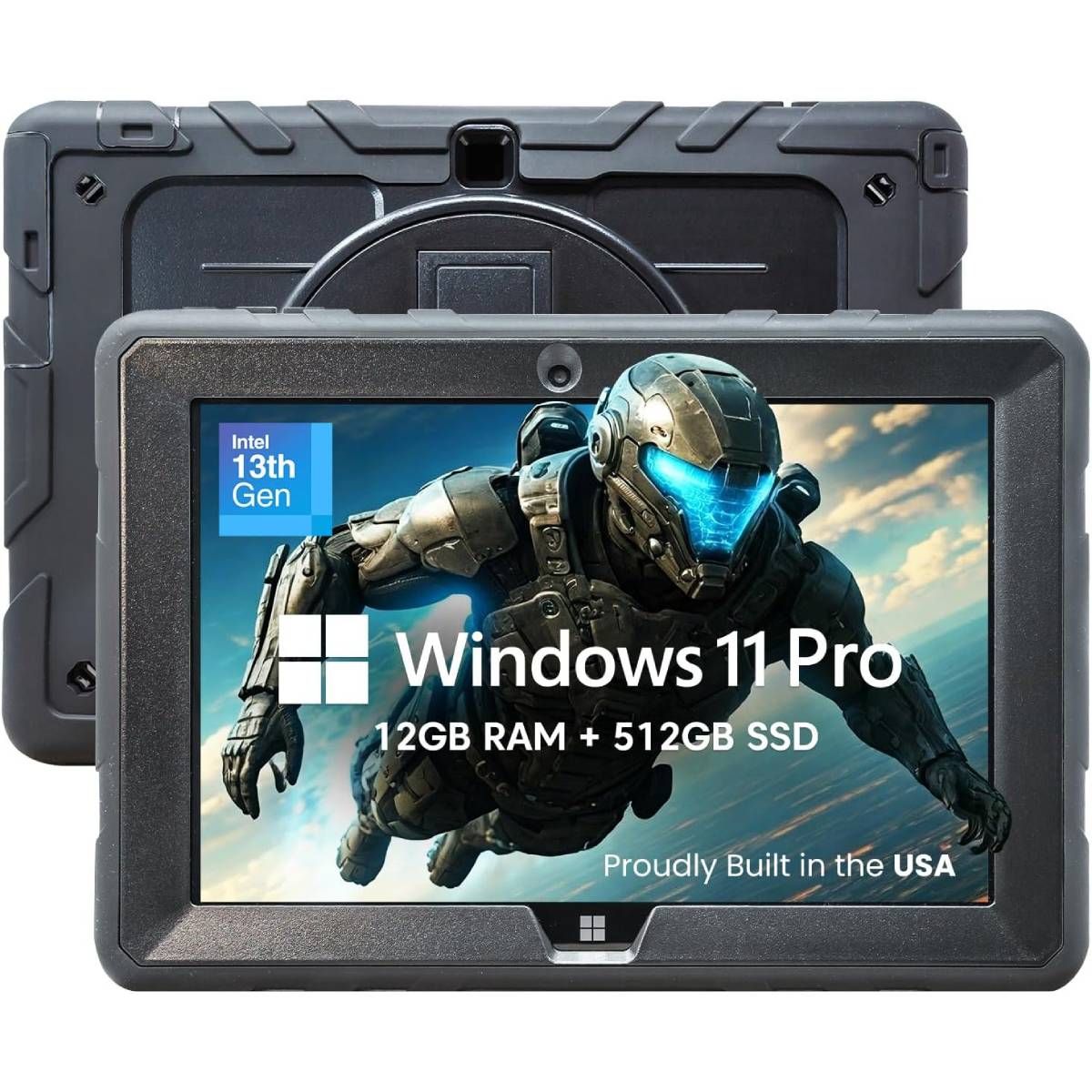
Our field-work pick: The Fusion5 Rugged Windows Tablet is a practical choice for dealerships looking for a durable Windows device for vehicle walkarounds, trade-in appraisals, showroom consultations, and customer handovers.
Why Windows Tablets Make Sense for Modern Car Dealerships
The way people buy cars has changed. Most customers arrive at the dealership having already researched their options, so they expect quick answers and a buying experience that feels smooth from start to finish.
A Windows tablet helps sales teams keep the conversation moving. Whether it's comparing vehicles, checking stock, recording a trade-in appraisal, or discussing finance options, staff can access the information they need without returning to a desk.
It doesn't replace the systems your dealership already uses. It simply makes them easier to access wherever the customer is, helping sales teams spend less time on admin and more time building buyer confidence.
For dealerships looking to modernise their everyday sales process without changing the way they work, a Windows tablet is a practical tool that can improve both the customer experience and day-to-day efficiency.
FAQ
Can car dealerships use Windows tablets for dealership software?
Yes. Most dealership CRM, inventory, finance, and business systems are Windows-compatible or browser-based and can be used on a Windows tablet.
Are Windows tablets useful during vehicle walkarounds?
Yes. They allow salespeople to provide live vehicle specifications, compare trim levels, explain optional features, and answer customer questions without interrupting the conversation.
Can a Windows tablet be used for trade-in appraisals?
Yes. Sales staff can record vehicle details, take photos, add appraisal notes, and upload everything directly into the dealership's system during the inspection.
Can Windows tablets reduce paperwork in dealerships?
Yes. Windows tablets can help digitise customer enquiries, test drive records, appraisal notes, and vehicle handover checklists, reducing paperwork throughout the sales process.
Which Fusion5 Windows tablet is suitable for car dealerships?
The Fusion5 Rugged Windows Tablet is well suited to dealership environments thanks to its durable design, Windows 11 Pro, integrated hand strap, bright 10.1-inch Full HD display, and portable form factor, making it ideal for vehicle walkarounds, trade-in appraisals, and customer consultations.