


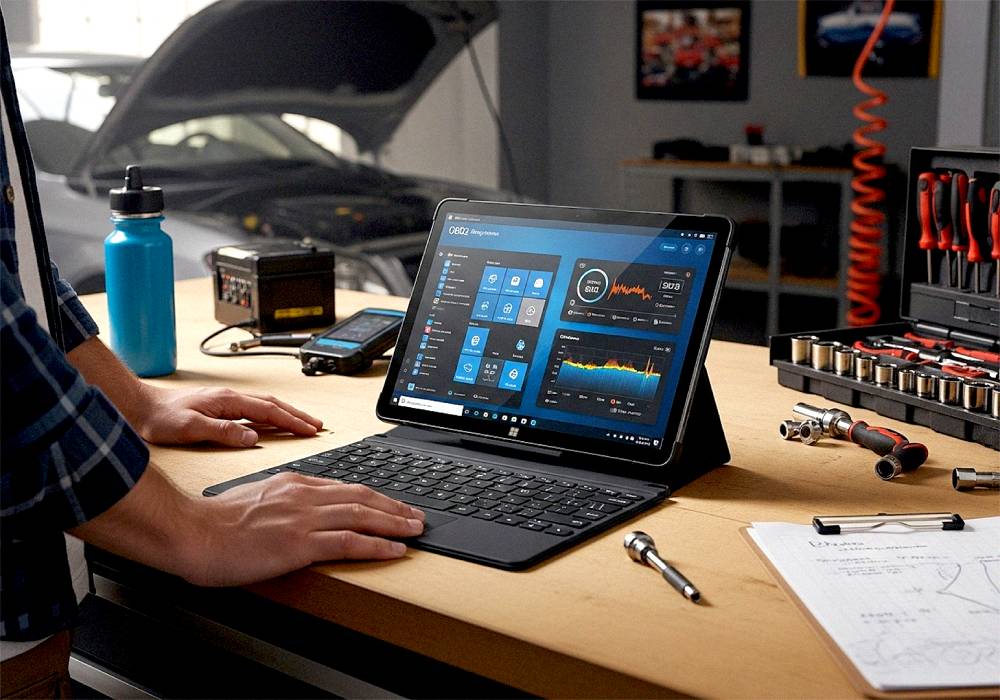
Can You Really Use a Fusion5 Tablet for DIY Car Diagnostics and Navigation?
Yes, you can, and DIY mechanics are already doing it. The Fusion5 Windows Tablet PC is quietly becoming a garage favorite for hobbyists who want affordable, flexible tech to handle car diagnostics and navigation all in one.
Instead of buying expensive handheld OBD2 scanners, smart drivers are turning to Fusion5 tablets as a powerful, budget-friendly alternative. It’s the perfect blend of function, flexibility, and value.
Full Blog: From Garage to Dashboard – Real Car Solutions with Fusion5 Tablets
Why DIY Car Diagnostics Matter
Every car enthusiast or weekend mechanic knows the moment, that "check engine" light pops on, and you’re faced with two options: head straight to the shop and brace for a hefty bill, or grab your tools and figure it out yourself.
That’s where Windows tablet car diagnostics step in. Fusion5 tablets, paired with an affordable Bluetooth OBD2 scanner, turn your tablet into a full vehicle health monitor.
You can:
- Read engine codes on the spot.
- Run live diagnostics.
- Clear fault codes yourself.
- Track real-time data like RPM, fuel flow, and sensor readings.
No bulky tools, no overpriced shop scans. Just your tablet, an OBD2 device, and your garage.
Your Fusion5 as an In-Car Navigation Powerhouse
When you’re not troubleshooting, your Fusion5 tablet can stay mounted in your car as a giant, easy-to-read map screen.
It works perfectly with:
- Google Maps
- Waze
- Offline navigation apps (super useful if you’re out of signal range)
Unlike a phone screen, the 10.1" display is large enough to see comfortably while driving, and you can easily pair it with a dashboard mount for a permanent setup.
Three Ways Fusion5 Tablets Are Winning in Cars
1. DIY Diagnostics Made Affordable
With OBD2 apps like Torque Pro or Car Scanner, you can run full diagnostics without paying the dealer price. The Fusion5 tablet connects via Bluetooth to your OBD2 scanner and shows real-time engine data on a big, clear screen.
2. Oversized Map View for Safer Navigation
Phone screens can feel too small, especially on long drives or when you need to see complex highway exits. The Fusion5 tablet offers a safer, distraction-free view and works beautifully as a dedicated navigation tool.
3. Garage Companion That Goes the Distance
The best part? Your Fusion5 tablet isn’t just a car gadget. You can still:
- Watch YouTube repair tutorials in the garage.
- Run Excel to track car maintenance.
- Store vehicle manuals, photos, and project notes.
It’s a multi-purpose device that just happens to be perfect for your car setup, too.
Quick Feature Check: Why Fusion5 Works for the Garage and Dashboard
- Full Windows 11: Compatible with powerful car diagnostic apps.
- Bluetooth Support: Seamless OBD2 scanner integration.
- USB Ports: Connect accessories, chargers, or wired scanners.
- Big, Bright Display: Easy to read in the garage or on the road.
- Affordable: Way cheaper than dedicated scanners and GPS units.
Is the Fusion5 Tablet the Right Tool for DIY Car Lovers?
Definitely. If you’re someone who loves working on cars, saving money on diagnostics, or just wants a huge navigation screen, the Fusion5 Windows Tablet PC gives you everything in one portable device.
You don’t need a stack of expensive tools. You need one smart tablet that can handle your diagnostics, your maps, your YouTube repairs, and your garage spreadsheets.
Explore the Fusion5 lineup now at Fusion5Store.com and see how much easier your next project can be.



