How Rugged Windows Tablets Help HVAC and Plumbing Techs Quote, Invoice, and Get Paid on Site
Most HVAC and plumbing businesses continue with their operations based on a mix of office computers, paper notes, printed documents, and post-visit administration. This process may function effectively if the workload is manageable and simple. Nevertheless, once the business requires rapid quotations, better client interaction, and fast approval or payments, the process may turn out to be inefficient.
This is important since HVAC and plumbing services entail much more than repairing the system. The tasks include diagnosis, costing, explanation, approval, documentation, and paperwork understandable by the client.
This is where a rugged Windows tablet can start to make more sense. It gives the technician a portable device that can be used on site for job details, quotes, and paperwork instead of waiting to do those things later on an office PC.
Full Blog: Why HVAC and Plumbing Businesses Are Using Rugged Windows Tablets as On-Site Quote Tools
Why quoting matters so much in HVAC and plumbing
In HVAC and plumbing work, the quote often isn’t something that gets done later in the office. It’s often part of the visit itself.
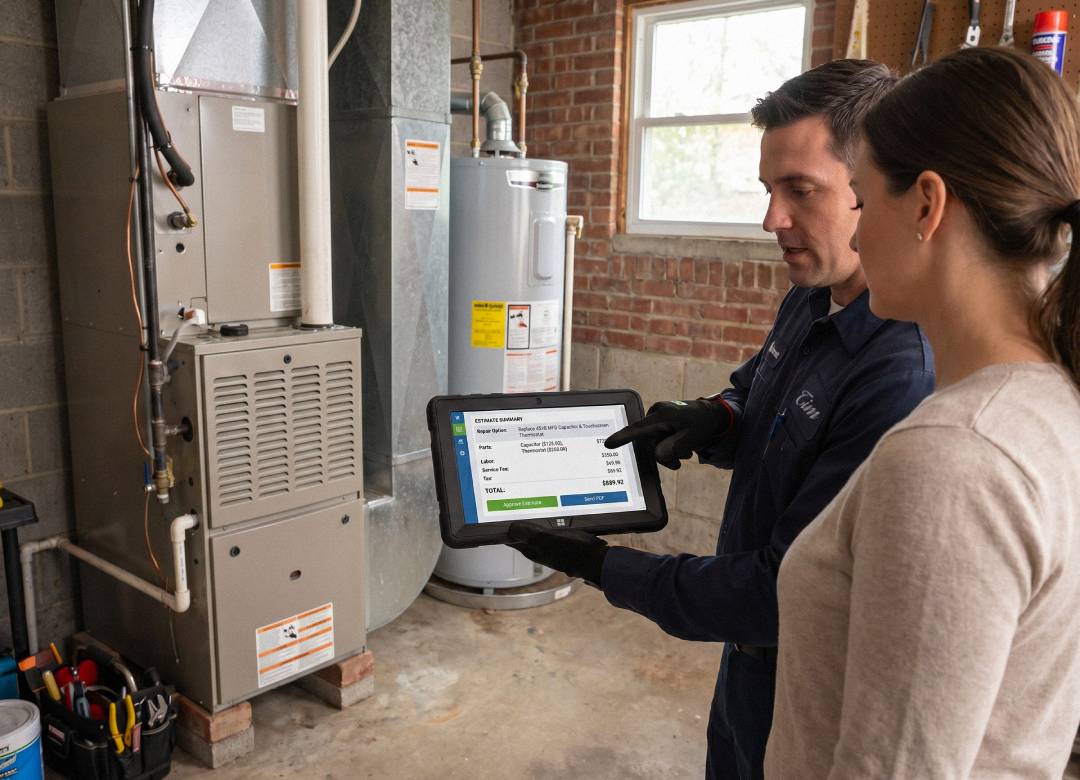
When a technician shows up, they’ll take a look at the issue, figure out what has failed, and decide what parts and labor are required to fix it. They’ll then go over the options with the customer and give them a price quote before heading out. For instance, they might have to decide whether a water heater can be fixed or if it’s better to replace it, or if a problem with the HVAC system can be solved with a simple fix or if it’s a bigger job that needs more work. The technician’s goal is to provide the customer with a clear understanding of what needs to be done and how much it will cost, so they can make an informed decision about how to proceed.
In many cases, the customer wants that price straight away. They don’t want to wait until the technician has gone, the notes have been written up again, and the office has turned them into a formal estimate.
That’s why mobile estimating and invoicing have become more useful in this industry. If the technician can do more of that work on site, there’s less paperwork to repeat later and less chance of delays or missing information.
What the software is already doing in the field
This isn't just a concept, the necessary software to make it happen is already out there.
Field service platforms are really useful for technicians. They can do lots of things on the job, like making quotes and invoices, and even following up with customers. For example, FieldPulse is a platform that lets technicians create and send estimates to customers, and then turn those estimates into invoices once they're approved. They can even take payment from the customer before they leave the job site, which is really convenient. This way, technicians can handle everything they need to while they're still with the customer, which saves time and makes things easier for everyone.
That matters because the rugged tablet is not replacing the software the business already uses. It’s giving the technician a more practical way to use that software on site, while the work is actually being carried out.
Real-world example from the field
There are already real examples of mobile tools being used during service visits in field service work. They aren’t only being used for dispatch or note-taking. They’re also being used for quoting, invoicing, approvals, and payment while the technician is still on the job.
That matters because it shows the device isn’t only there to look up information. It can also be part of the customer-facing workflow during the visit itself. If the technician can create or update an estimate, convert it into an invoice, and keep the paperwork moving before leaving the site, there’s less admin to repeat later.
QuickBooks, for example, says users can customize estimates and invoices on the spot, convert estimates into invoices, and manage estimates and invoicing tasks on the go through its mobile app. That’s useful in this context because it shows that mobile quote-and-invoice workflows are already part of real business software, not just a future idea.
Why a rugged Windows tablet fits this industry better
A consumer tablet is easy to carry, but HVAC and plumbing work is not a consumer environment.
Technicians move between vans, rooftops, basements, crawlspaces, utility spaces, garages, and customer homes. Devices may be used while standing, carried from room to room, or placed on rough surfaces. A laptop can run the right software, but it is not always as convenient to hold or move around during a site visit.
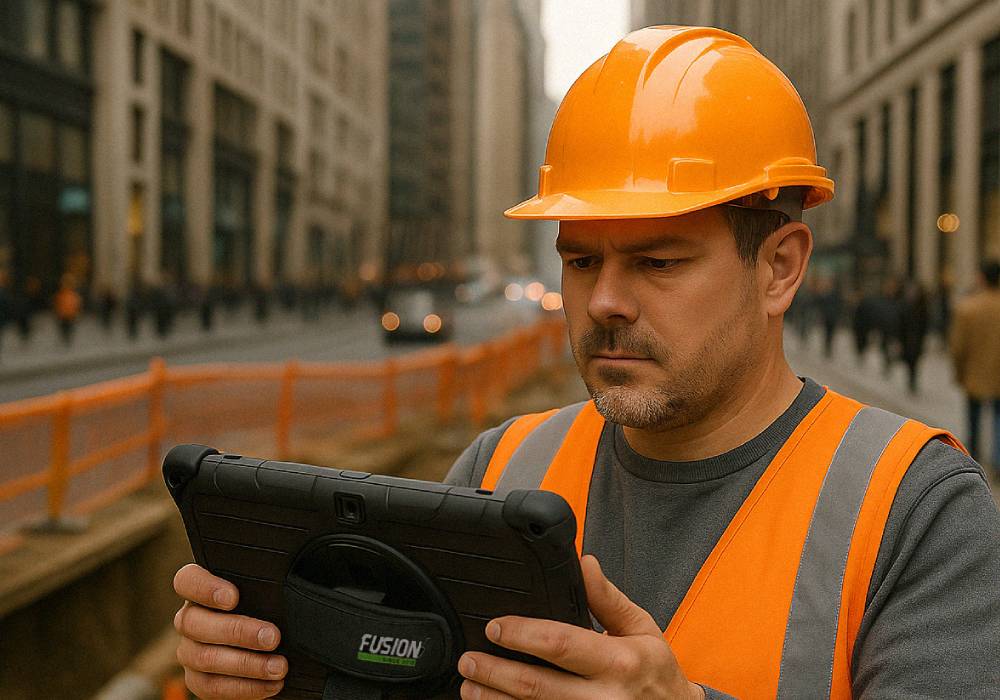
That is why the Fusion5 FWIN232 PRO N5 is a practical fit here. It is built as a rugged Windows 11 Pro tablet with a shockproof and dustproof design, 12GB RAM, 512GB SSD, Intel Alder Lake N100, a 10.1-inch 1920 x 1200 Full HD IPS touchscreen, dual-band WiFi, Bluetooth 5.0, protected ports, a hand strap, rear stand, and a two-year warranty with accidental damage coverage.
What the quote tool workflow looks like in practice
In practical terms, the workflow is straightforward.
The technician arrives on site with the Fusion5 rugged tablet, opens the field service or estimating software, reviews the customer history, enters the scope of work, adds line items, and shows the quote on screen. If the customer wants options, the technician can adjust them while standing there. If the customer approves, the estimate can be converted, saved, invoiced, or sent as a professional document from the same workflow, depending on the software being used.
That improves the customer experience because the quote feels immediate, clear, and professional. It also improves the business workflow because less information has to be recreated later.
Why the Fusion5 rugged tablet is practical for this job
The Fusion5 rugged Windows tablet fits this use case because the hardware supports the way field techs actually work.
The 10.1-inch display is large enough for line items, pricing fields, and customer review while still being easy to carry. The 12GB RAM and 512GB SSD support everyday multitasking across field service apps, browser dashboards, PDFs, and customer records. The hand strap helps when moving between locations. The rear stand helps when the device needs to sit on a counter, workbench, or van surface. The rugged build and covered ports also make more sense in HVAC and plumbing environments than a standard office tablet.
Most importantly, it runs Windows 11 Pro, which gives businesses a practical way to use Windows-based field software in the field instead of limiting that work to an office PC.
Final thoughts
But the best reason why a rugged Windows tablet should be considered when choosing a quote tool for your company is not only its portability.
A rugged Windows tablet makes it possible for your technician to run the actual software program used to make quotes and estimates while out in the field, providing your customers with a professionally formatted invoice/quote right there and then.
When fast quoting, minimizing administration and providing better customer service in the field is important to you, the Fusion5 Rugged Pro N5 is definitely worth considering.
FAQ
Why use a rugged Windows tablet as a quote tool?
It lets technicians run estimating and invoicing software on site while using hardware better suited to field conditions.
Can HVAC and plumbing techs create estimates and invoices from the field?
Yes. Field service software already supports field quoting, invoicing, and payment workflows on site.
Why is the Fusion5 rugged tablet a good fit for this?
It combines Windows 11 Pro, rugged hardware, strong everyday performance, and practical field features in one portable device.