


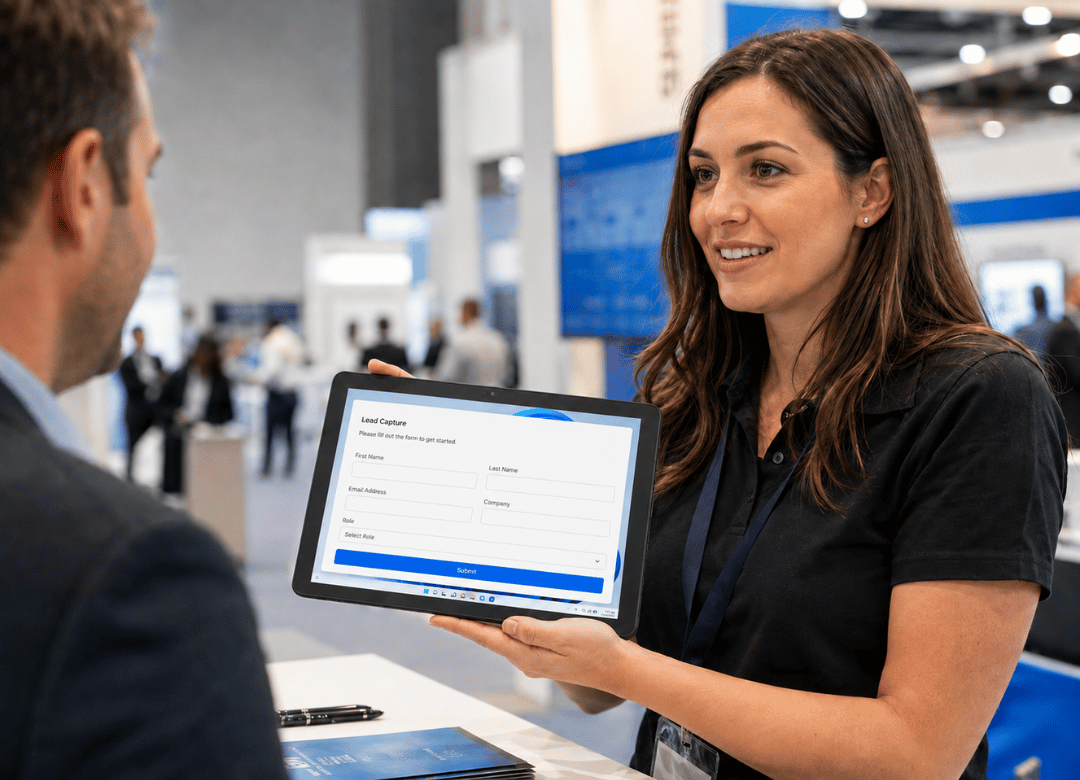
Your best rep is standing at the booth with a dead tablet at 2 p.m. on day one. The charging station line is four people deep. Meanwhile the guy who actually signs the PO already wandered over to a competitor's booth. That's not a hypothetical. That's Tuesday at McCormick Place or the Vegas Convention Center, and it's the single most avoidable way to lose a lead you already paid five figures to be in the room for.
Fusion5 builds Windows 11 tablets for exactly this kind of shift, and after outfitting exhibitors across a few show seasons, the pattern is always the same: teams don't lose leads because their pitch is weak. They lose leads because the hardware quit first.
Quick Answer
A lightweight Windows 11 tablet with 45W USB-C PD fast charging and Bluetooth 5.0 scanner support is the safest pick for trade show lead capture. It runs the CRM or lead-capture app your team already uses, pairs with a badge scanner in seconds, and survives an eight-hour shift without a charger taped to it. Go metal-body instead of plastic-consumer, and it'll survive the shipping crate between shows too.
The Problem Every Exhibitor Runs Into
Ask a booth manager what actually goes wrong at a show, and it's almost never the booth design. It's the devices. Someone brought a personal iPad and the lead-capture app runs half-broken on it. Someone else is on a five-year-old laptop that takes ninety seconds to wake from sleep ninety seconds a decision-maker isn't sticking around for. A cracked screen from last quarter's shipping crate means one fewer working device on the floor this quarter.
None of that shows up in the booth budget line item. It shows up three weeks later, when sales pulls the lead list and finds gaps, duplicates, and half-finished forms that never got submitted because the tablet died mid-conversation. Get this piece wrong and everything downstream follow-up speed, lead quality, how sales even talks about the show gets worse.
What Booth Staff Actually Need
Before comparing specs, it's worth separating what sounds impressive from what actually holds up on a show floor. I've watched teams get talked into 14-inch flagship tablets because they "look premium," then watch that same tablet get left in the hotel room by day two because it's a pain to hold while shaking hands.
Light enough to carry all day
A 10.1-inch Windows tablet in the 1.1 to 1.3 lb range is the sweet spot. Light enough to hold in one hand while scanning a badge with the other, small enough to clip into a lanyard sling. Go heavier and staff start setting it down on the counter which means it's not in hand when the next visitor walks up.
Fast enough that it doesn't slow the conversation
A capacitive touchscreen with quick app switching lets staff scan a badge, tap two or three qualifying questions, and move on all inside 20 to 30 seconds. If a rep is still typing full notes while a prospect stands there waiting, the device is working against the conversation, not for it.
Battery and Charging for Long Show Days
This is where consumer tablets fall apart as event-lead-capture devices. It's also the #1 complaint from exhibitors who tried to make do with whatever hardware was sitting in the IT closet.
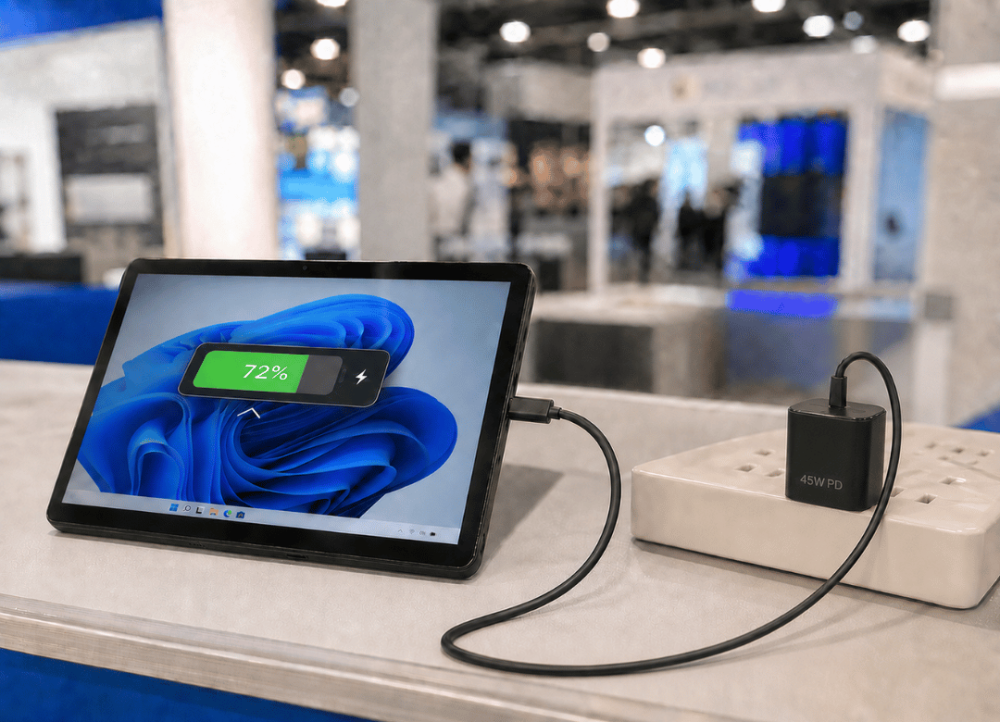
All-day battery, no charging cart required
A show day runs eight to ten hours once you count setup and teardown. A tablet that can't clear that on one charge means someone's babysitting a charging cart instead of working the floor. Look for a device rated for a full workday of active, screen-on use, not the "standby" number manufacturers love to print on the box.
45W PD charging between shifts
Even a strong battery needs a top-up eventually. A tablet with 45W USB-C Power Delivery charging, like the Fusion5 HELIOS10 10.1" Windows 11 Pro Mini Laptop Tablet, can go from empty to a usable charge in a 20-minute lunch break instead of needing hours plugged in overnight. That matters more than people expect on a three-day show where staff rotate shifts and devices get handed off mid-conversation.
Running Your Booth CRM Without a Compromise
A device is only as good as the software running on it, and this is where non-Windows tablets quietly cause headaches for booth teams.
Windows compatibility with the CRM you already use
Most lead-capture platforms, browser-based scanning apps, full HubSpot or Salesforce integrations are built and tested on Windows first. A Windows 11 Pro tablet runs those tools the same way your desktop does. No scaled-down mobile version, no missing features, no separate login flow you have to explain to temp staff the morning of the show.
Pairing a badge scanner over Bluetooth
Bluetooth 5.0 lets a handheld badge scanner pair directly with the tablet, so nobody's hand-typing fifteen-digit badge IDs between conversations. Once paired, the connection typically holds for the whole show which matters when you're running six or eight devices across a busy booth.
Pair the scanner the night before, not show-morning
Don't leave this until the doors open. Pair each scanner to its assigned tablet the evening before, run a test scan through the lead-capture app, and label the unit so staff aren't guessing which scanner goes with which device. It's a five-minute task the night before that saves twenty minutes of troubleshooting once the first wave of attendees hits your aisle.
Built to Survive Shipping Between Shows
If your team runs more than one or two shows a year, durability in transit matters as much as durability on the floor.
A metal body holds up to repeated packing
Plastic-bodied consumer tablets flex and crack in transit cases faster than most people expect, especially after a dozen pack-unpack-repack cycles across a show season. Metal-body builds the kind used on rugged, business-class tablet PCs tolerate that cycle far better. It's a big reason bulk-order buyers increasingly treat owning tablets as a straightforward alternative to trade show tablet rental instead of paying recurring fees every single event.
From Scanned Badge to Sales Follow-Up
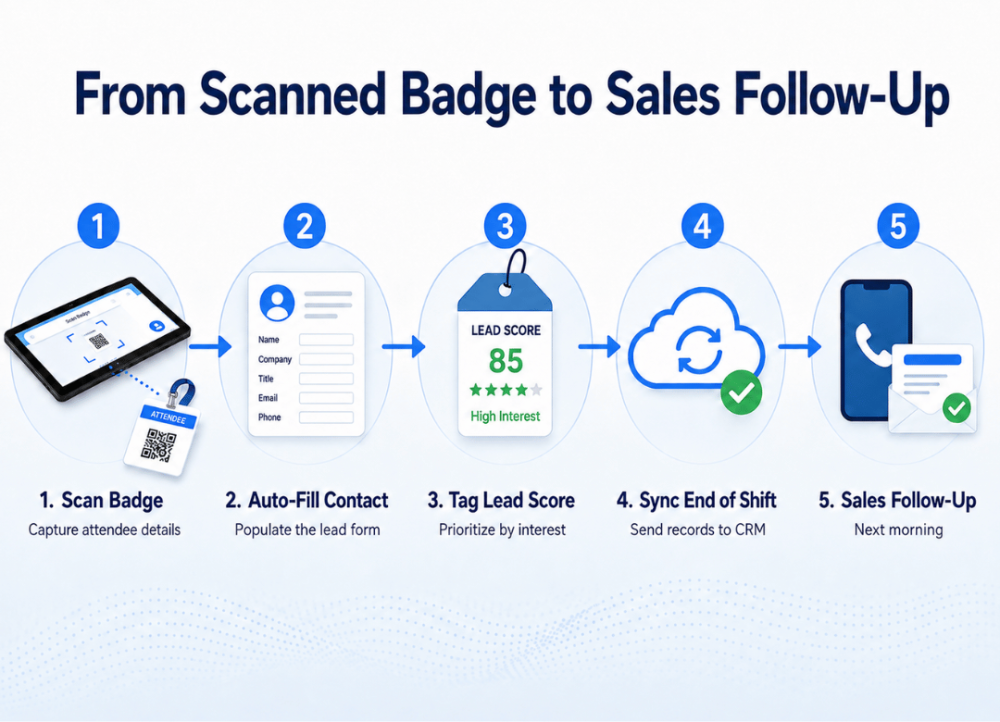
Here's what a clean badge-to-follow-up workflow looks like once the hardware is set up right:
-
Staff scans the attendee's badge with a paired Bluetooth scanner.
-
The lead-capture app auto-fills contact details and prompts two or three qualifying questions.
-
Staff taps a lead score or interest tag before the conversation wraps.
-
At the end of each shift, the tablet syncs captured leads to the CRM over Wi-Fi or a mobile hotspot.
-
Sales pulls a clean, tagged lead list the next morning, ready for same-day follow-up instead of a week-old spreadsheet.
The result: leads move from badge scan to sales inbox in under 24 hours instead of sitting in someone's bag until the show wraps.
What Changed for One Bulk-Order Customer
Say a mid-size industrial software company runs six regional trade shows a year. Until recently, they equipped booth staff with whatever laptops were sitting unused in the IT closet, heavy, slow to wake, none of them holding more than four or five hours of real battery life. By the second day of a show, at least one device was always dead by mid-afternoon.
The fix wasn't complicated. They switched to a fleet of lightweight, 10.1-inch Windows 11 Pro tablets with fast charging, ordered eight units at once so every staffer had a dedicated device instead of sharing two laptops between six people. At the first show after the switch, the booth captured noticeably more completed lead forms per shift mostly because staff weren't waiting in line for a shared device or watching a battery icon mid-pitch. It's not a dramatic transformation. It's just fewer excuses for a lead to slip through.
What the Data Actually Says About Trade Show Leads
Trade shows remain one of the most efficient B2B lead channels available but only when the leads captured on-site actually make it into a pipeline. According to the Center for Exhibition Industry Research (CEIR), roughly 81% of trade show attendees hold real buying authority, meaning most booth conversations are with someone who can actually approve a purchase, not just collect brochures. CEIR-sourced industry benchmarking also puts average cost-per-lead at B2B trade shows in the $112 to $186 range, and that math only holds up if the leads captured on-site are complete and get followed up quickly. A tablet that dies, lags, or drops a half-filled form directly erodes that number, no matter how good the booth design is.
Windows Tablet vs. the Alternatives Booth Teams Actually Try
| Device Type | Battery for Full Show Day |
Runs Full CRM/HubSpot |
Bluetooth Scanner Pairing |
Survives Shipping |
|---|---|---|---|---|
| Windows 11 Pro tablet (metal body) |
Yes, 8–10 hrs | Yes, full desktop version | Yes | Yes |
| Consumer Android tablet | Often, 6–8 hrs | Scaled-down mobile app only | Sometimes | No, plastic body |
| Personal iPad | Often, 8+ hrs | App-dependent, not always full-featured | Sometimes | No, prone to cracking |
| Aging office laptop | Rarely, 4–5 hrs | Yes | Yes | No, bulky and fragile |
Frequently Asked Questions
Q. What kind of tablet is best for trade show lead capture?
A. A lightweight Windows 11 Pro tablet with long battery life and Bluetooth 5.0 support is the strongest pick, mainly because it runs your actual CRM software without compromise instead of a scaled-down mobile version.
Q. Can I connect a badge scanner to the tablet?
A. Yes. Bluetooth 5.0 lets most handheld badge and barcode scanners pair directly with the tablet, so staff scan and move on instead of typing badge numbers by hand.
Q. How long does the battery last on a show floor?
A. Most well-specced Windows tablets built for this use case cover a full eight to ten hour show day of active use. Pair that with 45W PD fast charging, and a lunch-break top-up is usually enough to finish the day.
Q. Does lead-capture software actually run well on a Windows tablet?
A. It does, and honestly it runs better there than on most tablet operating systems. Most trade show lead-capture and CRM platforms are browser-based or built Windows-first, so the experience matches what your sales team already uses on desktop.
Q. Is the tablet durable enough for shipping between shows?
A. A metal-body build holds up to repeated packing, shipping, and setup far better than a plastic consumer tablet. Run more than two or three shows a year, and that durability gap adds up fast.
Q. How many tablets do I need per booth?
A. Most booths run one dedicated tablet per staff member working the floor at any given time. A team of four working staggered shifts usually needs four to six units total, so a shift change or a dead battery never leaves someone without a device.
Q. Is buying tablets worth it compared to renting for each show?
A. For teams doing three or more shows a year, owning becomes a real alternative to trade show tablet rental. No recurring rental fees, staff use the same familiar setup every time, and IT configures the fleet once instead of resetting rented hardware before every event.
Q. Can IT set up the tablets before they ship to the event?
A. Yes. Windows 11 Pro supports assigned access and kiosk-style configuration, so IT can preload the CRM, lock down settings, and label each unit before it ever leaves the office.
Every uncaptured lead at a trade show is a wasted booth fee. The right tablet, built for all-day reliability and fast charging, keeps your booth team focused on conversations instead of dead batteries.
Get multi-unit pricing for your booth team: contact Fusion5 with your headcount and next show date, and we'll put together bulk pricing for your team.


