Using a Windows Tablet for Interior Design: Tools, Apps & Workflow
Interior design is a balance of creativity and precision. From building out mood boards, to presenting finalized layouts, you need a device that adapts to every stage of the process. A Windows tablet offers touchscreen flexibility combined with fully compatible desktop software, making it a powerful solution for modern interior designers.
In this quick guide, we’ll break down the tools, apps, and workflow that can help you turn a Windows tablet into a full interior design workstation.
Full Blog: The Ultimate Windows Tablet Setup for Interior Designers
Creating a Mood Board
So, just what is an interior design mood board exactly? Well it’s a collection of images brought together either digitally or on a crafting board for inspiration on what a room you’re designing will look like potentially. It’s the style and vibe you’re trying to capture in that room.
Having images of lighting styles, different potential furnishings, and the type of flooring can really help create that picture in your mind before you start on a new project. It’s important to think realistically about what you can accomplish when designing different rooms. Keeping in mind things like budget and room size constraints, it’s best to see different realistic examples of what could fit well in the room given certain limitations.
Creating a mood board on a Windows tablet, especially one like the Fusion5 Pro N5, has never been easier. With the power of a full Windows PC, it’s no sweat using programs like PowerPoint or Canva to build your mood board at the same time that you search on sites like Pinterest for the latest interior design trends.
You can zoom in using touch gestures to look closely at textures or colours. This makes it easy to build a clear visual plan for your interior design job.
Designing Floor Plans and Layouts
Once you’ve got the style down and overall look figured out, the next step is actually planning where everything will go. This is where the more technical side of interior design comes in.
Checking out a sofa online that you like is one thing, but then realizing it’s too big to fit in your room is pure devastation. Yikes. You need to keep in mind walking space, door clearance, window placement, and how natural light will hit certain areas.
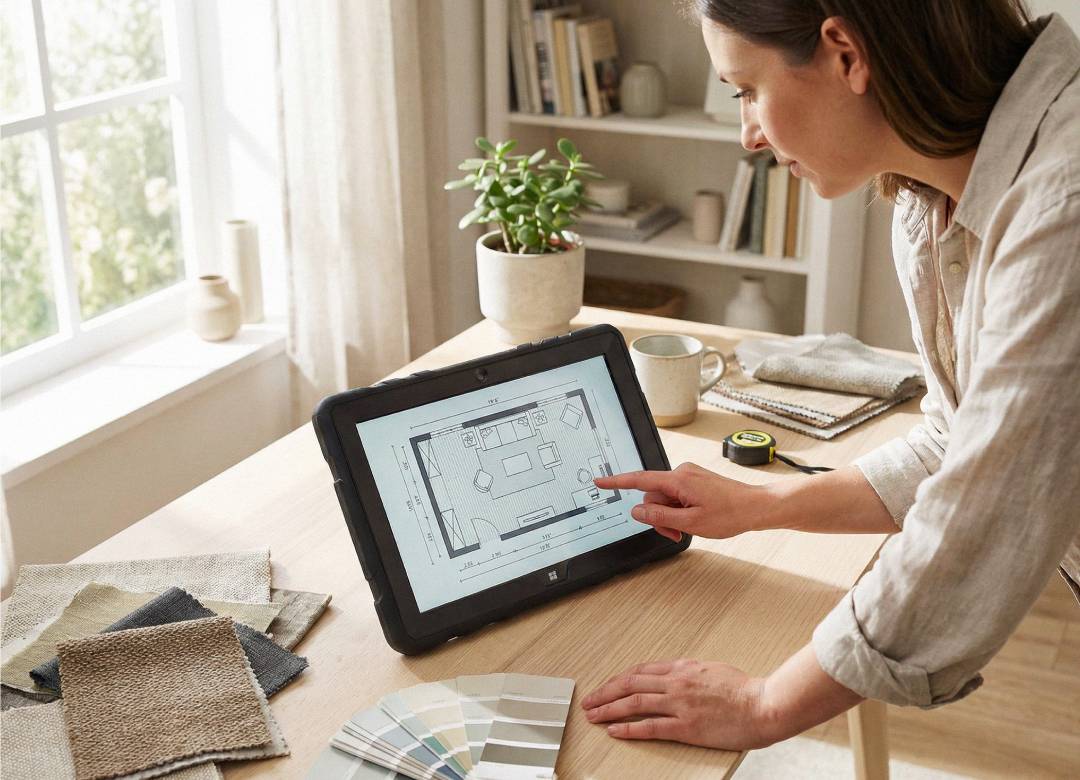
Using a Windows tablet allows you to download and run professional programs like SketchUp or AutoCAD, just like you would on a desktop computer. That means you can create proper floor plans with accurate measurements rather than just guessing.
Because it runs full Windows software, you’re not limited to basic mobile apps. You’re working with the same tools many professionals use in studios and offices. You can zoom in, rotate 3D models, and move furniture around on screen until everything feels right.
Managing the Project Side of Things
Interior design isn’t just about creativity. There’s also a lot of organisation involved behind the scenes.
You’ll likely have supplier quotes, material lists, measurements, invoices, and client contracts to keep track of. If these aren’t organised properly, things can get confusing very quickly.
With a Windows tablet, you can create folders for each project and keep everything stored in one place. Using File Explorer, you can separate mood boards, floor plans, spreadsheets, and final renders so nothing gets lost.
If you’re using OneDrive, your files can automatically sync and back up. That way, if you switch to another device later, your work is still there waiting for you.
Presenting Your Ideas to Clients
When working on projects for clients, having a compact Windows tablet handy really allows for more mobility. Instead of printing papers out and carrying around heavy stacks, or even lugging around a heavier laptop, you can bring one lightweight and compact device that has all your photos, documents, and layouts ready to show.
If a client is asking for closer looks at the design plans and details, you have them all available on a lightweight device you can easily swipe through. Any changes needed? They can happen on the spot. No extra meetings, no miscommunication, just getting the details shown and edited in no time.
Bringing It All Together
So what does it all entail? Interior designing has a lot of bits and pieces to get down. You need to gather inspiration, plan layouts carefully, stay organised with documents and measurements, and then present everything clearly so you or your client understands the vision.
A Windows tablet like the Fusion5 Pro N5 helps bring all of that together in one place. Because it runs full Windows software, you can handle research, design work, and project management on a single compact device, making the entire process feel smoother from the first concept right through to the final presentation.