A 2026 Guide to the Best Free Software to Use on Windows Tablets
A Windows tablet really starts to get useful once you’ve got the right free software installed. The goal isn’t to download a hundred apps. It’s installing a small set that covers the stuff people actually do on a tablet, like writing, taking notes, opening files, playing media, and recording your screen.
This helpful guide is meant to walk you through the best free software that you can find using a Windows tablet today.
Full Blog: Best Free Software for Windows Tablets
Make Windows easier to control on a tablet
Microsoft PowerToys is a free Microsoft add-on that installs extra small features into Windows. It doesn't replace Windows itself, just adds in some extras not included with the default OS.
What it does is it helps you keep windows organized on a smaller screen, rename lots of files at once, and find things a lot faster. If you multitask a lot, it cuts down on the annoying little steps that slow you down.
Take notes that you can actually find later
OneNote is basically just like having a binder, but digital. Instead of a bunch of scattered paper notebooks with all different notes inside, you can keep everything nice and organized in OneNote. Plus it’s super simple to navigate in.
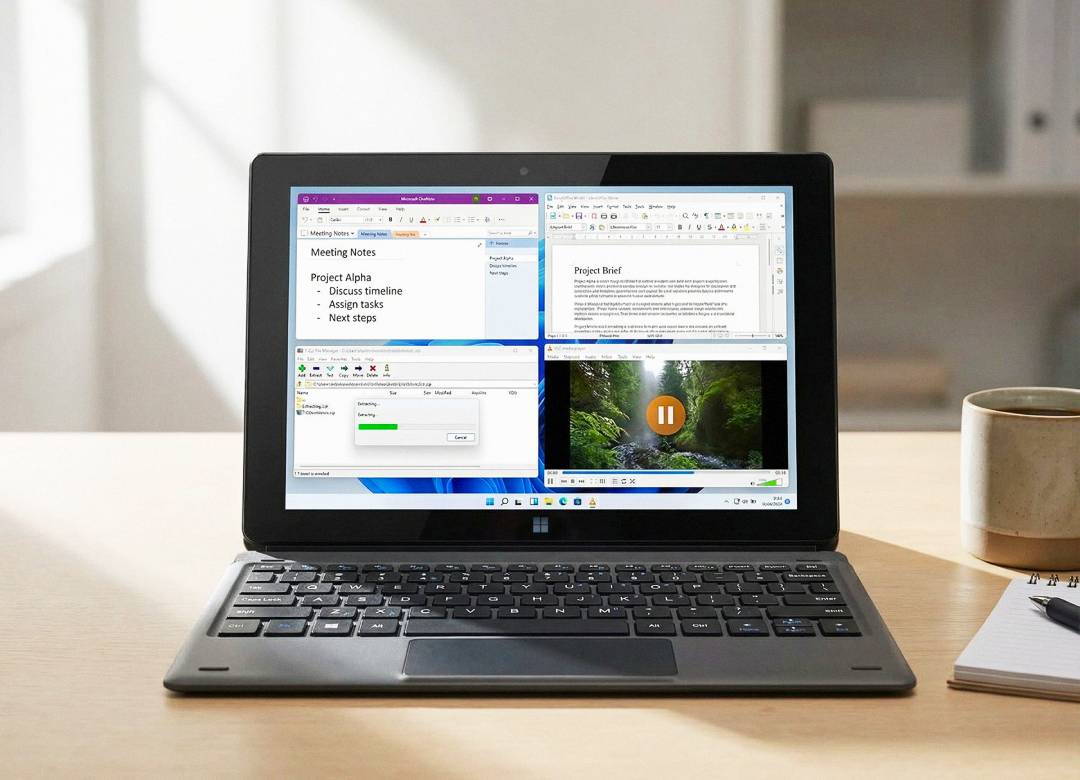
You can create sections for work, school, or personal projects, and then add in pages inside each one. You can type notes, paste screenshots, and search your notes later when you forget where you wrote something. On a Windows tablet, it’s especially useful for meetings because you can keep notes open while you’re on a call.
Edit documents without paying for an office subscription
LibreOffice gives you free apps for documents, spreadsheets, and presentations. The practical benefit is simple. If someone sends you a document and you need to edit it, you can open it and work on it without paying for a subscription first.
Play video files that won’t open anywhere else
VLC is a media player that opens most video and audio formats. If you download videos for travel, get large files from coworkers, or run into a file that will not play in the default player, VLC usually fixes that problem immediately.
Open ZIP files and compress folders for sharing
7 Zip is a program that deals with compressed files and folders. These are files that are put into a folder that has been packed into a smaller file in order to download and send big files easier. With 7 Zip, you can extract files quickly and keep moving.
Record your screen for tutorials and troubleshooting
OBS Studio is for screen recording and live streaming. If you need to record a training video, show someone a problem on your screen, or capture a walkthrough, you can choose what to record and save it as a video file. It can also stream, but streaming quality will still depend heavily on your internet connection.
Edit videos without getting stuck
Clipchamp is a great tool for people who are into or want to get into video editing. It’s free and it gets you the basics like making edits to cut down video time or cut out mistakes, and then things like adding in custom text and filters.
Wrap up
Get PowerToys for control, OneNote for notes, LibreOffice for documents, VLC for media, and 7 Zip for downloads. Add OBS if you need screen recording or streaming, and Clipchamp if you need basic video editing. That magic combo covers most Windows tablet needs without spending anything upfront.
Browse our Windows tablet range today.