How Print Production Teams Use Windows Tablets to Reduce Errors and Reprints
Losing time from mistakes isn't just about wasting minutes. It's about the materials that get wasted too. For print production companies, time lost from printing mistakes can have costly effects.
If the file is wrong, you print it again. If the instructions are wrong, you finish it again. If the job ticket is outdated, the whole run can be wrong before anyone notices.
This blog breaks down the important points on how Fusion5 Windows tablets reduce costly mistakes by keeping the current job details, files, and updates available on the production floor from prepress through packaging and shipping.
Full Blog: Reducing Print Shop Errors with Windows Tablets and Digital Workflows
Catching file issues before they hit production
Reprints tend to happen because something in the print file is wrong. Small mistakes happen in all types of ways. The design could be the wrong size, the bleed area may be missing, or the artwork could be sized incorrectly for the product template. These mistakes add up in costs of wasted materials.
With a Windows tablet on the floor, teams can pull up the file faster and check it earlier. You can zoom in, confirm the latest version is being used, and make sure the job matches what was approved. It’s a simple way to stop problems before they turn into a full rerun.
Keeping job tickets current across the floor
Job tickets tell the team what to print and how to finish it. They can include the product type, the size, the paper stock, the finish, the quantity, and the shipping method. These are used to prevent mistakes from happening but if they’re outdated at their stations, they can end up causing them big time.
Windows tablets help by letting the team view the current job ticket at the station where the work is happening. Instead of depending on a printed paper ticket that might be outdated, or depending on someone to verbally tell them the change, the worker can open the latest job ticket on the tablet and confirm the details before they print, cut, finish, pack, or ship.
When everyone is checking the same up-to-date ticket, fewer jobs get produced using old instructions, which means fewer wrong runs and fewer reprints.
Reducing version confusion during revisions
Revisions happen all the time in print production. A customer uploads an updated file, a proof gets approved with changes, or a correction comes in right before the job is scheduled to run. The problem is not that people are ignoring the update. The problem is that older versions can still be sitting around in downloads folders, email threads, or shared drives.
That’s how version confusion happens. Someone opens the wrong file, prints the wrong artwork, and the mistake doesn’t get noticed until after the run is complete. At that point, you’re not just fixing a file. You’re reprinting the whole job.
With a Windows tablet on the floor, it’s easier to pull up the latest version at the moment the job is about to run. You can confirm the file matches what was approved and make sure the version being used is the correct one before it goes into production. That one check prevents a lot of avoidable reruns.
Making quality checks more consistent
Quality control is where small mistakes either get caught or get shipped. The trim could be slightly off. The finish could be wrong. The colors could look different than expected. The count could be incorrect. Any of those issues can turn into a reprint if they are not caught early enough.
Windows tablets help because the job details can stay visible during finishing and packing. Instead of relying on memory or rushing through checks, the team can confirm the specs and compare the output to what was approved. When the checks are done the same way each time, fewer “almost correct” jobs slip through and fewer jobs need to be redone.
Tracking jobs so errors do not hide in the workflow
Print jobs don't happen all in one stage. They go through printing, cutting, laminating, binding, packaging, and shipping. It’s easy for details to get lost when the floor is so busy. This is where mistakes can linger and not be found until the very last step.
Having a Windows tablet on the floor helps to prevent these mistakes from getting missed before they go to completion. When everyone can see what stage a job is in, it’s easier to catch problems sooner instead of discovering them after the job is already packed or ready to ship.
Preventing packaging and shipping mistakes
Shipping the wrong job causes the same kind of waste as printing the wrong job. If the wrong quantity ships, if the wrong finish ships, or if the wrong address is used, the fix usually isn’t quick. It often means replacing the order, reprinting parts of it, and spending extra time dealing with customer follow up.
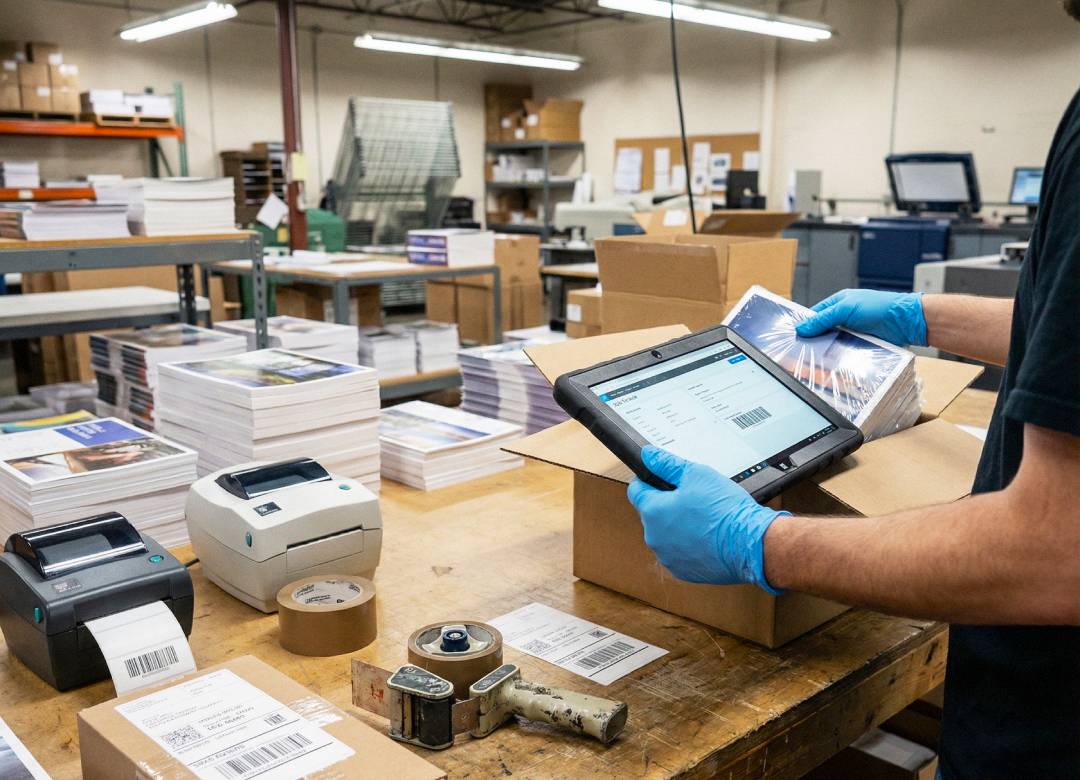
When you have a Windows tablet right at the packing station, this can allow the employee to make sure the order is correct before it leaves for the next station. Being able to quickly verify details is essential to preventing reruns.
Bringing it all together
Print production is a chain, and mistakes usually happen when one link is working from old information. The goal isn’t to add extra steps. It’s to make sure the correct details are easy to access at the moment decisions are being made.
Fusion Windows tablets are reliable tools that assist in reducing costly mistakes. In today’s world, every dollar spent is a pretty penny. That’s why having these on a jobsite really helps in every way. When information stays visible and up to date, teams spend less time fixing errors and more time getting jobs out the door right the first time.