


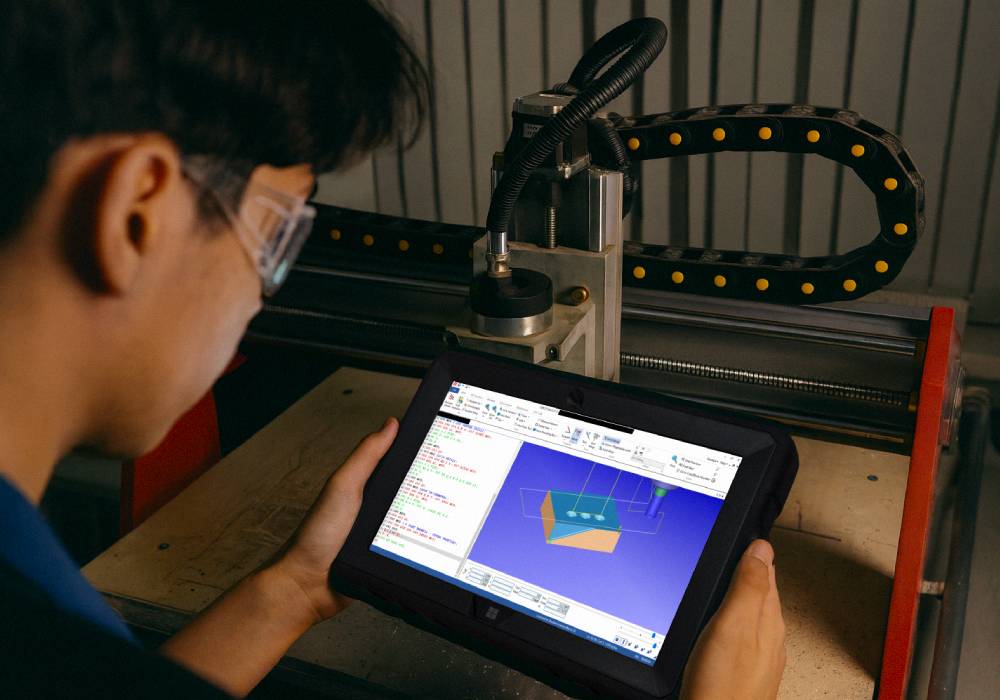
Can You Run CNC Simulations and G-Code Review on a Rugged Windows 11 Tablet?
Yes, you can! Our 10.1-inch Rugged Windows 11 Tablet PC is built to handle demanding shop floor and training environments, making it a powerful tool for CNC simulation, G-code review, and light CNC programming wherever the work happens.
If you’ve worked around CNC machines, you know the frustration of spotting an error in the code and having to walk back to a desktop. That wastes time and interrupts workflow. With this rugged tablet, you can check CNC toolpaths, review machining programs, and make edits right next to your CNC lathe, milling machine, or router.
If you’re looking for a portable CNC companion that saves time, improves accuracy, and fits seamlessly into your workflow, this rugged tablet is ready to deliver.
Full Blog: How This Rugged Tablet Solves CNC Simulation and G-Code Review Challenges
Quick G-Code Editing at the Machine
Running G-code editors like NC Viewer or CIMCO Edit directly on the tablet lets you make speed, feed, or toolpath adjustments without leaving the operator station. Whether it’s tweaking spindle RPM for a turning operation or adjusting step-over for a milling pass, edits happen in seconds.
Portable CNC Simulation for On-the-Spot Checks
Powered by an Intel 13th Gen N100 processor, 8GB LPDDR5 RAM, and a 512GB SSD, this rugged tablet runs lightweight CNC simulation software like CAMotics or CNC Simulator Pro with ease. You can quickly verify tool movements, catch potential collisions, and confirm machining strategies before starting the spindle.
For heavier CAD/CAM software such as Fusion 360 or SprutCAM, simply connect via Windows Remote Desktop to your main workstation and run simulations in real time—right from the shop floor or training space.
Seamless Remote Access to Your CAD/CAM Workstation
Need full workstation power? This tablet lets you log in remotely, run 3D toolpath verification, adjust CAM strategies, and transfer NC files directly to the machine without breaking stride.
Form Factor Features That Make CNC Work Easier
- Adjustable Hand Strap — Secure one-handed grip for navigating simulations while working at the machine
- Spinning Back Plate — Quickly switch between portrait mode for G-code and landscape mode for toolpath previews
- Kickstand — Hands-free setup for reviewing code or running simulations next to the CNC controller
- Rubberized Protective Shell — Helps absorb bumps and knocks in busy shop environments
- Covered Ports — Protects connectors from dust, chips, and workshop debris
Rugged Hardware That Performs in CNC and Training
- Durable, shock-resistant build for vibration-heavy environments
- Intel 13th Gen N100 CPU with 8GB LPDDR5 RAM for smooth CNC simulations
- 512GB SSD with expandable storage for large machining programs
- 10.1″ Full HD IPS touchscreen for clear viewing of G-code and toolpaths
- Multiple ports including USB 3.0, USB-C, and Micro HDMI for flexible connectivity
- Windows 11 Home for compatibility with CNC simulation and G-code editing software
- Battery life up to 7 hours for shop and training use
- Adjustable hand strap, spinning back plate, and kickstand for versatile handling
Why This Rugged Windows 11 Tablet Is Perfect for CNC Shops and Training Labs
It’s tough enough for shop environments, powerful enough for G-code editing and light simulations, and portable enough to follow you between machines. The adjustable strap, rotating back plate, and kickstand make it comfortable to use in any position, while covered ports help protect against dust and debris.
If you’re ready to make real-time CNC code edits, verify toolpaths on the spot, and keep your machines running efficiently, this Rugged Windows 11 tablet is the solution you’ve been looking for.
Check out Fusion5Store.com and see how this rugged CNC-ready tablet can improve your workflow.



