How to Manage Social Media from a Windows Tablet
Managing social media sounds simple until you actually do it. On paper, it looks like a basic routine: create a post, publish it, reply to comments, and check how it performed. In real life, it usually involves several platforms, different tools, and constant switching between devices.
A common example is planning content on a laptop in the morning, then later using your phone to publish a Reel or TikTok because those features are easier to use there.
You might also reply to messages on your phone during the day, then only check analytics later on a computer if you remember. Nothing’s actually broken in that workflow, but it is spread out and harder to manage properly.
That’s where a Windows tablet becomes useful. Instead of moving between devices, you can plan content, create graphics, post, reply to comments, and check analytics from the same device, which makes the whole process feel more organised and consistent.
Full Blog: A Practical Way to Manage Social Media on a Windows Tablet
What Managing Social Media from a Windows Tablet Actually Looks Like
Managing social media from a Windows tablet means handling your full workflow in one place instead of splitting it across devices.
For example, instead of planning on your laptop and posting from your phone, you can:
- Write captions
- Design graphics
- Upload posts
- Reply to messages
- Check analytics
All from the same device. That removes the constant switching that slows you down and breaks up your focus.
Content Planning on a Windows Tablet Without Losing Track
Planning is where most workflows start to break down.
On a phone, your content is scattered. Ideas are in notes, images are in your gallery, and captions are saved somewhere else. When you manage social media from a Windows tablet, you can open everything at once.
You might have:
- A Google Sheet with your content calendar
- Canva open for design work
- Your social platforms open in browser tabs
This gives you a clear view of what you’re posting and when. Instead of guessing, you’re planning with context.
Creating Social Media Content in One Place
One of the biggest time drains is switching devices while creating content. You design something great, send it to your phone, upload it, then realise something needs changing.
When using a Windows tablet, that loop around disappears.
You can:
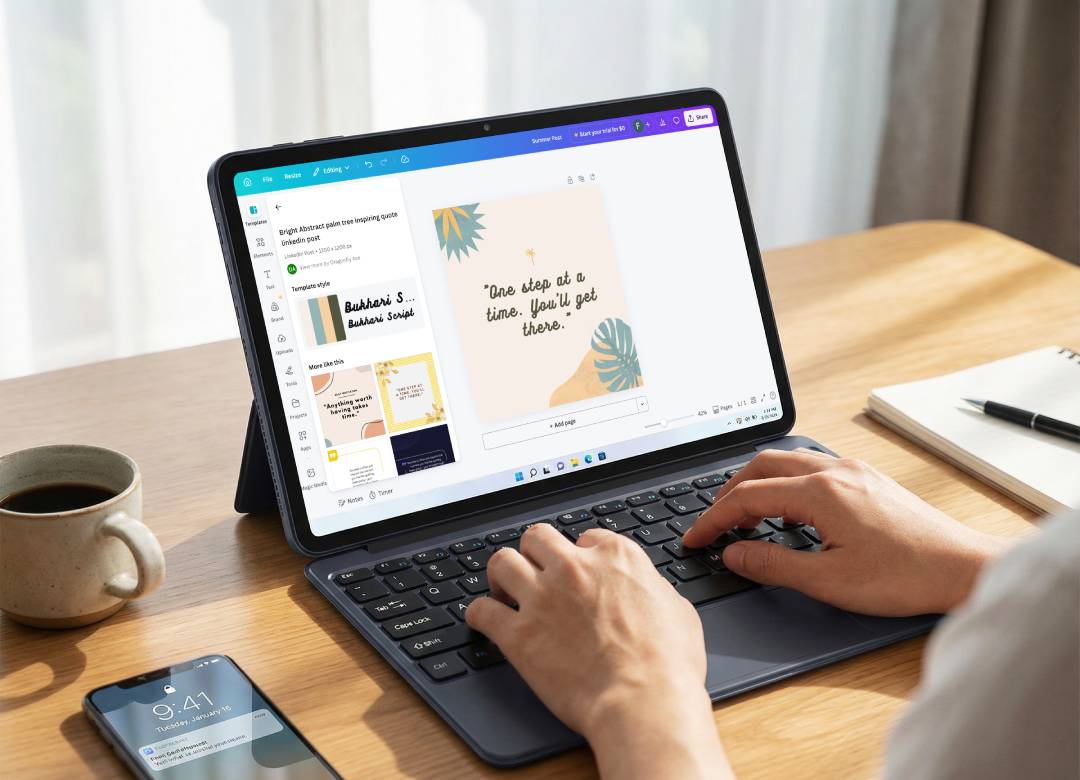
- Create graphics in Canva
- Edit captions
- Upload directly to platforms
All without moving between devices. This keeps your workflow smooth and reduces small mistakes that happen when you rush.
Scheduling Social Media Posts More Efficiently
If you want consistency, scheduling is essential. Posting manually usually leads to missed posts or rushed content.
When you manage social media from a Windows tablet, you can use full desktop scheduling tools like:
- Meta Business Suite
- Buffer
- Hootsuite
These tools are designed for desktop use, which means better control and visibility.
For example, Meta’s official business tools allow full post scheduling and multi-platform management through their desktop dashboard.
This allows you to:
- Schedule a full week of content in one session
- Review posts properly before publishing
- Stay consistent without daily effort
Managing Comments and Messages Without Missing Anything
Messages and comments build up quickly. On a phone, you’re constantly switching between apps and reacting in the moment.
On a Windows tablet, you can handle everything more deliberately. You can keep multiple tabs open and work through messages in one focused session.
For example:
- Instagram messages in one tab
- Facebook comments in another
- Email notifications alongside
This reduces missed replies and helps you stay organised.
Checking Social Media Analytics Properly
Analytics often get ignored because they feel like extra work. On mobile, insights are limited and harder to analyse.
When using a Windows tablet, you can access full dashboards like:
- Google Analytics
- Platform insights
This allows you to:
- See which posts perform best
- Understand engagement trends
- Adjust your content strategy
When analytics are easier to access and understand, you’re more likely to use them regularly, which is supported by research showing that ease of use directly increases how often people adopt and use analytics tools.
Managing Multiple Social Media Platforms at Once
Managing one account is manageable. Managing multiple platforms is where things get complicated.
When you manage social media from a Windows tablet, you can:
- Open multiple platforms at once
- Switch between accounts quickly
- Keep everything visible
This makes it easier to stay consistent across:
- TikTok
Instead of opening one app, closing it, and then switching to another, you can keep your messages, comments, and scheduling tools visible in one place.
That makes it easier to work through tasks in order without losing track of what you were doing.
Why Full Windows Makes a Real Difference
The main advantage is not just portability. It’s access to full desktop tools.
A Windows tablet allows you to:
- Use full versions of apps like Canva
- Access full browser dashboards
- Manage files properly
You are not limited by mobile app restrictions.
That makes it much more practical for real social media management.
Where a Windows Tablet Fits in Your Workflow
A Windows tablet is not meant to replace every device you use.
What it does best is become the main device you use for most of your social media work. It gives you one place to plan content, create graphics, post updates, reply to messages, and check performance without constantly moving between devices.
You might still:
- Use your phone for quick replies
- Use a desktop for heavier tasks
But the tablet becomes the place where everything connects. That balance between flexibility and structure is what makes it useful.
A More Consistent Way to Manage Social Media
The biggest benefit is not the speed. It’s the consistency. It gives you a setup where your work happens in the same place, in the same way, every time, which makes it easier to stay organised and keep your social media running smoothly over time.
When everything is in one place, it becomes easier to:
- Plan properly
- Post consistently
- Respond quickly
- Track performance
That’s what actually improves results over time.
This also aligns with how Google evaluates helpful content and workflows. Clear, structured, user-focused content provides more value than scattered, low-effort processes.
A Windows tablet doesn’t change what it is you need to do. It just makes it easier to do it properly and all on one device.
Check out our range of Windows tablets today and find the one that’s right for you.
FAQs
Can you manage social media from a Windows tablet?
Yes. You can plan, create, schedule, reply, and analyse using full desktop tools.
Is a Windows tablet better than a phone for social media management?
For quick tasks, a phone works well. For managing everything properly, a Windows tablet is more effective.
Do you still need a laptop?
Not always. A Windows tablet can handle most social media tasks for small businesses and creators.