What Makes a Good Windows Tablet Display for Everyday Use
When selecting a Windows tablet to purchase, typically people consider the processor, storage and price point. However, nothing will likely demand more of your money in the future than the screen.
What makes a good display? This is not an easy question.
Most people seem to judge screens by sharpness and resolution. However, for many users, other considerations - such as absolute brightness, screen size or portability - play a greater role in selecting the perfect Windows tablet screen. Since no single display is optimal for everyone, our ratings reflect user goals for using a Windows tablet.
Full Blog: How to Choose the Best Windows Tablet Display for Your Needs
Resolution and Screen Clarity
The resolution is one of the first features of a smart device that people pay attention to. Since it affects how sharp text, images, and videos look on screen.
For most people, a Full HD display is already enough for what they need it to do, offering incredibly sharp on screen images perfect for general use such as email, browsing, writing documents and watching Youtube and Netflix videos.
A higher resolution display can make a difference, but it’s actually most noticeable when your work actually benefits from it. If you often read detailed documents, look closely at images, or like to keep multiple windows open, then a sharper display can feel more comfortable.
A 2K screen on a larger tablet gives you more detail and more room to work, which can be useful for productivity and creative tasks. Stylus compatibility makes this an even better tablet for all your work and productivity needs.
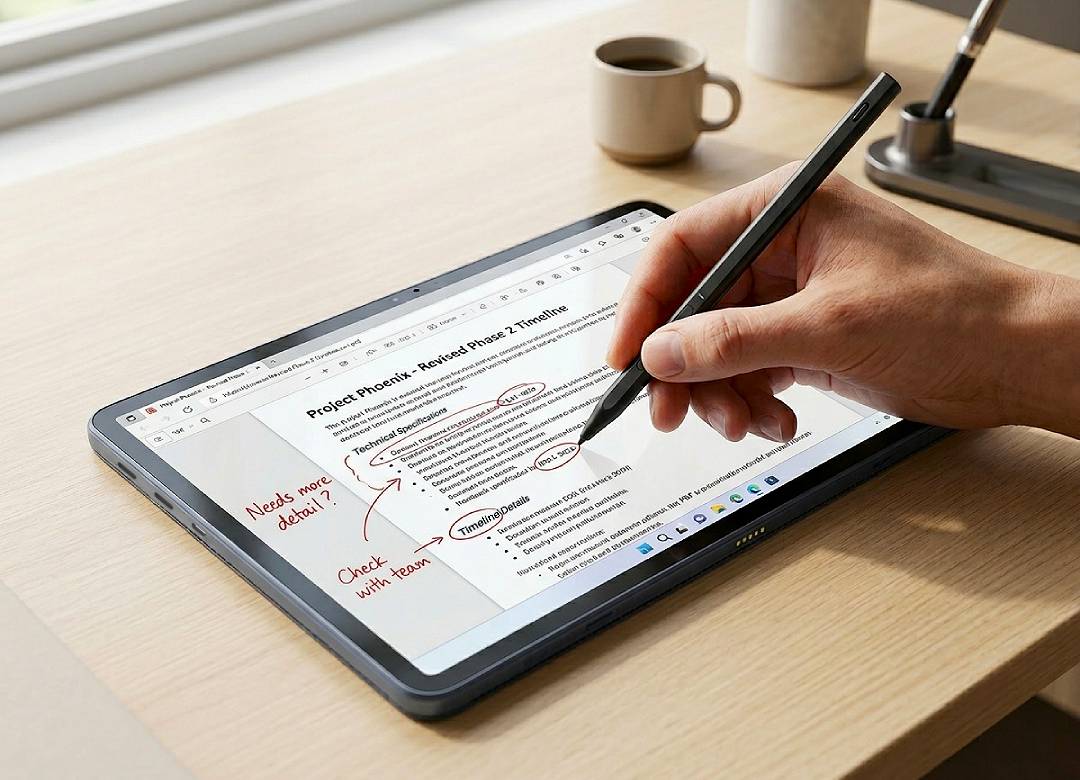
If this sounds like something you’ve been looking for, check out our newest Fusion5 Helios12 Windows tablet (displayed in the main blog image). It’s like a complete computer but in a 12” tablet form.
Screen Size and Portability
Screen size changes how you use your tablet on a daily basis.
A 10.1” tablet is easier to carry, easier to hold, and more convenient if you move around a lot during the day. It’s quite a sensible choice for travel, note taking, browsing, and general everyday use.
A 12” display gives you more room for documents, multitasking, and split screen work. That can make longer sessions feel more comfortable, especially if you’re using the tablet for work or study.
In simple terms, smaller screens are better for portability, while larger screens are better for workspace.
Looking for a super sensible device for light productivity on the go? Check out our much loved Fusion5 Pro N5. It’s price, it’s reliability, it’s endless uses, you can’t beat it.
Aspect Ratio and Usability
Aspect ratio has a real impact on how practical a display feels.
Many modern Windows tablets use a 16:10 display rather than the more familiar 16:9. This gives you more vertical space, which is useful when reading documents, browsing websites, or working on spreadsheets.
You can see more content at once, which reduces the need to scroll constantly. Over time, this makes everyday use feel more natural and efficient.
We’ve got a new 10.1” Windows 11 tablet called the Fusion5 Helios10 that’s got a 16:10 aspect ratio. It really comes in handy when you need to keep the overall size smaller for mobility but still want just a bit more screen to view.
Brightness and Viewing Comfort
Brightness affects how easy it is to see your screen clearly in different environments.
A display around 400 nits is comfortable for most indoor use. A brighter display around 500 nits gives you more flexibility when using your tablet near windows or in brighter rooms.
If you only use your tablet indoors, this may not seem like a big factor. If you move between different environments during the day, it becomes much more important for comfort and visibility.
Display Type and Viewing Angles
Most modern Windows tablets use IPS displays, which are known for consistent colour and wide viewing angles.
This means the screen remains clear even if you’re not looking at it directly. It’s useful for video calls, watching content, or sharing your screen with someone else.
It also makes the tablet easier to use in different positions, whether you’re holding it, placing it on a desk, or using it casually around the house.
Matching the Display to Your Needs
When you look at all of these factors together, it becomes clear that there is no single best display for everyone.
If your usage is light, such as browsing, emails, and streaming, a compact Full HD display is more than enough and easier to carry.
If you work with documents, multitask frequently, or prefer more screen space, a larger display with higher resolution can make your workflow feel smoother and more comfortable.
If you use your tablet in different lighting conditions, brightness becomes just as important as resolution.
Is There a Best Windows Tablet Display?
There is no one perfect display that suits every user.
A larger and sharper screen might seem like the best option at first, but it’s not always the most practical choice depending on how you use your tablet.
The best display is the one that fits your routine, your environment, and the way you work or relax.
A More Practical Way to Choose
Instead of focusing only on specifications, it helps to think about your daily habits.
Consider where you use your tablet, how long you use it for, and what tasks you spend the most time on. Once you understand that, choosing the right display becomes much simpler.
Different Windows tablets are designed with different types of users in mind. That gives you the flexibility to choose a device that fits your needs, whether that’s portability, workspace, or a balance of both.
In the end, a good display isn’t just about how it looks. It’s about how well it supports the way you use your tablet every day.