


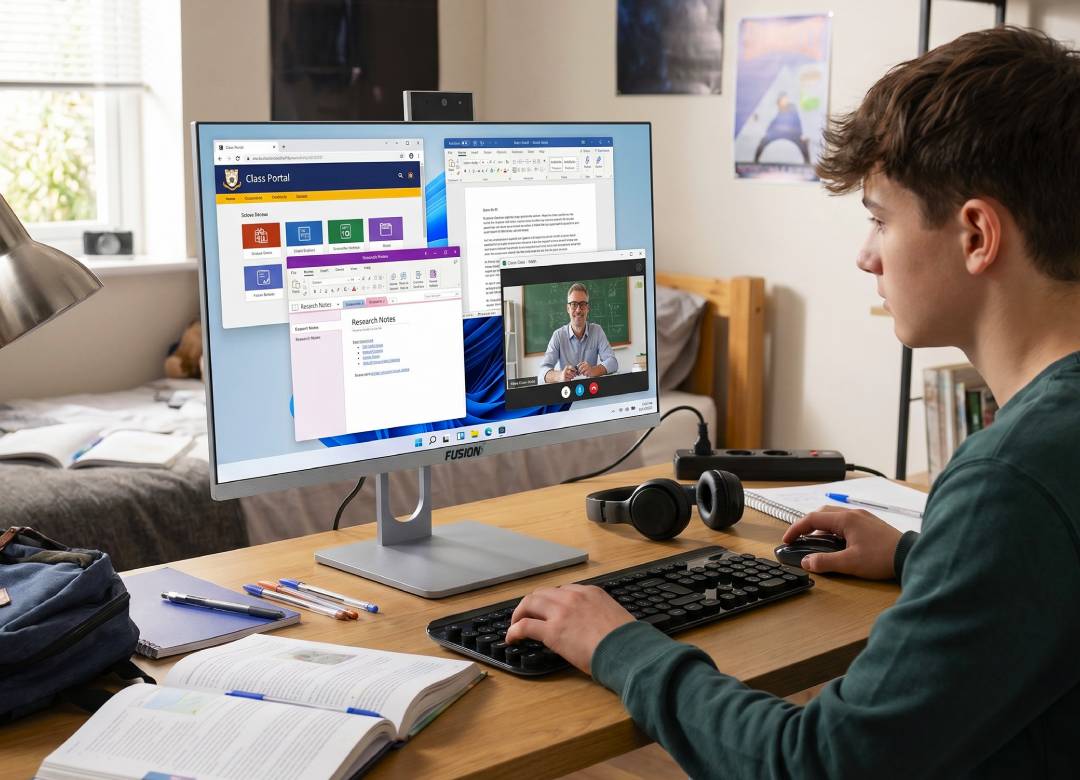
Best All-in-One Computer for Home Office, Students, and Everyday Work: Fusion5 A7 N6
Many people don’t require a complete desktop system comprising of the tower, monitor, webcam, keyboard, mouse, speakers, and many other connecting wires for carrying out general computer-based activities.
The actual need for many households, students, remote employees, families, and small office users is a simpler and more compact all-in-one desktop computer which will be able to perform common functions such as document creation, emails, video conferencing, web surfing, video learning, media streaming, storage of files, and office productivity.
In such cases, the Fusion5 A7 N6 All-in-One Desktop PC is a perfect choice. This all-in-one computer system comprises of the computer, 23.8 inches Full HD screen, pop-up webcam, wireless keyboard, and wireless mouse along with the operating system Windows 11.
Quick Points: Why an All-in-One Computer Makes Sense
- Space-Saving Setup: There’s no need for a separate tower, making the desktop less cluttered.
- Complete Desktop Package: Comprises a 23.8-inch screen, wireless keyboard, wireless mouse, web camera, and Windows 11 Home.
- Suitable for Basic Tasks: Suitable for document creation, emails, web browsing, online classes, video calls, and basic office work.
- Better Than a Small Screen: With its 23.8-inch Full HD screen, there’s more space than that available in most laptops.
- Versatile for Multi-Purpose Areas: Can be used in home offices, bedrooms, studies, reception, and family rooms.
Full Blog: How the Fusion5 A7 N6 Solves Everyday Desktop Setup Problems
Why Traditional Desktop Configurations Can Seem Complex
A traditional desktop configuration includes a tower, a monitor, a webcam, audio speakers, a keyboard, and a mouse. This configuration suits certain individuals; however, it can require more space than needed by students, telecommuters, and households to use their computers effectively.
The computer may be required to perform activities such as completing assignments and online classes, research, and document preparation for students. Telecommuting professionals will require a computer to do their job duties like checking emails, using spreadsheets, and other web applications. Households can require one computer for doing finances, printing, and other tasks like browsing the internet, video calling, etc.
The Fusion5 A7 N6 simplifies all that with an all-in-one desktop PC design that puts the computer and display into one unit. Users still get a full Windows desktop setup, but with fewer separate parts taking up space on the desk.
A Clean Computer Setup for Home Office Work
Users who perform their activities using home offices often require a much larger screen compared to that used in a laptop.
The Fusion5 A7 N6 gives them a 23.8" full HD IPS display that helps users browse files, compare webpages, prepare spreadsheet data, as well as participate in video conferences.
In addition to this, the computer runs on Windows 11 Home, includes an wireless keyboard and mouse, as well as an integrated pop-up 3MP webcam.
It's a perfect package for any person looking for an all-inclusive remote work and meeting equipment.
A Practical Desktop for Students and Online Classes
Students need an all-in-one desktop computer that can handle online classes, research, writing, video calls, presentations, files, and web browsing.
The Fusion5 A7 N6 gives them a full Windows desktop setup in one device, with a 23.8-inch screen that makes class materials, lectures, essays, and multiple windows easier to manage. The included keyboard and mouse help with typing assignments, organizing files, and working on school projects.
With 16GB LPDDR4 RAM and a 512GB SATA SSD, the A7 N6 supports everyday student multitasking while giving room for school files, documents, software, downloads, and general storage.
A Shared Family Computer for Everyday Home Use
Many households still require at least one PC to do daily computing that cannot easily be done on their phone or tablet. Bill paying, form filling, printing, video conferencing, assisting kids with homework, and managing family documents may be easier on a full-size desktop.
The Fusion5 A7 N6 is suitable to be used as a family computer since it is straightforward, sleek, and fully equipped. It may easily fit anywhere from a kitchen countertop, home office, bedroom, study desk, or common family living room without the need for bulky towers or tangled cables.
The Full HD IPS Display with the onboard Intel UHD Graphics card will also help with internet browsing and video entertainment.
Useful for Small Offices and Front Desk Work
The A7 N6 can also fit small office environments where users need a clean desk computer for admin work. This may include appointment scheduling, emails, documents, invoices, web portals, customer records, spreadsheets, and video calls.
Because the PC is built into the display, it can help reduce clutter on reception desks, shared workstations, small office desks, and admin counters. The included wireless keyboard and mouse help keep the setup simple, and the Kensington Security Slot can be useful in professional, educational, or shared workspaces where the computer may need to stay secured in one place.
Everyday Performance Without Overcomplicating the Setup
The Fusion5 A7 N6 is powered by the Intel 15th Gen N150 processor with speeds up to 3.60GHz. It’s built for everyday productivity, office work, browsing, video calls, streaming, and general computing.
With 16GB LPDDR4 RAM and a 512GB SATA SSD, the A7 N6 gives users enough memory and storage for common daily workflows like documents, web browsing, video calls, schoolwork, office apps, media, and file management.
It’s built for practical everyday computing rather than specialized high-performance tasks. For home users, students, remote workers, and small office teams, it offers a balanced all-in-one desktop setup for productivity, browsing, streaming, video meetings, and general use.
Ports and Connectivity for Daily Flexibility
A good everyday desktop still needs practical connectivity. The Fusion5 A7 N6 includes built-in AC WiFi and Bluetooth, helping users connect to the internet and compatible wireless accessories.
It also includes 2 USB 3.0 ports, 4 USB 2.0 ports, 1 HDMI port, and a Kensington Security Slot. These ports help support everyday accessories such as printers, external drives, wired keyboards, mice, USB devices, and other compatible peripherals.
Why the A7 N6 Works as a Simple Desktop Solution
The Fusion5 A7 N6 gives users a complete all-in-one desktop PC without buying a separate monitor, tower, webcam, keyboard, and mouse.
It combines a 23.8-inch Full HD display, Intel N150 processor, 16GB RAM, 512GB SSD, Windows 11 Home, 3MP pop-up webcam, wireless keyboard, wireless mouse, WiFi, Bluetooth, and useful ports into one space-saving Windows desktop.
For home users, students, remote workers, families, and small office users, it’s a practical setup for work, school, video calls, browsing, file storage, and everyday productivity.
FAQ
What is the Fusion5 A7 N6 All-in-One Desktop PC good for?
The Fusion5 A7 N6 is useful for everyday computer tasks like home office work, student study, online classes, video calls, web browsing, documents, streaming, and general productivity.
Is an all-in-one computer better than a regular desktop?
It depends on the user. An all-in-one computer is better for someone who wants a clean, space-saving setup with the computer, monitor, webcam, keyboard, and mouse in one package. A traditional desktop is better for users who need major upgrades or higher-end performance.
Is the Fusion5 A7 N6 good for remote work?
Yes, it can be a practical remote work computer for email, documents, spreadsheets, browser-based tools, video meetings, and daily productivity.
Can students use the Fusion5 A7 N6 for online classes?
Yes, the 23.8-inch display, pop-up webcam, wireless keyboard, wireless mouse, Windows 11 Home, 16GB RAM, and 512GB SSD make it useful for online learning, assignments, research, and study work.
Is the Fusion5 A7 N6 a gaming PC?
No, it’s not designed as a high-end gaming PC. It’s better for everyday computing, office tasks, browsing, video calls, streaming, and general home or school use.


