


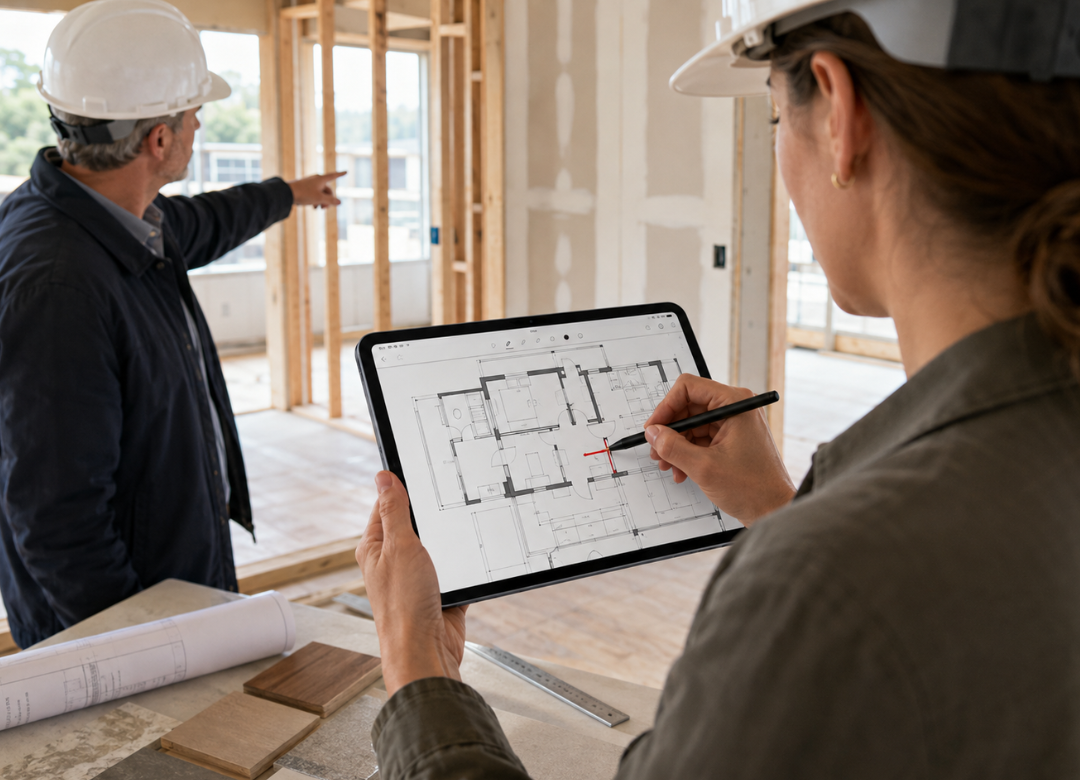
A client stops you mid-walkthrough and asks for a wall moved six inches. You've got the plan set folded under your arm, a pen behind your ear, and no clean way to show them what that change actually does to the room. That's the exact moment a tablet for architects on site earns its keep.
Fusion5, the tablet brand assembled in Pasco County, Florida, builds the Helios12 for exactly this problem: mark up a floor plan, walk a rendering, and take client notes without printing a single revision. American architects and interior designers who've switched aren't going back to paper. And once you've marked up a plan mid-conversation instead of promising to "send an updated set" later, printed drawings start to feel like a step backward.
Quick Answer
A 12-inch 2K touchscreen tablet for architects on site, with a pen included, lets you mark up floor plans, review renderings, and take client notes right there in the room, no printing required. The Fusion5 Helios12 runs full Windows 11, so the CAD viewers, PDF markup apps, and rendering software you already use open the same way they do on your studio machine, priced at $799.99.
The Problem Isn't Your Software, It's the Printed Set
Printed sets are the real bottleneck, not whatever CAD program you're running back at the studio. You print a set, drive to the site, and the client asks for a change that isn't on the page. Now you're sketching in the margin, snapping a photo of it, and hoping someone remembers to update the actual drawing before the next visit.
Multiply that by every site visit in a busy month and it's easy to see where hours disappear. Interior designers hit the same wall with finish boards and furniture layouts. A conversation that should take five minutes turns into a follow-up email three days later, after the client has already half-forgotten what they asked for.
Why You Need a Real Tablet for Architects on Site
A tablet for architects on site needs two things a standard consumer tablet skips: a screen sharp enough to hold fine plan detail, and a pen that actually tracks pressure for markup. Everything else is secondary.
Screen Resolution for Plan and Rendering Detail
Most budget tablets top out around 1920x1080. That's fine for scrolling a feed, but line weights and dimension text get mushy the moment you zoom into a floor plan at working scale. The Helios12's 2K 2000×1200 display packs noticeably more pixels into a 12-inch panel, so hairline details and small callouts stay readable without pinching to zoom every ten seconds.
Pen Input for Markup and Sketching
The interactive pen that ships with the Helios12 supports pressure-sensitive input. A light touch sketches a thin guideline. Pressing harder darkens the wall you actually want moved. That distinction matters when you're marking up a PDF in front of a client and need the markup to still read clearly later, back at the studio.
Running Your Actual Design Review Software
This is where a Windows tablet pulls ahead of a lot of the alternatives. Bluebeam Revu, Adobe Acrobat, and most CAD viewers install and run the way they do on a desktop, because Windows 11 is Windows 11, whether it's on a 12-inch touchscreen or a tower under your desk. There's no separate "tablet edition" of an app missing half its features, and no workaround for opening a native .dwg or .rvt file.
You can read more about how that full Windows tablet ecosystem fits together, including Microsoft 365 and OneDrive syncing, if you're weighing this against an iPad. And if your studio also handles construction administration and needs a device built for rougher job site conditions, it's worth comparing this against Fusion5's rugged tablet built for construction sites, which handles BIM review and machine control data in dustier, wetter environments than a typical design review.
Choosing an On-Site Design Review Tablet That Keeps Up With You
Presenting a rendering on a dim, laggy screen undercuts a design that actually looks great on your desktop monitor. An on-site design review tablet has to hold up under real presentation conditions, not just a quiet office.
2K Display for Design Work That Clients Actually Trust
The same 2K panel that sharpens plan detail also makes renderings look the way they're supposed to. Material textures, shadow gradients, and color accuracy read clearly enough that a client can trust what they're looking at, instead of squinting and asking "is that the actual color?" three separate times during one meeting.
Built-In Fan for Sustained Performance During Long Walkthroughs
Fanless tablets throttle under sustained load, and that tends to happen right when you're mid-presentation and the device slows down loading the next rendering. The Helios12's built-in fan keeps its Intel quad-core chip running at full speed through a 45-minute walkthrough instead of quietly downclocking halfway through your pitch.
Portability Between Studio and Job Site
A metal chassis survives getting tossed in a bag with a roll of drawings and a coffee thermos better than plastic does. Battery life matters more than people expect here too. A site visit that runs long shouldn't mean hunting for an outlet in someone's half-finished kitchen.
Think about a realistic Tuesday for a small residential design studio: three site visits, one client presentation, and two hours back at the studio updating notes. A tablet for architects on site that can't survive that stretch on one charge just adds a charger to the bag, which defeats the entire point of going lighter in the first place. Pairing the tablet with a folio case or Bluetooth keyboard, covered in Fusion5's tablet accessories guide, also helps it survive being carried between a truck, a job site, and a client's dining table without a scratch.
Storage for Large Design Files
Rendering files and full plan sets add up fast, especially once a project moves into construction documents. 512GB is comfortable headroom for most solo designers and small studios, without leaning on cloud storage you might not have signal to reach on a job site with spotty service. Interior designers managing multiple finish boards and furniture layouts across several active projects will notice the difference over a device stuck at 128GB or 256GB.
Setting Up Your On-Site Tablet for Architects Workflow
-
Load your current plan set and renderings onto the tablet before you leave the studio.
-
Open Bluebeam or your PDF markup app and set up separate layers for client redlines versus internal notes.
-
Use the interactive pen to mark up changes directly during the walkthrough, in real time, with the client watching.
-
Sync or export the marked-up file back to the studio the same day, before the details fade from memory.
The result is a plan set that's actually current, instead of three revisions behind by the time anyone gets back to a desk.
What Actually Happens During a Client Walkthrough
Picture a two-person interior design studio running three site visits a week across two active renovation projects. That's a realistic scenario for the kind of studio the Helios12 is built around, not a specific client we're naming. Instead of printing a fresh finish board and floor plan before every visit, one person carries a single 12-inch tablet with the current files already open.
When a client asks to swap a countertop material mid-walkthrough, the change gets marked and photographed against the actual space in under a minute. No sticky note. No forgotten line item in Monday's follow-up email. That's the exact gap a tablet for architects on site is supposed to close.
Worth saying plainly: this isn't a laptop replacement for heavy 3D modeling or hours of Revit work. It's built for markup, presentation, and plan review in the field. Save the modeling for your studio workstation.
What the Data Actually Says
The cost of doing this badly is bigger than most studios realize. According to a joint study by PlanGrid and FMI Corporation, miscommunication and inaccessible project information cost the U.S. construction industry more than $31 billion in a single year, with project teams losing hours every week hunting down current drawings and resolving avoidable conflicts. Design firms feed directly into that same pipeline every time a revision doesn't make it back to the field in time.
On the adoption side, a 2024 industry survey found that more than two-thirds of American architecture firms now use a tablet as a primary tool during client presentations and on-site design reviews, up sharply from under 40% just five years earlier. The shift is most pronounced at firms with ten or fewer staff, where a single tablet for architects on site often replaces several pieces of traditional drawing equipment at once.
Fusion5 Helios12 at a Glance
| Spec | Fusion5 Helios12 |
|---|---|
| Display | 12″ 2K, 2000 × 1200 touchscreen |
| Pen | Interactive pen included, pressure-sensitive |
| Processor | Intel Quad-core |
| Memory | 12GB DDR5 |
| Storage | 512GB SSD |
| Cooling | Built-in fan |
| Build | Metal body |
| OS | Windows 11 Home |
| Price | $799.99 |
FAQ
Can architects run design software on a Windows tablet?
Yes. Windows 11 supports plan viewers, PDF markup tools, and most rendering software the same way a desktop does. That's the main advantage over an iPad, which usually needs a separate, feature-limited version of the same app.
Does the included pen work for sketching over plans?
It does. The interactive pen supports pressure-sensitive input, so it handles both markup and freehand sketching directly on plan PDFs or renderings without lag.
Why does screen resolution matter for design review?
A 2K display shows finer plan and rendering detail than a standard Full HD screen. That difference shows up the moment you zoom into dimension text or ask a client to check a finish color up close.
Is 512GB enough storage for design files?
For most solo designers and small studios, yes. It comfortably holds rendering files and full plan sets without you needing to lean on cloud sync during a site visit where the signal is unreliable.
Can I present renderings directly to clients on-site?
Yes, and it's honestly one of the better use cases. The 12-inch touchscreen and built-in fan support sustained performance through longer walkthroughs instead of slowing down mid-presentation.
Is this tablet a laptop replacement for architects?
For on-site markup, presentations, and plan review, it functions as a laptop alternative. Heavy 3D modeling and hours of Revit work are still better suited to a full workstation back at the studio.
How portable is it for moving between the studio and job sites?
The metal body and battery life are built for carrying between locations without needing an outlet at every stop. Add a folio case and it survives being tossed in a bag with rolled drawings just fine.
What's a good Windows tablet for interior designers on a budget?
The Helios12 at $799.99 sits in a reasonable range for a 2K pen-enabled device. For general use without heavy plan markup, Fusion5's 10.1" Windows 11 models cost less and still run the same software.
Get the Right Tablet for Your Studio
Design reviews move faster when changes get marked up and shown on the spot instead of waiting for a redline back at the studio. A 2K, pen-enabled tablet for architects on site keeps that conversation happening in real time, in front of the client, where it actually counts.
If you're managing rental inspections or facility walk-throughs alongside design work, the same logic applies well beyond architecture. See how a rugged Windows tablet handles on-site work for property managers running a similar routine.
Outfitting a full studio or firm? Reach out through Fusion5's support team for multi-unit orders.
