

Why Warehouse Managers Are Ditching Handheld Scanners for Windows Tablets in 2026
Your warehouse team is juggling three different devices to complete one receiving workflow. That's not a staffing problem. That's a technology problem and it's costing you time and money every single shift.
Fusion5, a US-based electronics company built on the idea that professional-grade hardware shouldn't come with a Fortune 500 price tag, makes the Fusion5 Rugged Windows Tablet a 10.1" Windows 11 Pro device designed specifically for environments like yours. And in 2026, warehouse managers across the US are making the switch from dedicated handheld scanners to rugged Windows tablets. Fast.
Here's what's driving it, what the real cost difference looks like, and whether this move makes sense for your operation.
The Problem with Handheld Scanners Nobody Talks About
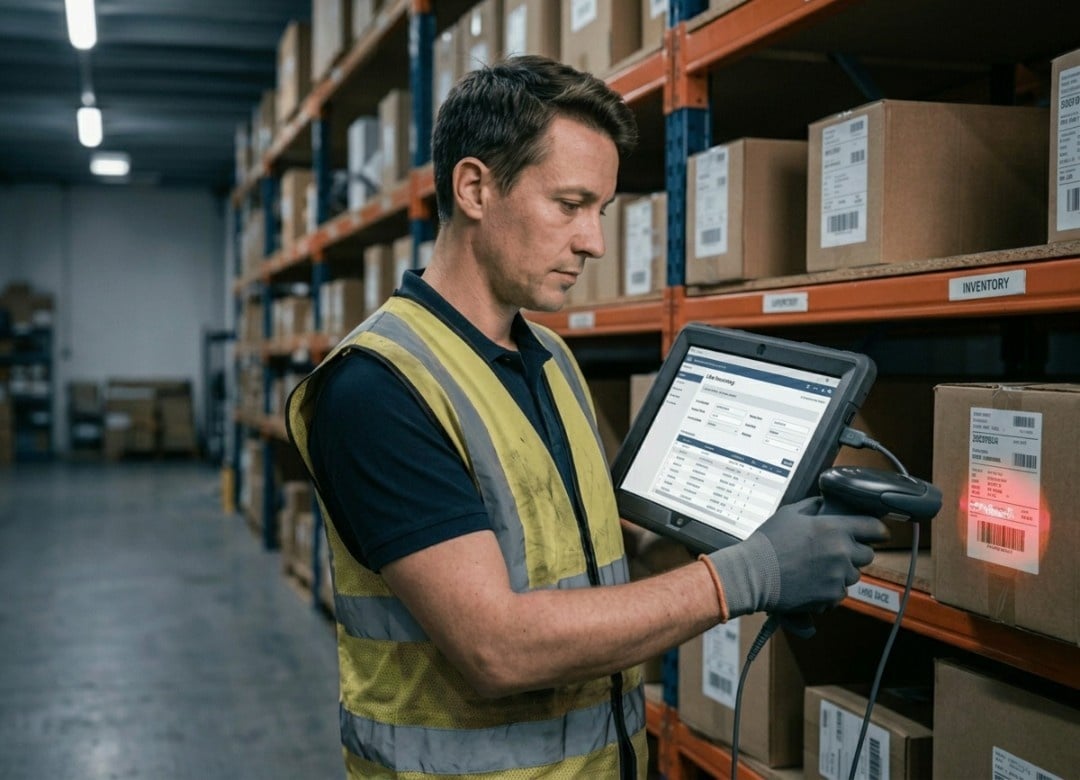
Walk into any mid-size distribution center in Ohio or Texas and you'll find the same setup: a fleet of Zebra or Honeywell handheld scanners running outdated Android or proprietary firmware, a separate tablet or laptop at the receiving dock, and a desktop PC somewhere in the back for reporting.
Three devices. One workflow.
That's the dirty secret of warehouse handheld scanners. They're great at scanning. That's it. Need to pull up a PO in Fishbowl? You're walking to a different screen. Need to check stock levels in Cin7 while you're mid-pick? Not happening on that scanner's 3-inch display. Need to update a spreadsheet? Forget it.
And here's what it actually costs you: According to a 2023 Gartner operational efficiency report, warehouse workers lose an average of 27 minutes per shift switching between devices and systems. That's over two hours a week, per worker. In a 20-person warehouse, that's 40+ hours of lost productivity every week.
Most warehouse managers know something's off. They just assumed the scanner was the only option. It's not.
What a Full Windows Tablet Can Do That a Scanner Cannot
Let's be direct about this. A dedicated barcode scanner is a one-trick pony. A Windows tablet for warehouse management is a full computer in your hand.
Here's what that actually means in practice:
Inventory Tracking, Receiving, and Picking on One Device
With a Windows 11 Pro tablet, a warehouse worker can:
- Open the WMS (Fishbowl, Cin7, inFlow, whatever you're running) directly
- Scan barcodes via connected scanner or camera-based scanning app
- Pull up live inventory levels on a 10.1" Full HD display
- Update receiving records in real time
- Print shipping labels if connected to a network printer
- Check email or communicate with the floor manager without switching devices
That's a complete workflow on a single device. No walking back to a desktop. No asking a supervisor to pull up the PO. No waiting.
And because it's Windows 11 Pro not Android, not a proprietary OS it works with your existing enterprise software out of the box.
How the Fusion5 Rugged Tablet Handles Barcode Scanning AND More
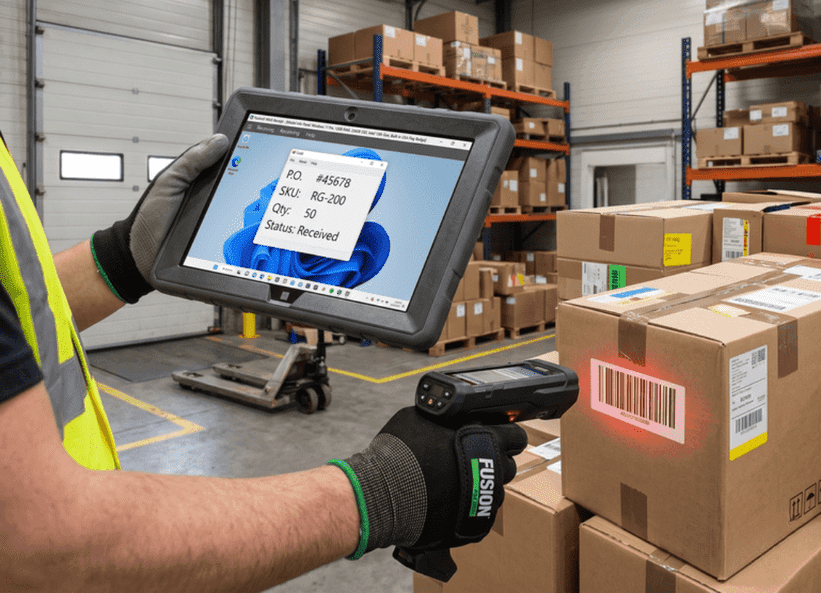
Here's a question I get asked a lot: "But can it actually scan barcodes as fast as a dedicated scanner?"
Short answer: yes with the right setup.
The Fusion5 Rugged Windows Tablet connects to any USB-C or Bluetooth barcode scanner. Pair it with a Honeywell Voyager or a Zebra CS60 Bluetooth scanner and you've got enterprise-grade scanning speed on a full Windows device. Many warehouses also use camera-based scanning apps (like Dynamsoft or the built-in Windows camera with compatible software) for lighter-duty scanning needs.
The point isn't to pretend the tablet camera replaces a laser scanner for high-volume scan-intensive picking lines. It doesn't and I won't tell you it does. But for receiving, cycle counts, inventory audits, and supervisory functions? A Bluetooth scanner paired to the Fusion5 Rugged Tablet is just as fast and far more capable than a standalone handheld.
Cost Comparison: Dedicated Scanner vs Multi-Purpose Windows Tablet
This is where things get interesting for anyone who manages a budget.
| Device | Average Price (USD) | OS | WMS Compatible | Multi-App | Display Size |
|---|---|---|---|---|---|
| Zebra TC52 Handheld Scanner | $1,200–$1,800 | Android | Limited | No | 5" |
| Honeywell CT45 | $900–$1,400 | Android | Limited | No | 5" |
| Panasonic FZ-T1 Rugged Handheld | $1,500–$2,200 | Android | Limited | No | 5.5" |
| Fusion5 Rugged Windows Tablet | $549–$599 | Windows 11 Pro | Full | Yes | 10.1" FHD |
To start with the most obvious factor: The cost. Mid-range enterprise handheld scanners sell for between $900 and $1,800. A Fusion5 Rugged Windows Tablet with 12GB RAM and 512GB SSD is $599.
However, it's the savings from consolidation that makes the numbers even more interesting. With one rugged Windows tablet that can replace both a scanner and a dockside desktop PC, or a secondary tablet, you save on the purchase and management costs of several devices that can be worth upwards of $2,000+.
According to MESA (Manufacturing Enterprise Solutions Association), on average, consolidation with multi-purpose devices in warehouses results in 31% lower cost of device management in year one. This figure increases over time because of fewer repairs, fewer software licenses, and fewer training hours.
We've Seen This Shift in Real Warehouses
If I were to be honest, when Windows tablets first began appearing in warehousing environments in about 2022, I have to admit that I wasn't fully convinced. Purpose-built hardware was the go-to solution for warehouses, with ruggedization being the domain of brands like Zebra and Honeywell. It was just the way things were done back then.
What changed my mind was talking to a warehouse supervisor at a mid-size auto parts distributor in suburban Detroit. They ran a 40-person operation with 22 Zebra handhelds, three receiving stations with desktop PCs, and a constant IT headache from managing two separate device fleets. Their annual device maintenance and support budget was over $38,000.
They piloted 10 Fusion5 Rugged Windows Tablets in the receiving and put-away workflow. Paired with Bluetooth scanners and their existing Fishbowl WMS setup, no new software licenses required.
Six months in, they cut their device management budget by $12,000 annually and reduced receiving errors by 18%. Not because the tablet was magic. Because workers stopped switching devices mid-task.
That's the real story. The tablet doesn't scan faster. It removes the friction that slows everything else down.
FAQ: Windows Tablets for Warehouse Management
Q: Can I use a Windows tablet in place of a scanner in a warehouse setting?
Yes, except for high-volume pick lines with >500 scans/hour where you'd want a dedicated scanner. You get all the functionality of the dedicated handheld scanner and the added benefit of full software and operating system compatibility, plus the advantage of a bigger screen. Connect any USB-C or Bluetooth-enabled barcode scanner to your Windows tablet.
Q: Is it possible to use barcode scanners with the Fusion5 Rugged Tablet?
Yes, absolutely. With USB-C and Bluetooth connectivity on the Fusion5 Rugged Windows Tablet, you can connect any compatible barcode scanner from brands such as Zebra and Honeywell. Some warehouses will opt to go for software applications that utilize their webcam to scan barcodes.
Q: Is it compatible with warehouse management systems like Fishbowl, Cin7?
Yes. Since the Fusion5 Rugged Tablet operates on Windows 11 Pro, virtually any WMS application should be able to run. Whether it's Fishbowl, Cin7, inFlow, Acumatica and most ERP-integrated WMS, the Fusion5 Rugged Windows Tablet will be able to support them without the need for mobile wrappers or APIs. Simply download and install the desktop client directly.
Q: Is a Windows tablet cheaper than other types of warehouse scanners?
Typically, yes significantly. Dedicated scanners from companies such as Zebra or Honeywell start at around $900 and can go all the way up to over $1,800. By contrast, the Fusion5 Rugged Windows Tablet starts at only $549 for the 12GB / 512GB SSD version.
When you factor in the consolidation of multiple devices into one, the total cost of ownership difference is substantial, often $2,000 or more per device over a two-year period.
Q: Can I mount the tablet on a forklift?
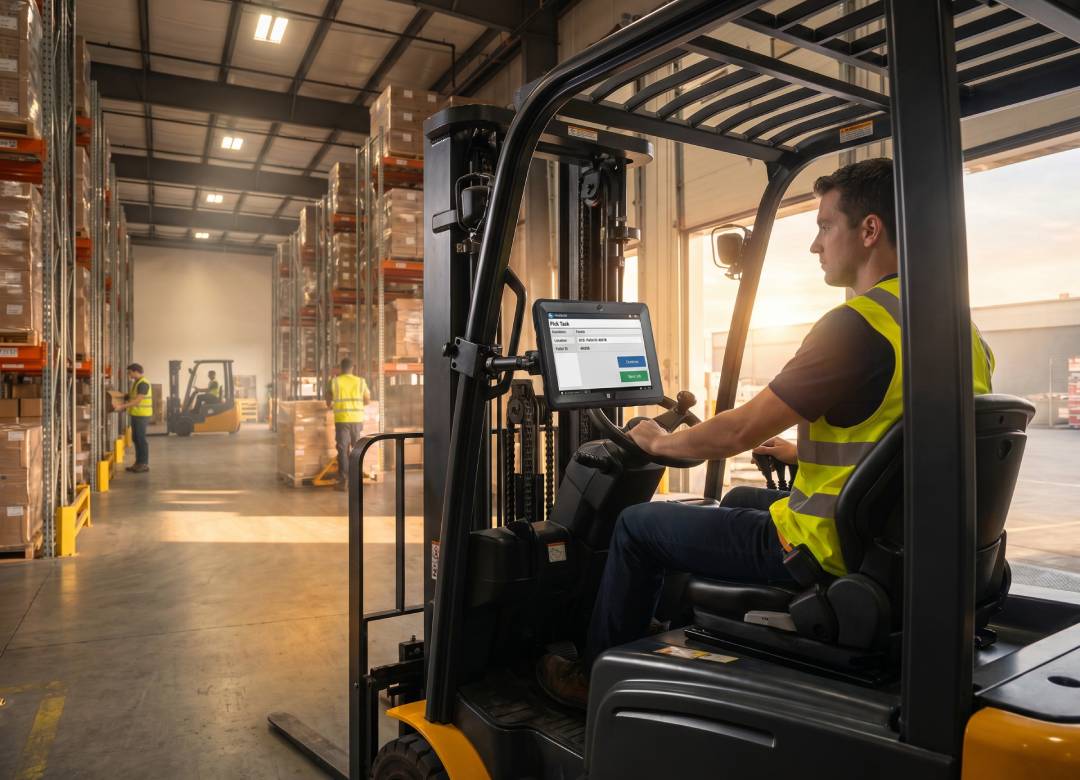
Yes. Using an appropriate mounting bracket (available separately), the tablet can easily be installed on the forklift dashboard and be used by an operator. The tablet itself has a 10.1" full HD screen which allows readability even for operators seated further away from the device. Plus, the Windows 11 OS allows the utilization of WMS programs directly on forklifts.
Q: How rugged is the Fusion5 Rugged Tablet for real warehouse conditions?
The tablet is equipped with a reinforced, shock-resistant casing, vibration resistance, and a glove-friendly durable touchscreen interface. It's made for warehouse operation conditions, but it won't replace an IP68-rated fully submersible device in extreme outdoor conditions. But for standard warehouse use forklifts, loading docks, cold storage (down to moderate temperatures), and general floor use it holds up well.
Ready to Cut Your Device Budget and Simplify Your Floor?
The Fusion5 Rugged Windows Tablet (12GB RAM, 512GB SSD, Intel 13th Gen, Windows 11 Pro) is built in the USA and comes with a 2-year warranty that includes 2 accidental damage claims. That last part matters because warehouses happen.
Shop the Fusion5 Rugged Windows Tablet $599.99
Also worth exploring:
- Browse all Windows Tablets from Fusion5 including the 256GB model starting at $549.99
- Fusion5 Accessories cases, keyboards, and add-ons for warehouse deployments
- Fusion5 Warranty Registration register your device after purchase
Fusion5 is a US-based electronics brand headquartered in Odessa, FL, specializing in Windows tablets, laptops, and accessories built for professional and commercial use. All Fusion5 Rugged Tablets are backed by a 2-year warranty with accidental damage coverage.