Can the Fusion5 Windows Tablet Be Used for AI Diagnostics and Healthcare Data Collection?
Yes, it can. In healthcare, where speed and precision can mean the difference between effective care and missed opportunities, a device that can capture, process, and share data instantly is essential. Tablets are no longer just accessories—they are becoming central tools in modern healthcare.
Picture a nurse moving from room to room with a lightweight tablet, checking vitals without juggling clipboards or rushing back to a desktop. Or imagine a patient at home, comfortably entering symptoms into a tablet app and sending the information directly to their doctor. These are the kinds of everyday changes that make a big difference in care delivery.
The Fusion5 Windows Tablet supports this shift by combining portability, strong security, and compatibility with medical devices. It lets healthcare teams focus on patients while AI systems handle the background analysis. The result: faster decisions, smoother workflows, and clearer communication between patients and providers.
Full Blog: Why Fusion5 Tablets Are Becoming a Go-To for AI in Healthcare
Collecting Data Where It Counts
The Fusion5 Windows Tablet functions like a mobile workstation for healthcare. It connects seamlessly with sensors, cameras, and other devices to capture patient data wherever it’s needed. Whether in a hospital ward, a rural clinic, or a research site, it ensures that vital signs, scans, and symptoms are properly recorded for AI systems to analyze.
Diagnostics at Home
Healthcare doesn’t stop at discharge. With guided apps on a Fusion5 Windows Tablet, patients can log symptoms, complete self-tests, or track recovery. That data is sent securely to clinicians, giving providers real-time insights into patient health outside of traditional settings.
Quick Feedback with AI Insights
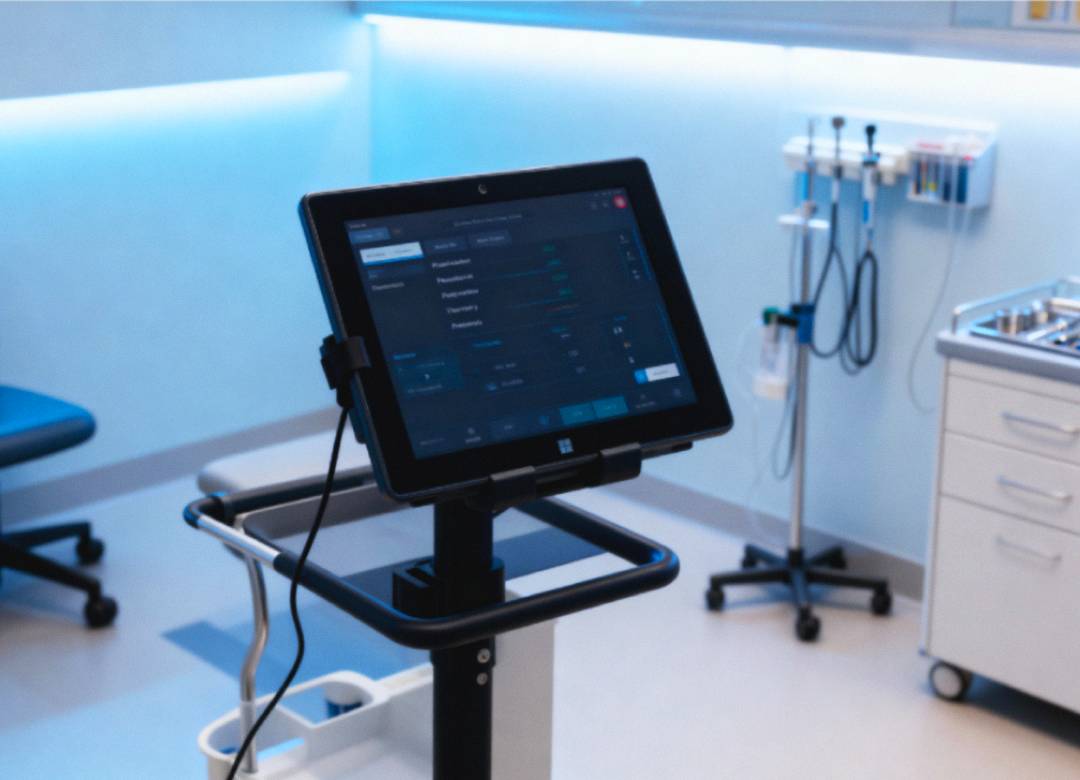
Timely information is crucial. Fusion5 Windows Tablets can display AI-powered results such as triage alerts or image assessments. Instead of waiting for delayed reports, clinicians have actionable data at their fingertips, helping them act quickly and confidently.
Easier Prototyping and Pilots
Healthcare innovation often begins with small pilots or research projects. Building custom hardware is costly and slow. Fusion5 Windows Tablets give startups and research teams a ready-to-go platform to test diagnostic tools, telehealth solutions, and patient apps. This reduces barriers and speeds up innovation cycles.
Built-In Security for Health Data
Protecting patient data is critical. Fusion5 Windows Tablets run Windows 11 Pro and include encryption and enterprise-level management features. This ensures that healthcare teams can meet compliance standards like HIPAA while still focusing on care.
Why the Fusion5 Windows Tablet Works Well in Healthcare
- Captures structured data from connected devices
- Runs diagnostic and AI-powered applications
- Provides real-time insights at the point of care
- Portable and reliable for clinics, homes, and field settings
- Scales easily from early pilots to full deployments
Tablet vs. Custom Hardware
| Feature | Fusion5 Windows Tablet | Custom Device |
|---|---|---|
| Sensor & peripheral support | Flexible | Varies by design |
| Speed to prototype | Hours | Weeks or months |
| Adaptability | High | Limited |
| OS environment | Windows, broad compatibility | Often custom OS |
| Field usability | Strong | Depends on build |
Conclusion
The 10.1" Windows 11 Pro version of the Fusion5 Tablet is especially suited for AI diagnostics. Compact yet powerful, it integrates easily with imaging devices, AI models, and cloud platforms. By simplifying data collection and analysis, it helps healthcare teams focus on delivering better care.
Visit Fusion5Store.com to see how these tablets can support the next wave of healthcare innovation.