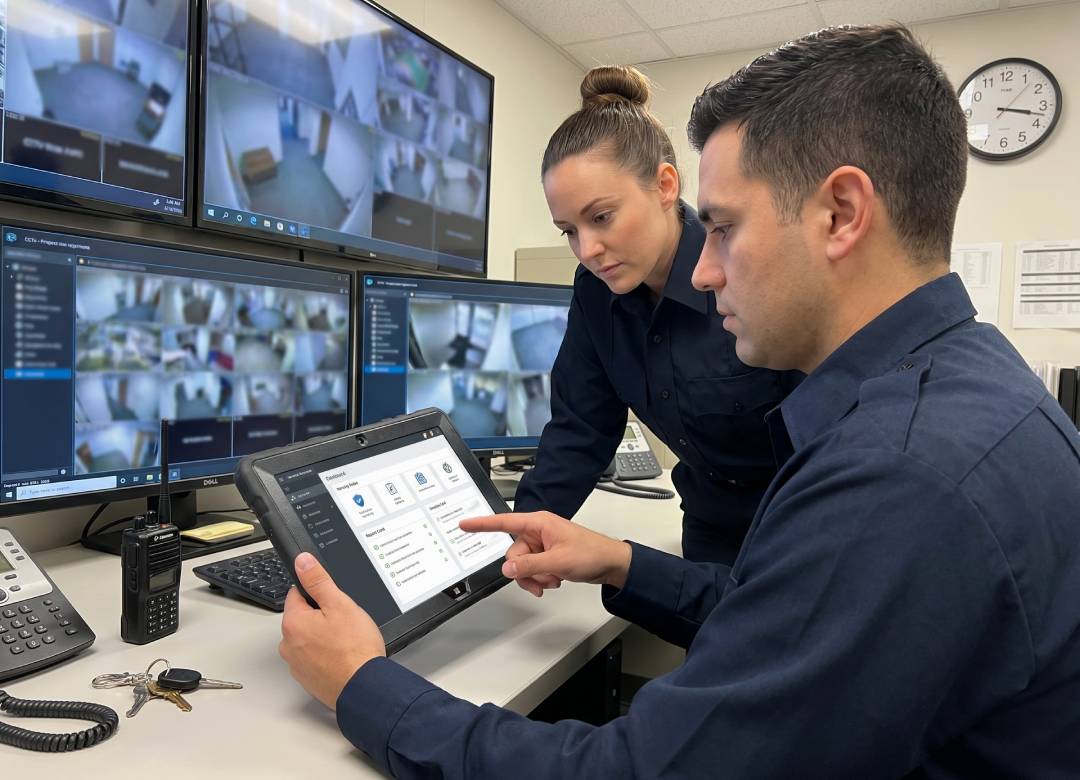
Windows Tablets for Security Guards: Digital Patrol Logs, Incident Reports, and Visitor Check-Ins
Security teams often complete the work on-site, but the records from each shift are not always saved in one place. A patrol report may be written on paper, visitor details may be entered into a shared computer, incident photos may stay on a guard’s phone, and shift handover information may be passed on verbally. When this happens, managers may need to check several places to understand what happened during the shift.
This can create reporting gaps even when security guards have completed their duties properly. A patrol may have been done, a visitor may have been checked in, or an incident may have been handled, but the details may still be delayed, incomplete, or difficult to find later.
For security teams working in warehouses, offices, schools, construction sites, shopping centres, and residential buildings, reporting needs to happen while guards are moving around the site. A tablet for security guards helps keep patrol checks, incident reports, visitor registration, and shift handover notes in one mobile workflow, so guards can record updates as the work happens.
Quick Points: Why Windows Tablets Matter in Security Guard Workflows
- Guards can complete patrol logs while moving around the site.
- Incident reports can include notes, photos, timestamps, and signatures.
- Visitor logs can be updated at reception, gates, or temporary check-in points.
- Shift handovers are easier to read, share, and review.
- Managers get clearer records without waiting for paperwork.
Full Blog: How a Windows Tablet for Security Guards Improves Daily Reporting
Why Security Reports Get Missed, Delayed, or Split Across Systems
Time, location, and proper documentation play a critical role in security operations. A missing checkpoint entry, an insufficiently filled out incident report, or an incomplete visitor register can hinder management from reviewing shift activity.
ASIS International also notes that accurate, thorough, and complete incident documentation forms the foundation of an effective security reporting system.
The issue doesn’t always relate to security itself, but to the manner in which security activities are recorded.
A guard conducts routine patrols; receives packages; controls visitors; checks alarm systems at doors; and prepares shift turnover papers. When each security activity requires a different form, device, or system, considerable time is required for filling out documentation and organizing records.
When documentation is not organized, teams spend more time finding records, and some details may be missing, recorded late, or difficult to trace later. For security teams, comprehensive documentation can help in evaluating activity and following up incidents.
Real-Time Patrol Checkpoints Instead of Delayed Reporting
A security patrol tablet helps guards record patrol activity as it happens. Instead of finishing a round and updating logs later, guards can enter checkpoint details during the patrol. That’s useful across larger sites where returning to an office wastes time.
With a digital checklist or reporting platform, a guard can confirm status, add notes, and flag concerns without carrying a clipboard. Supervisors can then see whether checks are being completed and where issues need attention.
More Reliable Incident Reports and Records
An incident report tablet makes documentation more consistent. When an incident happens, guards need to capture what happened, where it happened, who was involved, what action was taken, and whether escalation was required.
Digital reporting keeps notes, photos, timestamps, and signatures in one workflow. A guard dealing with damage, access issues, hazards, or delivery disputes can document the issue before details are forgotten.
This doesn’t replace good judgement, training, or proper security procedures. It gives teams a clearer way to capture information and keep related details together.
Faster Shift Handover
Shift handover is a common weak point in security operations. If an update is rushed, incomplete, or verbal only, the next guard starts with limited context.
Using a tablet improves handover because the outgoing guard can record key updates before the shift ends. These may include open incidents, expected visitors, maintenance issues, locked areas, access concerns, or instructions from management. The next guard can review the information in the same system instead of relying on memory or handwritten notes.
Better Visibility Across the Security Team
Managers need visibility across people, locations, and recurring issues. When reporting is paper-based, someone has to collect forms, check handwriting, type up information, and chase missing details.
A visitor log tablet or security reporting tablet gives managers a clearer view of daily activity. Visitor records, patrol updates, and incident reports can be reviewed with supporting notes and photos. This helps supervisors spot patterns such as repeated access issues, recurring incidents, or incomplete handovers.
Why a Rugged Windows Tablet Works Best
Security teams often work where standard consumer devices aren’t ideal. Guards may move between indoor and outdoor areas, carry the device during patrols, use it near loading bays, or handle it across long shifts. A rugged Windows tablet is a practical fit because it combines mobility with business software compatibility.
The Fusion5 Rugged Windows 11 Pro Tablet PC supports familiar reporting tools, web portals, spreadsheets, visitor management software, and business applications. Its performance is suitable for everyday tasks such as digital forms, reports, browser-based systems, and multitasking.
For documentation, the 10.1-inch Full HD IPS touchscreen gives guards enough screen space for checklists, visitor logs, and incident notes. Dual Full HD cameras support photo documentation and video calls where needed. The hand strap helps during patrols, while the rear stand is useful at a desk, gatehouse, or reception point.
The rugged, shockproof, and dustproof design suits real-world work where devices are handled across busy shifts. The 6000mAh battery and USB Type-C fast charging can support long workdays, although battery life will depend on settings, apps, connectivity, and usage.
Where This Works Best
A tablet for security guards works best where reporting, patrols, and visitor management happen away from a fixed desk. This includes warehouses, commercial offices, construction sites, schools, residential buildings, logistics centres, manufacturing sites, retail locations, and business parks.
It’s especially useful for teams managing multiple checkpoints, entrances, or regular handovers. For regulated, hazardous, or extreme environments, teams should check whether additional certifications, specialist software, or site-specific compliance requirements are needed before choosing any device.
Conclusion: Better Security Reporting Starts at the Point of Work
Security teams need fast, accurate, and visible records. A tablet brings patrol checkpoints, incident reports, visitor logs, and shift handover into one practical workflow. Instead of waiting for paper forms to be collected, guards can document work as it happens.
For teams that need a rugged Windows device for daily patrols and reporting, the Fusion5 Rugged Windows 11 Pro Tablet PC is a practical choice. It supports mobile documentation, business software, photo capture, and shift-based workflows without forcing teams to rely on office-only systems.
FAQ
What is a tablet for security guards used for?
It’s used for patrol logs, incident reports, visitor check-ins, shift handover notes, digital forms, photos, and team communication.
Can a tablet replace paper forms?
Yes, when the team uses suitable digital reporting software or online forms. Some sites may still keep paper backups depending on internal policy.
Is this tablet useful for security patrols?
Yes. It helps guards complete checklists, record checkpoint activity, capture photos, and update reports while moving around the site.
Why choose a Windows-based tablet?
It supports familiar business software, web portals, spreadsheets, and reporting tools, which can make integration easier for teams already using Windows systems.