Windows Tablet OS Updates You Shouldn’t Ignore
A lot of people only think about Windows updates when the tablet asks for a restart. On a Windows tablet, especially one used for work, that can be a problem.
Not all updates are the same. Some are monthly security updates, some are bigger feature updates that keep the tablet on a supported version of Windows, and some are optional updates that don’t really need immediate attention.
That matters because if the tablet is part of your normal routine, whether for stock checks, notes, inspections, or file handling, poor update habits usually cause small problems over time.
In this guide, we’ll look at which Windows tablet OS updates actually matter, which ones can wait, and how to keep your device supported without turning updates into a constant interruption.
Full Blog: Which Windows Tablet Updates Actually Matter, And Why
Not Every Windows Update Needs The Same Response
One reason updates get ignored is that Windows puts a lot of different things under the same general idea of an update.
In practice, they’re not all equally important. Some are there to fix security issues and keep the tablet protected. Some are bigger updates that move the device onto a newer supported version of Windows. Some are smaller optional updates that add improvements, but don’t usually need urgent attention.
That distinction matters because most people don’t ignore updates on purpose.
They ignore them because the tablet still works, so the update doesn’t feel urgent at that moment. The problem is that some updates can be safely left for a little while, and some really shouldn’t be left waiting for too long.
Microsoft says Windows 11 follows an annual feature update cadence and monthly cumulative security updates, which is what makes those two categories the most important ones to track on a working device.
The Most Important Ones Are Security Updates
If a Windows tablet is used for work, security updates are usually the ones that matter most day to day.
They’re not the most exciting updates, and they usually don’t add anything obvious that makes the device feel new.
In most cases, they’re fixing problems that are in the background. That’s exactly why people put them off so often. The tablet looks perfectly normal, so it’s easy to think nothing bad will happen if the update waits another few days, weeks, eh maybe even months we put these things off.
The issue with these delays is that these updates are part of keeping the tablet current and safe to use.
If the device is being used for work files, reports, financial details, or shared logins, then skipping updates for too long isn’t just poor maintenance. It means the tablet is slowly falling behind in a way that’s actually pretty hard to grasp until it starts acting up.
Feature Updates Matter For A Different Reason
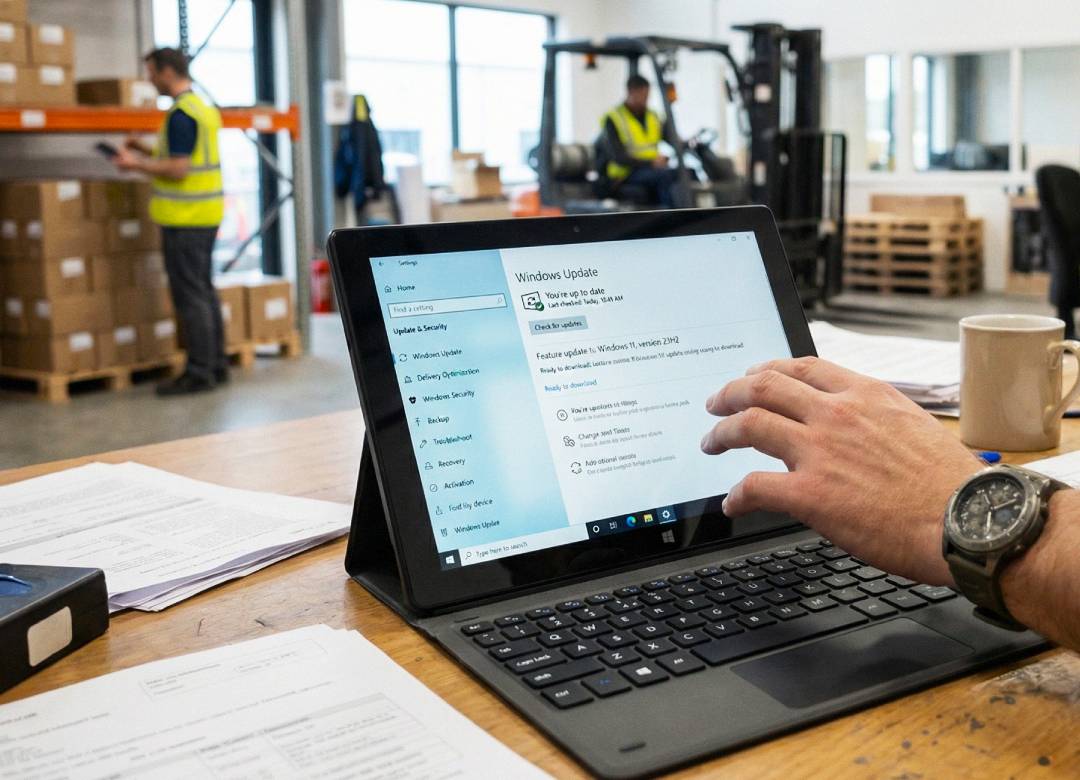
A feature update is one of the bigger Windows updates. It’s not just a small fix or security patch. It usually moves the tablet from one main Windows version to a newer one. So instead of just fixing background issues, it’s updating the version of Windows the device is actually running.
These are the updates people often postpone the longest, usually because they take more time and feel more disruptive to whatever it is they are doing at the time the update pops up.
That makes total sense. If the tablet already does what you need it to, a bigger update can feel like something that can always wait until next week, and so on and so forth.
The problem is that feature updates are tied to support. A tablet can keep running and still be getting too close to the edge of support without the user realising it.
That’s where people get caught out. The device still turns on, the apps still open, and the work still gets done, so it doesn’t feel like anything is wrong.
But if the tablet stays on an older version for too long, it can end up outside the supported window or close enough to it that the next update becomes a bigger issue than it needed to be. Instead of updating during a quiet period, the tablet ends up needing attention when it’s already part of daily work.
Optional Updates Are Usually Less Urgent
This is the area where people most often get confused.
When Windows shows an update, it’s easy to assume it should be installed immediately. That is not always the case. Some updates are optional and can usually wait without creating a serious problem.
That doesn’t mean they are useless. Sometimes they include fixes or improvements that are helpful. But for most users, they’re not in the same category as security updates or support-related feature updates.
Microsoft explains that the “Get the latest updates as soon as they’re available” setting mainly affects how quickly the tablet receives extra non-security updates, fixes, feature improvements, and similar changes.
A practical way to think about it is this: if the tablet is used for normal work and you want it to stay stable, the updates that matter most are the regular security ones and the bigger version updates that keep Windows supported.
Optional updates can be handled more selectively, especially if the device is working properly and there is no urgent reason to change anything that week.
Support Deadlines Are Easy To Ignore Until They Become A Problem
A tablet can seem perfectly fine while it’s quietly getting older in the background.
That’s one reason people miss support deadlines. The tablet still works, so there’s no obvious warning sign. Most people only notice whether the device still turns on and does the job, not whether the version of Windows it is running is getting old.
On a work tablet, that matters because support status affects how long the device continues to receive the updates that actually keep it secure and properly maintained. If the version of Windows is too old, the device may still function, but it’s no longer in as strong of a position as it should be.
That creates a very common problem. The tablet becomes the device that nobody wants to deal with because updating it feels like too much of a hassle. Then later, when the update can no longer be avoided, it takes more time and causes more disruption than it would have if it had been handled earlier.
What Poor Update Habits Usually Look Like In Real Life
Most update problems don’t start with the tablet suddenly failing. They usually start with small habits that seem harmless at the time.
The tablet asks for a restart after an update, but it gets postponed because someone’s in the middle of work and doesn’t want to stop. Then the same message appears again the next day, and it gets postponed again.
Later, a bigger update shows up, but nobody wants to deal with it during a busy week because it might take longer, need more than one restart, or change something at an inconvenient time. The tablet still turns on, the apps still open, and the work still gets done, so the update keeps getting pushed further down the list.
After a while, the tablet becomes the device that always feels slightly behind. It isn’t necessarily broken, but it doesn’t feel as current or as dependable as it should. That can show up in small ways. The device may take longer to restart because several updates are waiting.
Windows Update may start showing more than one pending task at the same time. A feature that should already be in place may not be there yet because the tablet is still on an older version. In some cases, the device becomes harder to trust simply because nobody’s fully sure whether it’s up to date or still properly supported.
That’s why updating habits matter. In most cases, it isn’t one single update that causes the problem. It’s the pattern of repeatedly delaying updates until several of them build up and the tablet needs more time and attention later than it would have if they’d been handled earlier.
A Simple Update Routine Is Usually Enough
Most Windows tablet users don’t need a complicated update plan.
What usually works best is a simple routine that’s easy to follow. Install security updates before too many start building up. Check from time to time which version of Windows the tablet is running. Pay attention when a bigger feature update is needed to keep the device on a supported version. Optional updates can usually wait a little longer.
This is usually easier because you’re dealing with updates as they come in instead of leaving them all until later. That can mean installing the monthly update when it appears, restarting the tablet when it asks, checking the Windows version once in a while, and doing a bigger update before the device gets too close to the end of support.
It also helps because the tablet is less likely to fall behind in the background. If updates keep getting delayed, they can build up over time, and then the device needs more attention all at once. If the tablet is used for work, it also helps to handle updates at a time that fits the routine, like at the end of the day or during a quieter period.
When A Newer Tablet Makes Update Management Easier
Sometimes update problems are not only about habits. Sometimes they are also about the age of the device.
An older tablet can still work, but it may be closer to the edge of support, more limited on storage, or more awkward to keep current. That makes every bigger update feel like more effort. In those cases, the issue is not just that the user keeps postponing updates. It is that the device itself is becoming harder to maintain smoothly.
A newer Windows tablet usually makes this easier because it starts from a better place. It is more likely to be on a current supported version, more likely to handle updates more cleanly, and less likely to turn every update into a bigger task.
That does not mean every older tablet needs replacing straight away. But if a device is always being delayed because updates feel too disruptive, that is often a sign that the problem is bigger than one missed restart.
Final Thoughts
The Windows tablet OS updates that matter most are usually the ones people treat as background noise.
Security updates matter because they keep the device current and safer to use. Feature updates matter because they keep the tablet on a supported version of Windows. Optional updates matter less urgently for most people, which is why they can be handled more selectively.
The thing is, updates can be really annoying, but they're actually important for keeping your tablet running smoothly and safely.
If you use your tablet all the time, then updating it is just like doing regular maintenance to make sure it keeps working properly. It's not about bothering you with constant updates, but about making sure your device stays secure and reliable, so you can keep using it without any problems.
FAQ
Which Windows Tablet Updates Matter Most?
The most important ones are the regular security updates and the bigger feature updates that keep the tablet on a supported version of Windows.
Is It Okay To Delay Updates For A While?
A short delay is not unusual. The bigger problem is when updates keep getting pushed back until the tablet is far behind and the next update becomes a bigger job.
Do Optional Updates Need Immediate Attention?
Usually not. They can still be useful, but for most people they are less urgent than security updates and support-related feature updates.
Why Do Updates Matter If The Tablet Still Works?
Because a tablet can still seem normal while slowly becoming less secure, less current, and closer to support problems in the background.